
WordPress Course Catalog Plugin – Build and Manage Online Courses
This Course Catalog Plugin for WordPress provides powerful tools to manage course registration and student tracking, with optional payment support.
Easily create and organize online courses to suit your needs. Enhance your course listings with detailed descriptions, images, schedules, and even integrate Google Maps for quick reference and improved navigation.
Create Your WordPress Course Catalog
|
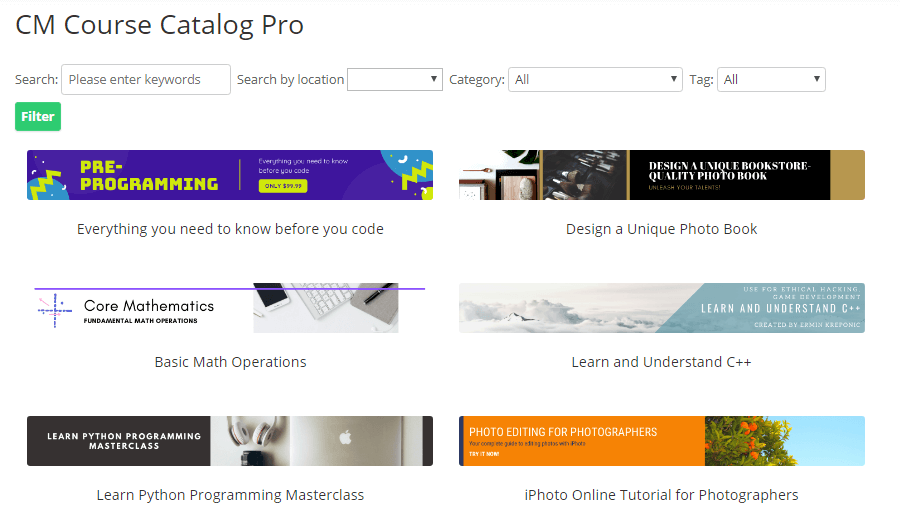
The WordPress Course Catalog plugin allows you to build a comprehensive directory of online courses, each with its own landing page. Organize courses for your educational website with ease, making it simple for students to find the courses they're interested in by keywords, location, start month, categories, or custom taxonomies like Course Type and Required Degree. This intuitive eLearning WordPress plugin helps students navigate your course offerings and find exactly what they need for their learning journey. |
 Course Catalog Index Page
 |
Choose the Best Template for Your Courses
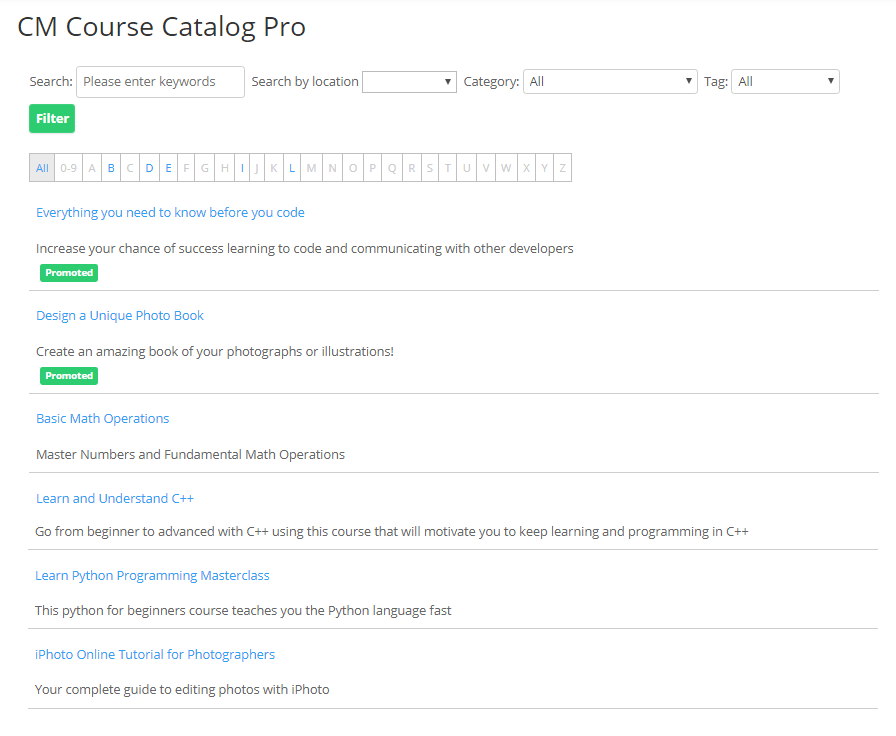
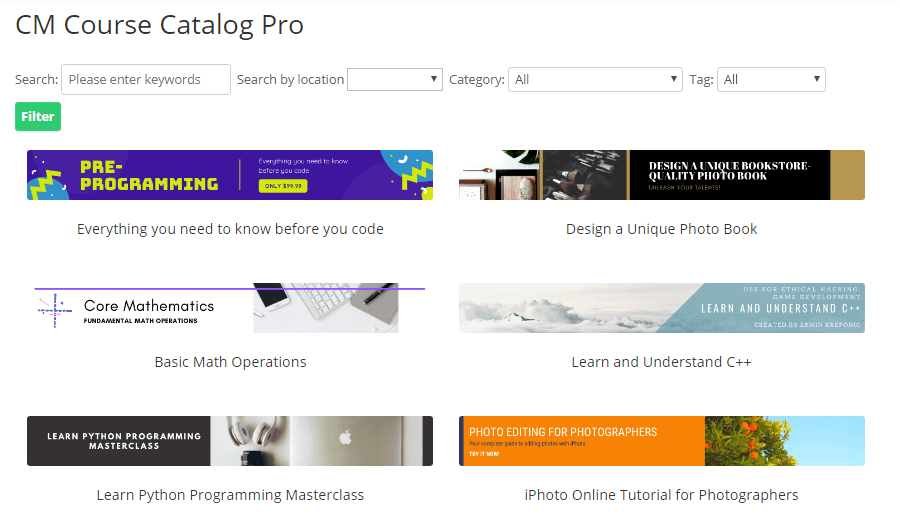
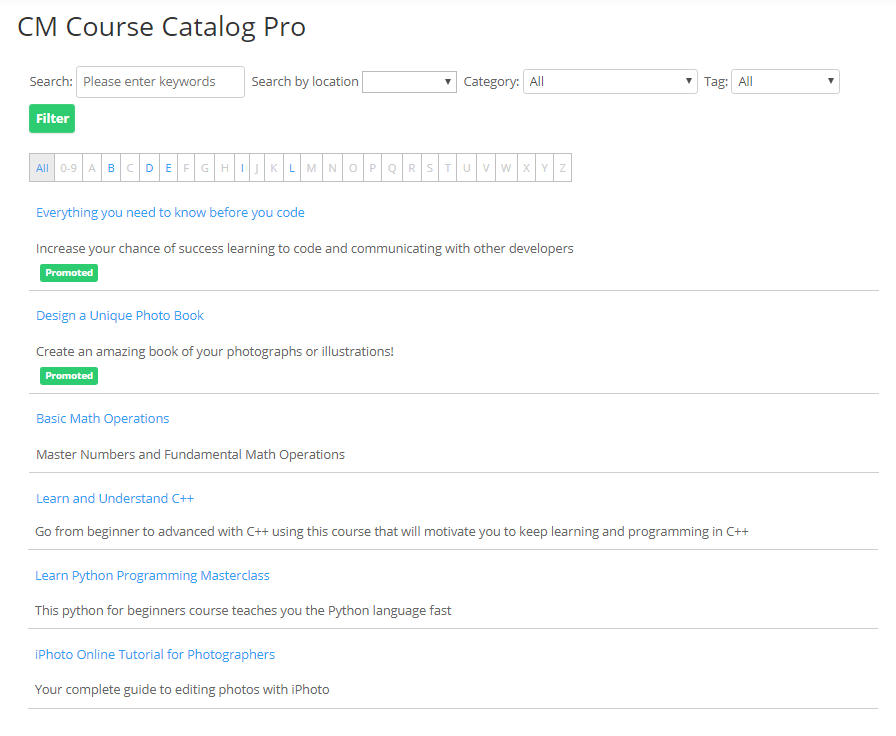
With this LMS WordPress plugin, you can present your course catalog in a way that best suits your brand. Choose from three customizable views - List View, Fancy View, or Tile View - to create an engaging and user-friendly browsing experience.
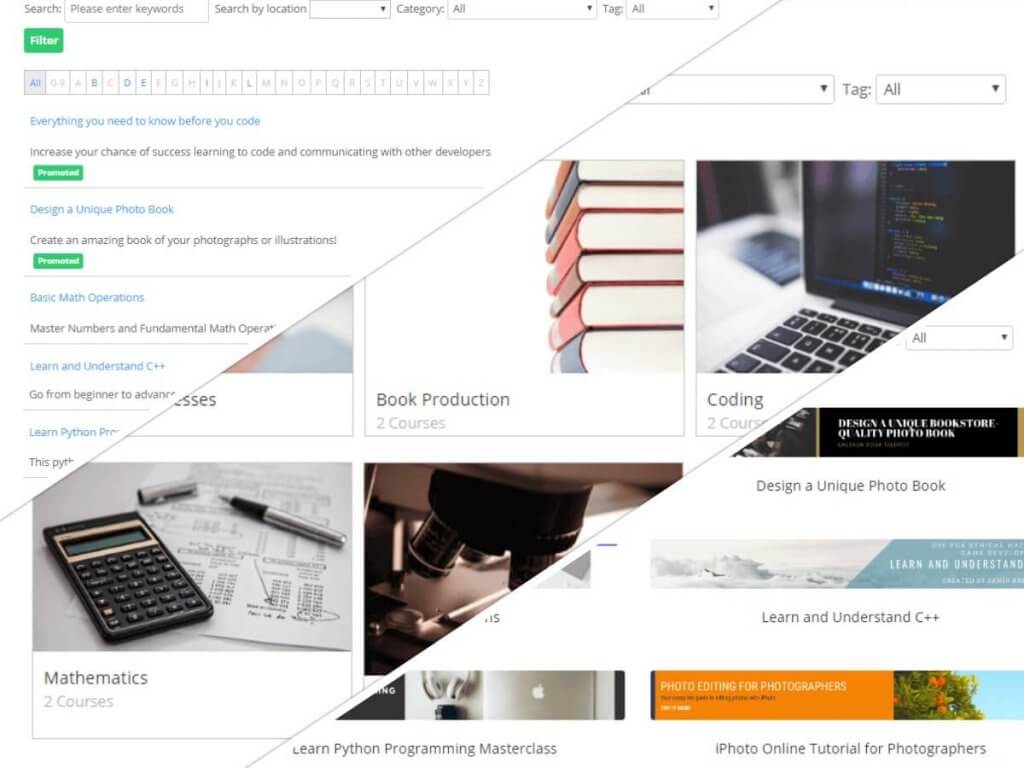 List View, Fancy View, and Tile View (Click to expand)
 |
These flexible viewing options allow you to tailor your course catalog to your audience and ensure a seamless exploration of your online courses. |
Add Detailed Information to Course Pages
|
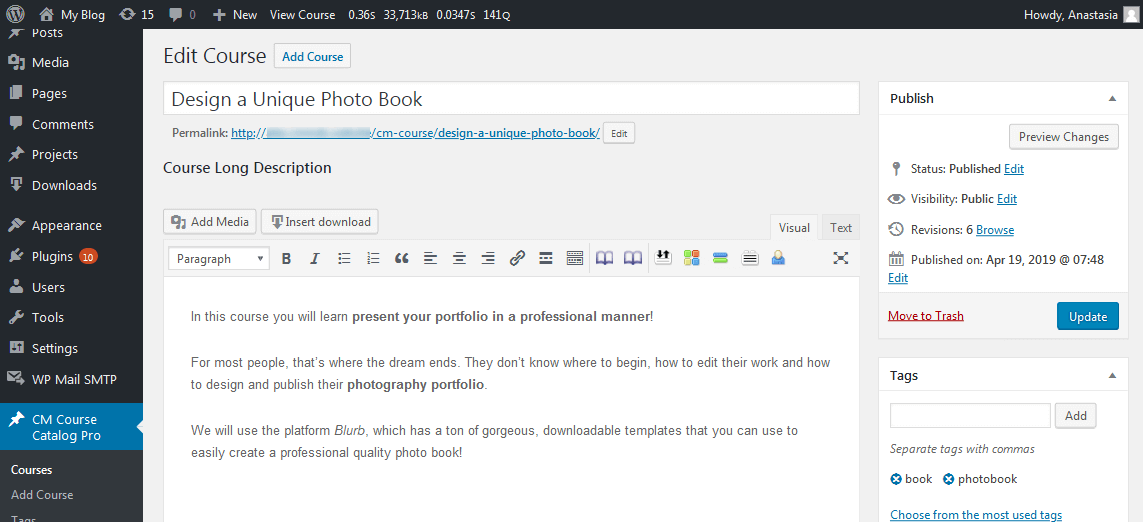
The WordPress Course Catalog plugin automatically creates individual course pages. You can add detailed descriptions, syllabi, schedules, images, attachments, and even integrate Google Maps for improved context. The plugin’s sleek, automatic layout lets you focus on content creation, while optional custom CSS gives you control over the design. With this LMS plugin for WordPress, you can also enhance SEO for each course page and interconnect related courses, improving navigation and search engine ranking. |
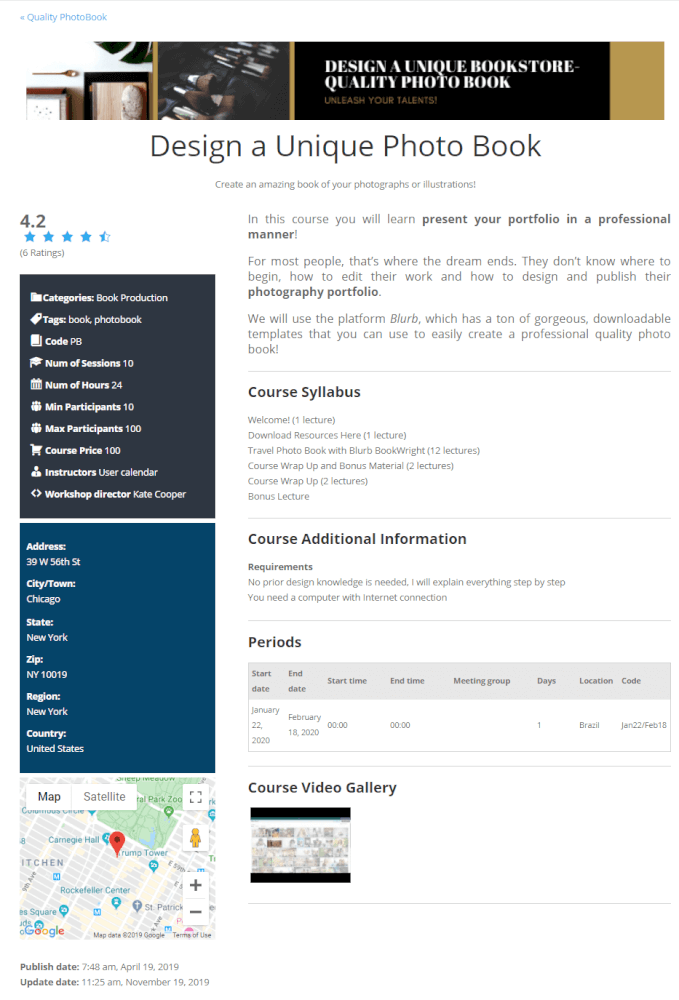 Sample Course Page
 |
Create Multiple Course Catalogs
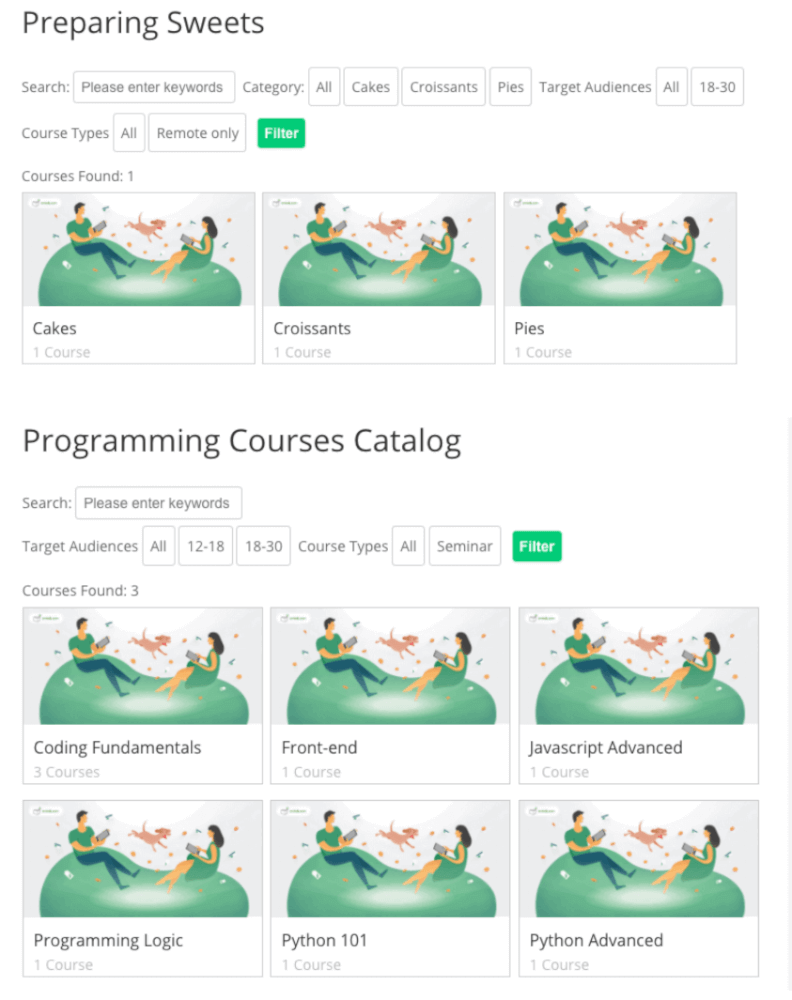 Two sample catalogs
 |
Separate your courses into multiple catalogs and display them wherever needed. Each catalog can use categories, custom taxonomies, and filters to help visitors find courses quickly. For example, if you teach coding, you can divide your courses into “Programming For Kids” and “Advanced Long Courses”. Showcase various catalogs easily using shortcodes, making it simple to manage multiple course offerings. |
Enhance Courses With Visual Content
|
Enhance your online courses with banners, images, videos, and additional formatting. Include free documents to inform students about course content and encourage enrollment. Each course can receive ratings from students, and the centralized rating system in the backend prevents cheating and ensures reliable feedback. |
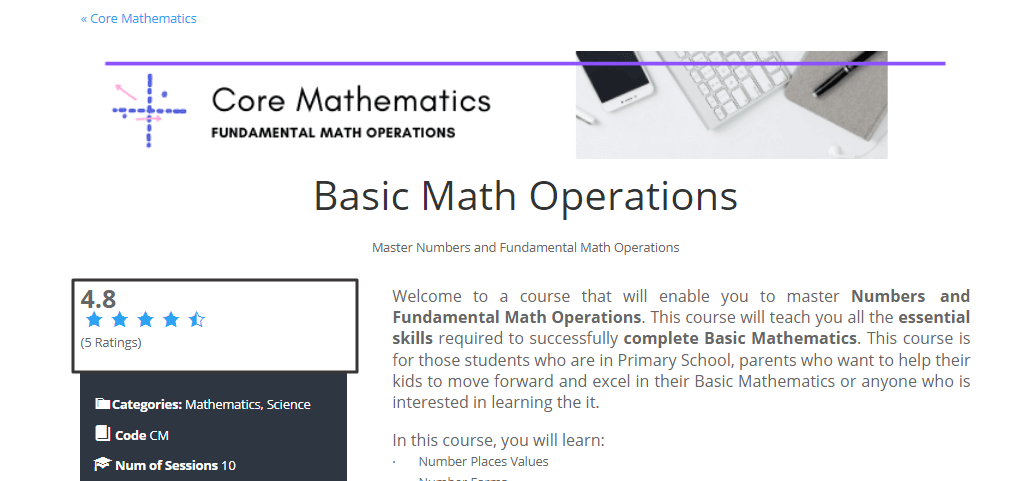 Visual Course Page
 |
Control Course Content Visibility
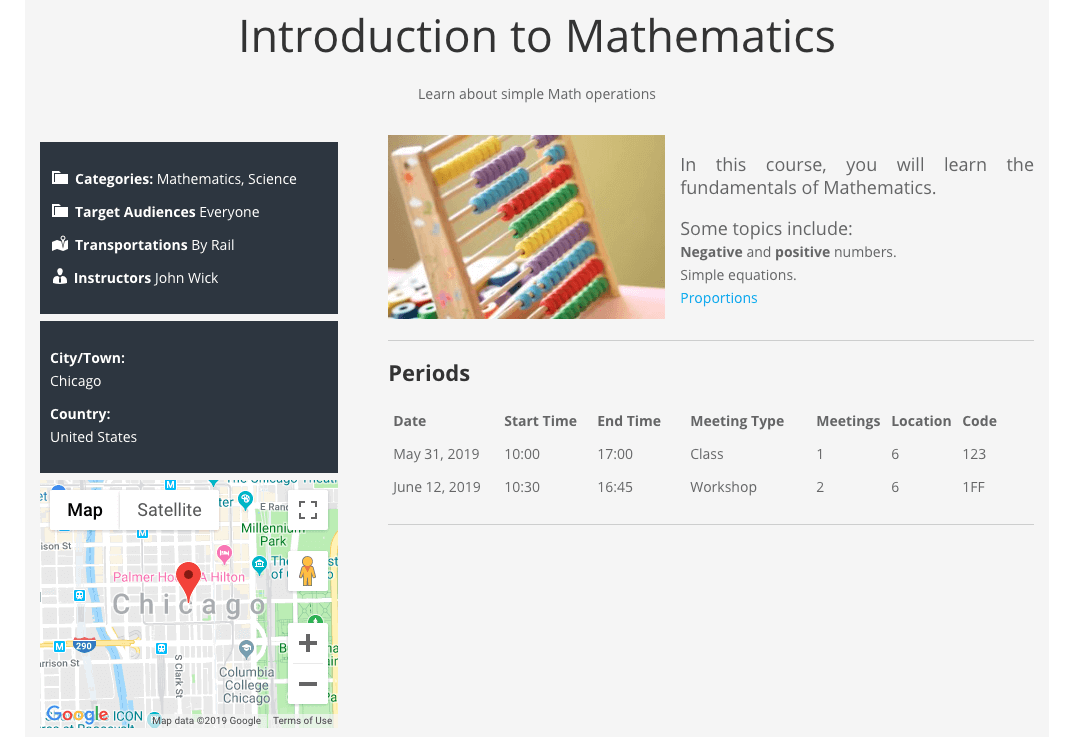 Limited Course Page
 |
Control access to sensitive course information. With the WordPress Course Catalog plugin, you can hide syllabi, images, attachments, and other details from non-registered users, providing an extra layer of content protection. |
Organize Courses by Categories & Filters
|
Organize courses by audience, location, or other custom classifications. Students and visitors can quickly find essential course information without opening each course individually. Courses can also be grouped into broader categories like “Languages” or “Coding”, improving navigation and discovery. |
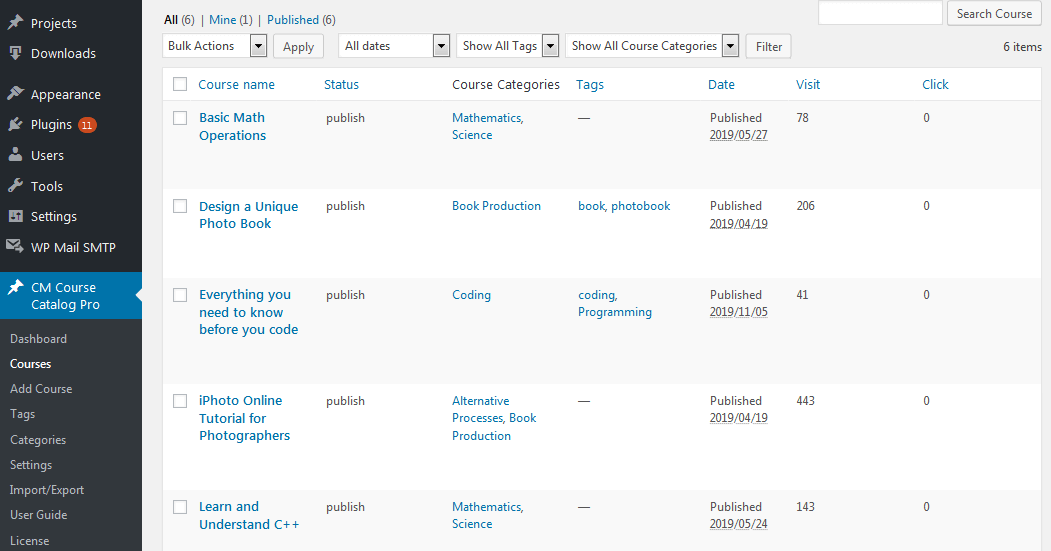 Course List in the Backend
 |
Automate Email Notifications for Courses
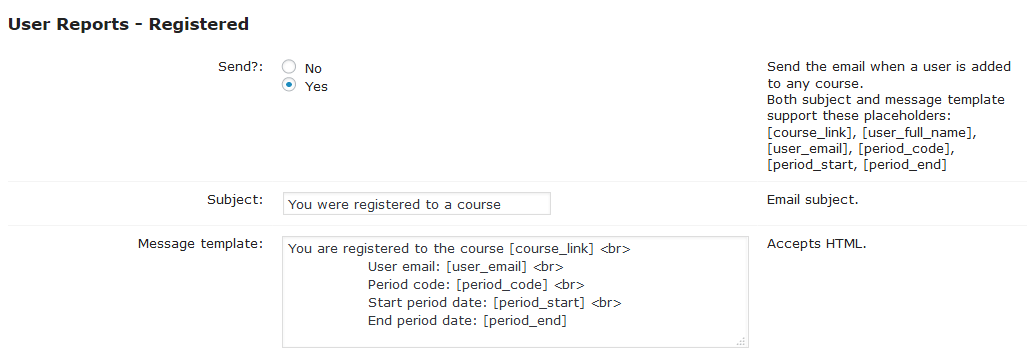 Email Reports in the Backend
 |
Leverage LMS functionality to cater to international students by translating labels and course content. Administrators receive notifications upon course registration, and students get email reports with their registration status, keeping everyone informed. |
Ready to Launch Your Course Catalog?
How to Use the Course Catalog Plugin
- Add Courses – Easily set up and organize each lesson with detailed information
- Organize Offer – Use categories, tags and custom taxonomies to structure your school
- Control Access – Define who has access to the Syllabus, Additional Information, Picture Gallery and Attachments
- Customize Interface – Choose the look and feel of your catalog. Apply custom CSS if needed
- Translate Interface – Change each Front-End text from the settings screen. No coding required
- Export Data – Edit all data using other software by generating a CSV file
Course Catalog Additional Resources
- WordPress class registration plugin User Guide
- Top Resources for WordPress Beginners
- Plugin AddOns
- Plugin Bundles
Create Your Online Course Platform Now
Key Features of the Course Catalog LMS
Please check the user guide to learn more about this WordPress course plugin.
Core Course Features
Course Pages

Each course has its own detailed page linked automatically to the dashboard.
Rich Information

Course page have short and long descriptions, banners, period information, image and video gallery, and files attachments.
Taxonomies
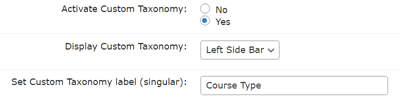
Add customized categories such as Course Type, Location, Required Degree, Age Group and more.
Additional Fields
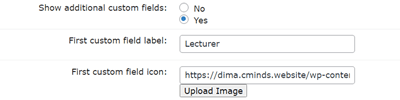
Create additional fields to the course page with its labels, icons, and positions on the page.
Customize Course Page Colors

Design course pages in your own way by adding colors to each box on the page.
Basic Registration

Let users register to your courses using simple form. The admin and users will be notified with email messages.
Course Statistics
Show statistics and define who have access to them.
Advertisement
Include ads with any HTML or Javascript code inside the course page.
Detailed Course Information

For each course – Add number of participants, course tutors, total number of hours, course price.
Google Map and Address
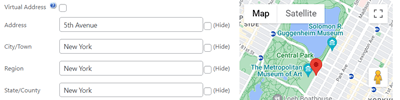
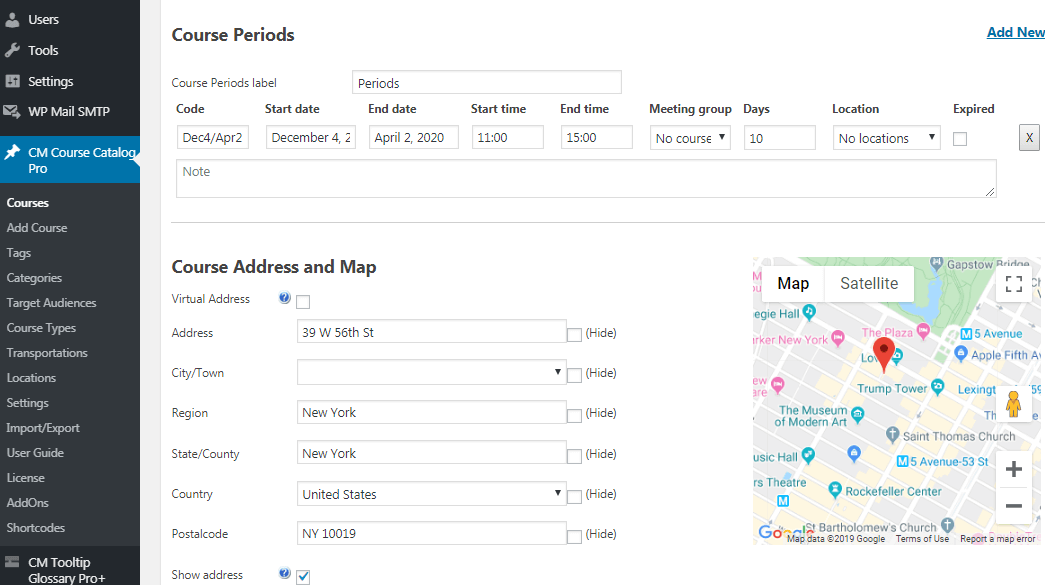
Add a Google Map to the Course Page based on its address.
Hide Information
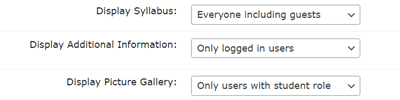
Show certain course information only to registered users or logged in users. This can also include files and documents.
Additional Links
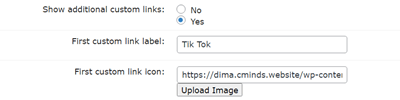
Create additional links to the course page with its labels and icons.
Ratings

Let users rate your course pages with a 1 to 5 star system.
QR Codes

Add a unique QR code to each course page to let users quickly access the page on their mobile devices.
Promote Courses
Promote courses in the course system search results and related courses widget.
Catalog Management Features
Three Views

Choose between the fancy catalog view, the classic tile view or the straightforward list view.
Course Categories List
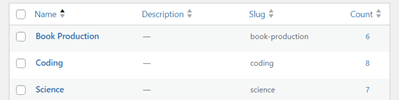
Add categories to collect similar courses in one place.
Search and Filter

Search and filter courses by keywords, location, lecturer, start month, category and custom taxonomies.
Import/Export
Download or upload a CSV file with all course information to edit it externally or switch sites.
Nofollow Links
Make all external links nofollow with a single option.
Multiple Catalogs
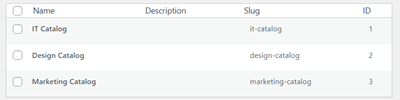
Organize your courses into different catalogs and show them anywhere.
Course Tags
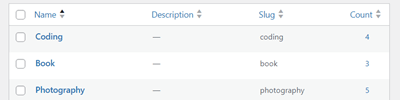
Create tags to search courses on the Frontend.
Shortcodes
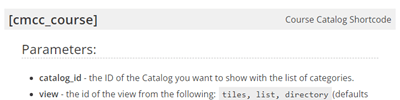
Apply the catalog anywhere with handy shortcodes.
SEO-Ready
All catalog is connected and linked, making it easy to create SEO-boosting content.
More Features
Email Reports
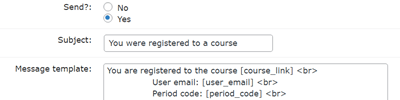
Send email notifications to admin and users about registration and course changes.
Translate
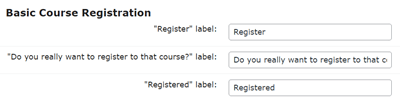
Change all labels to fit your desired language or style, no coding required.
Widgets
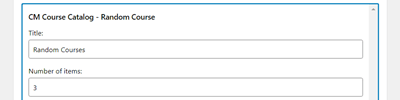
The plugin has four widgets for displaying random Courses, latest courses, categories and course period select.
Custom Style
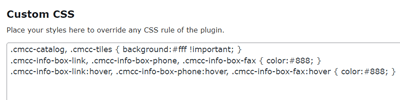
Apply CSS to make sure the catalog and course pages look exactly as you want.
Plugin Add-ons
Payments Add-on
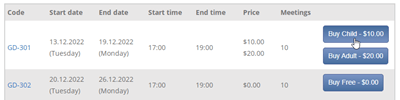
Payments add-on enables user registration with individual course prices, seamlessly integrating with the Easy Digital Downloads Cart system.
Calendar Add-on

Calendar add-on displays courses on a calendar view with unique colors for each category. Students can easily book courses with just a few clicks.
Dashboard Add-on
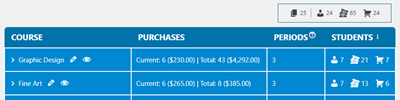
Dashboard add-on allows course admins to view all created courses, participants, and registrations through a visually intuitive backend dashboard. Access student contact details, payment information, and registration details.
Waiting List Add-on

Waiting List add-on lets users leave contact info for courses and registers them when the course is available.
WordPress Course Catalog Plugin Plans and Pricing
Select the license and pricing plan that suits your needs for the WordPress Course Catalog plugin. From small setups to large educational platforms, each plan provides the features and flexibility you need to manage and grow your online courses efficiently.
Compare License Options
| PLANS | Essential | Ultimate |
| Price includes 1 year support/updates. Manual renewal with 40% discount, not a subscription | $49 | $119 |
| Number of Websites / License Activations | 1 | 5 |
| BASIC FEATURES | ||
| Detailed Course Pages |  | |
| Detailed Course Information | | |
| Additional Fields | | |
| Additional Links | | |
| Multiple Catalogs | | |
| Course Categories | | |
| Course Tags | | |
| Custom Taxonomies | | |
| Search and Filter | | |
| APPEARANCE FEATURES | ||
| Course Page Customization | | |
| Three Catalog Templates | | |
| Hide Information | | |
| Edit Labels | | |
| Advertisment | | |
| TOOLS | ||
| Promote Courses | | |
| Basic Registration | | |
| QR Codes | | |
| Course Statistics | | |
| Ratings | | |
| Shortcodes | | |
| Widgets | | |
| Import/Export | | |
| Email Reports | | |
| Nofollow Links | | |
| INTEGRATIONS | ||
| Google Map Support | | |
| CM Map Locations Integration | | |
| CM Expert Directory Integration | | |
| ADD-ONS | ||
| CM Course Catalog Dashboard Addon |  | |
| CM Course Catalog Payments Addon | | |
| CM Course Catalog Profile Builder Addon | | |
| CM Course Waiting List Addon | | |
| CM Course Catalog Calendar Addon | | |
| SUPPORT | ||
| Product Knowledge Base |
 |
|
| Priority email support |
|
|
| Product updates |
|
|
| PLANS | Essential | Ultimate |
| Number of Websites / License Activations | 1 | 5 |
| Price includes 1 year support/updates. Manual renewal with 40% discount, not a subscription | $49 | $119 |
How to Choose the Right Plan
Compare the features and benefits of each license to find the one that best fits your educational setup.
- Essential: Ideal for educational websites, this version helps you organize courses and present key information about each class clearly and efficiently.
- Ultimate: Designed for those who need a complete learning management solution, this plan adds advanced course management, registration control, payment handling, and enhanced student interaction, giving you all the tools to run a fully-featured online course platform.
- Enterprise: Tailored to the needs of large institutions, events, or campus-wide course catalogs, this plan offers additional modules and customization to handle complex setups.
Choose the plan that matches your needs and start managing your courses and students with ease today.
Expand Your Course Catalog With Extra Functionality
Enhance your Course Catalog with these add-ons, designed to simplify course management, improve student registration, and add powerful features like calendars, dashboards, custom forms, waiting lists, and payments.



Course Catalog LMS – Course Page on the Frontend
-

- Showing Course Rating
-

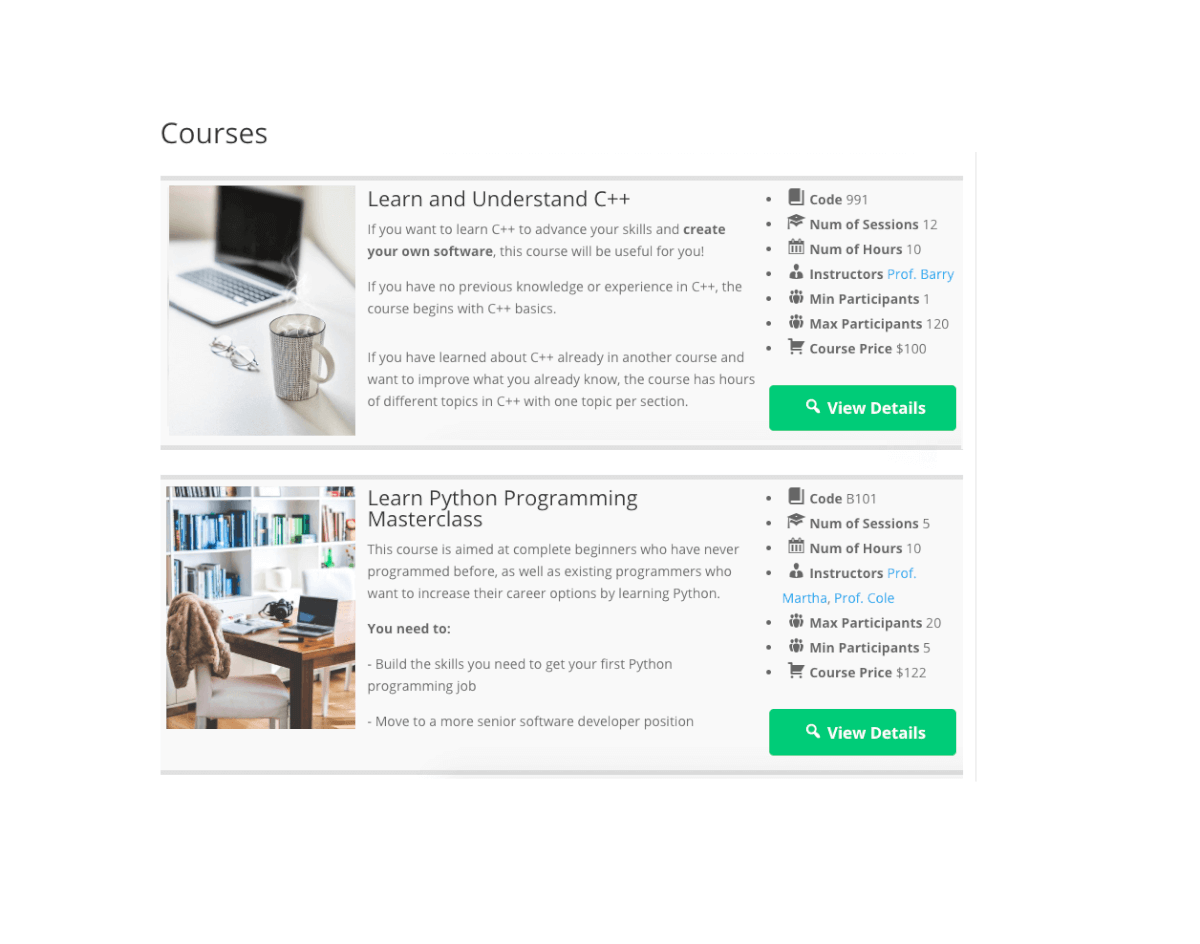
- Add Courses with Shortcodes
-

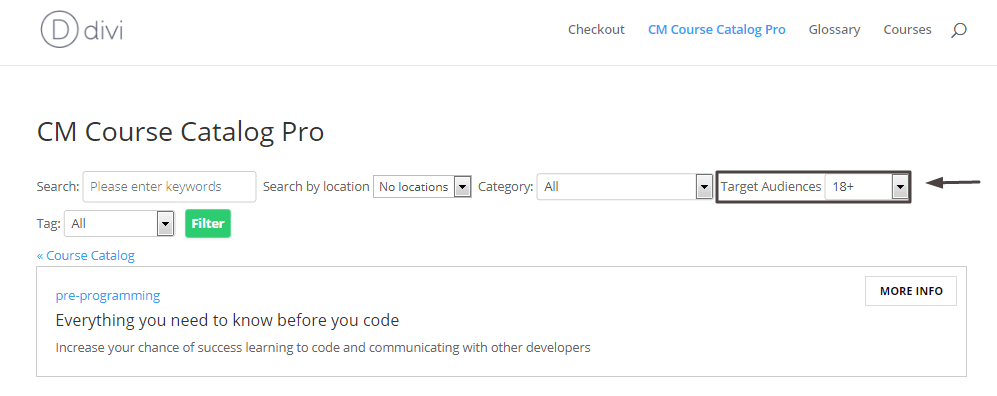
- Search Courses by Taxonomies
Course Catalog LMS – Course Catalog Frontend Views
-

- Catalog View
-

- Tile View
-

- List View
Course Catalog LMS – Settings – Backend
-

- View Courses List
-

- Add Courses From the Backend
-

- Add Periods and Google Maps to Courses
-

- Add Custom Fields to Courses
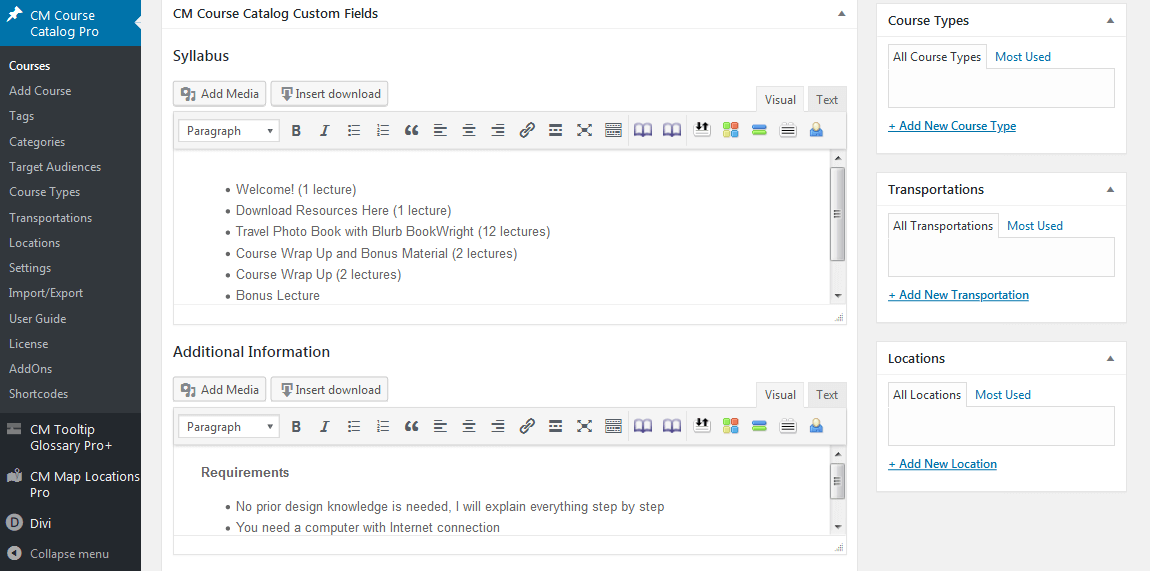
-

- Add Course Categories in the Backend
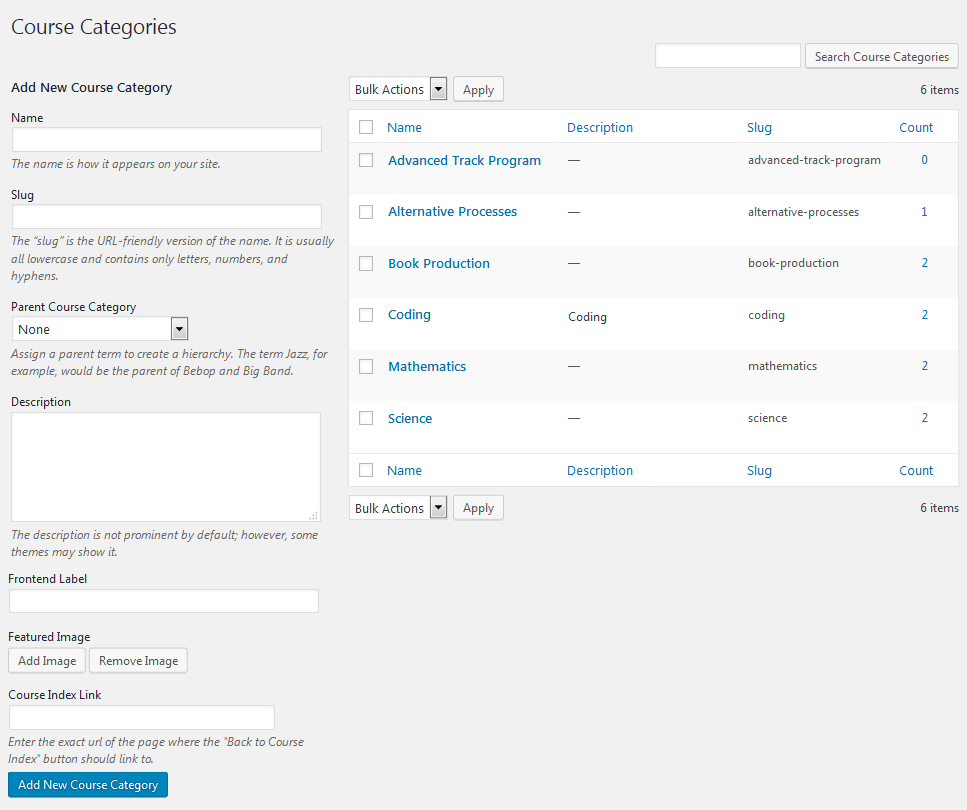
-

- View Tags List in the Backend
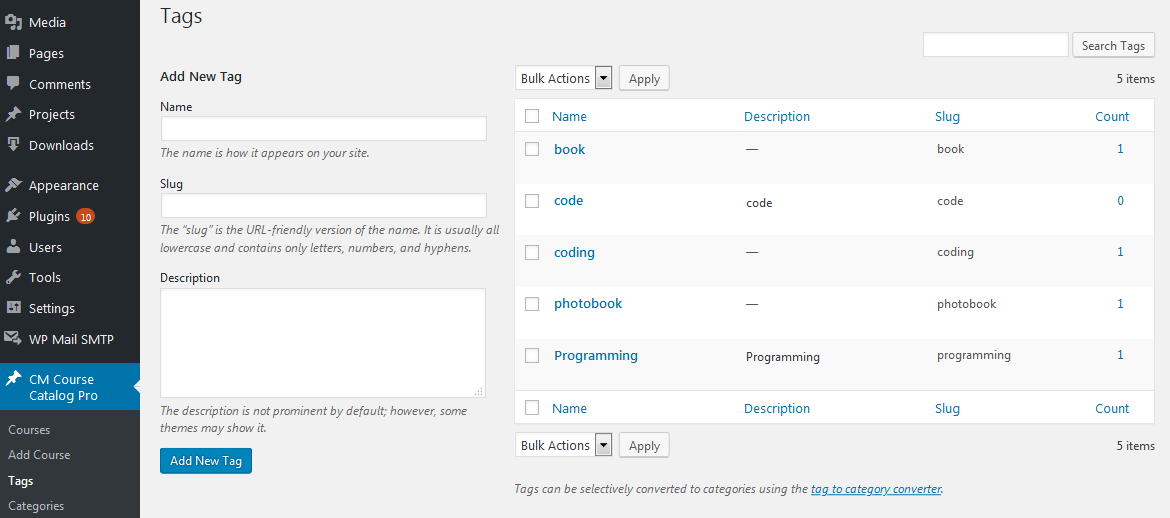
-

- View Taxonomies List in the Backend
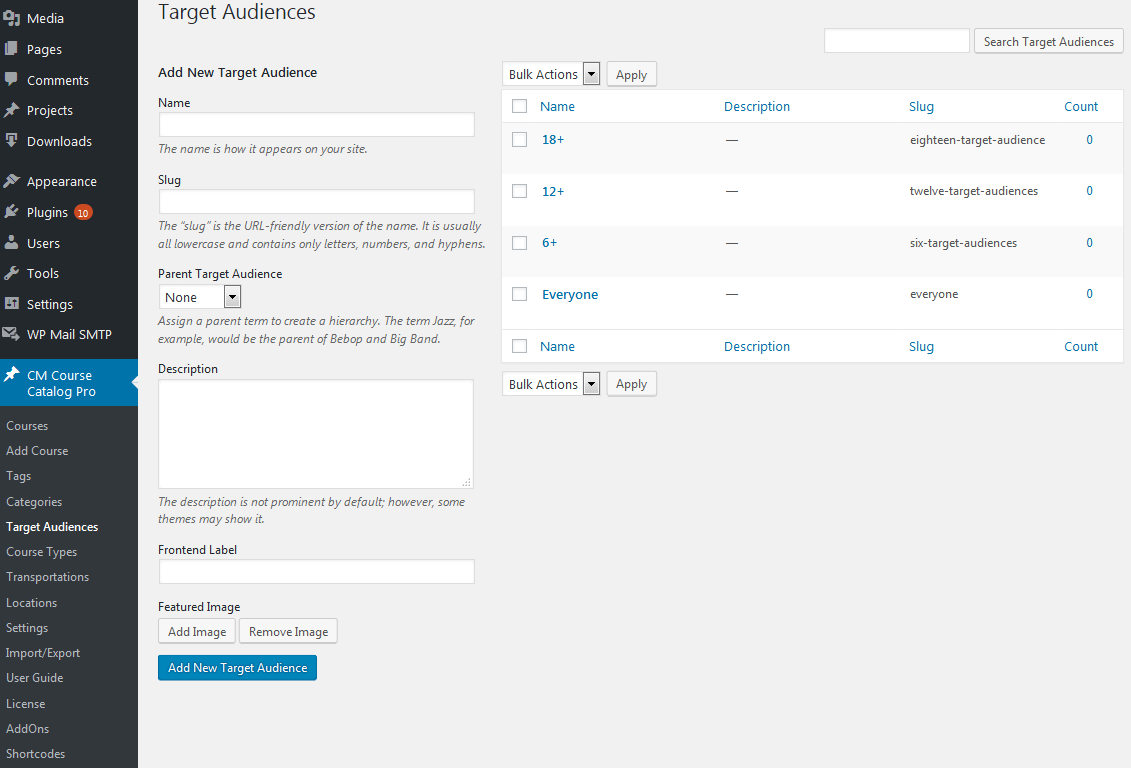
-

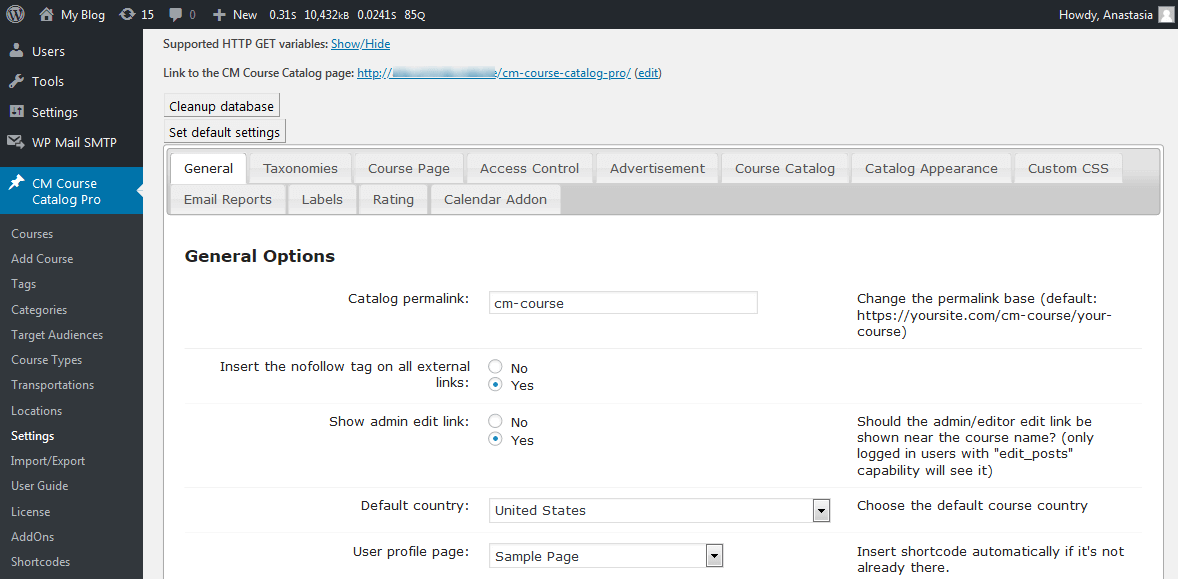
- All the Course Settings in the Backend
Course Catalog Plugin Demo
COURSE CATALOG DEMO
 |
EXAMPLES OF SITES USING COURSE CATALOG
 |  |  |
 |  |  |
WordPress Course Catalog Plugin Frequently Asked Questions
Please check the user guide to learn more about this plugin.