

Secure File Management for WordPress
This plugin is designed for websites that need a structured and secure way to manage files, documents, and digital content. It is suitable for teams, membership sites, online courses, and any platform where controlled access to files is required.
You can use it to organize and share internal resources, provide user-based access to specific files, or build a simple document library inside WordPress. It also supports monetization scenarios where files are available as paid downloads.
The system enables secure document sharing, user file management, and controlled file distribution directly within WordPress.
File Security System for WordPress Downloads
|
Security and privacy are essential when managing files and documents in WordPress. This plugin provides a secure environment for storing and distributing files, ensuring sensitive documents, private resources, and paid downloads remain protected from unauthorized access. Administrators can apply general access settings, safeguarding content without worrying about accidental exposure or leaks. |
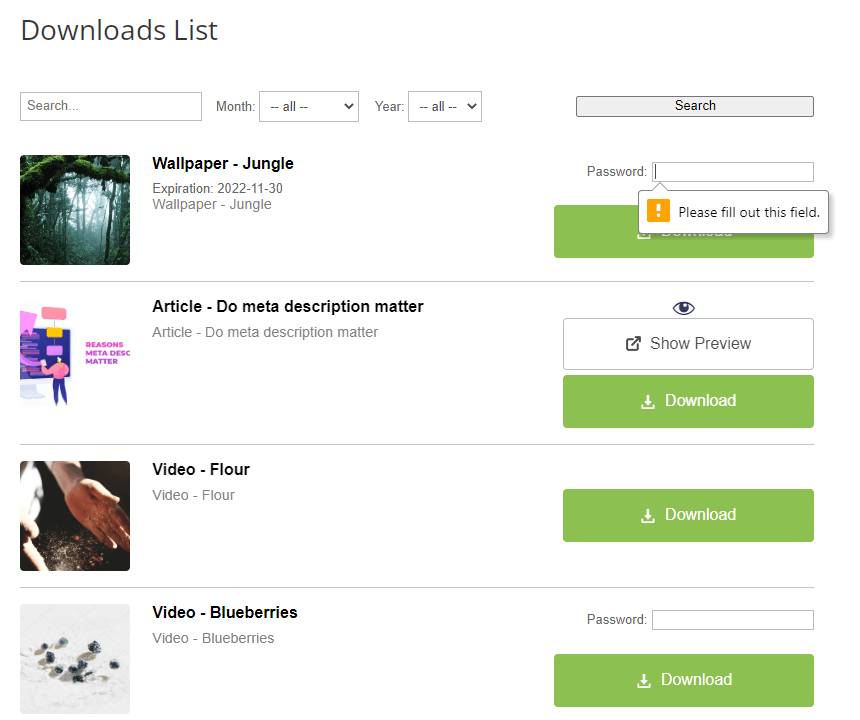 Download and File Manager Password Prompt
 |
Admin File Management Dashboard
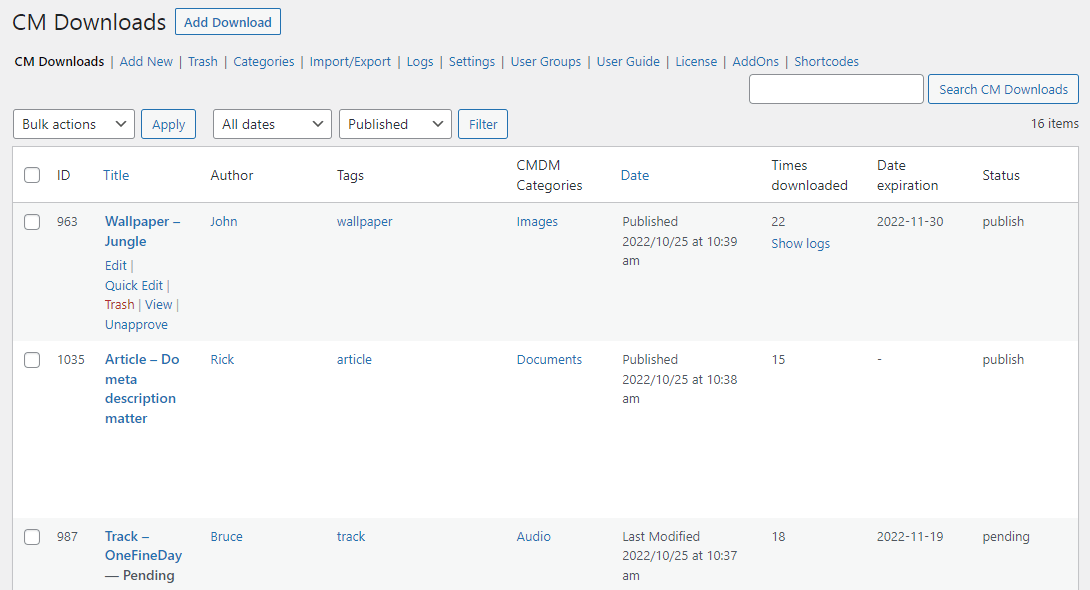 File Management Plugin Admin Dashboard
 |
The admin dashboard provides a centralized interface for managing files, users, and downloads within WordPress. From a single location, you can monitor file activity and control how content is accessed and distributed. It includes tools for searching, filtering, and organizing files, along with download notifications and logs. Built-in analytics allow you to track file downloads and user activity, giving you full visibility over how your content is used. |
Dedicated File Pages
|
Each uploaded file is assigned a dedicated page where users can view details and access the download. This allows you to present files as structured content instead of simple links. Each page can include a description, file preview, support section, and direct download links. You can also monitor download activity for each file to track engagement and usage. The plugin supports multiple file formats, including documents, videos, and audio files, while allowing administrators to define which file types can be uploaded. It also supports external sources via URLs or shortcodes, such as Google Drive or Dropbox links. |
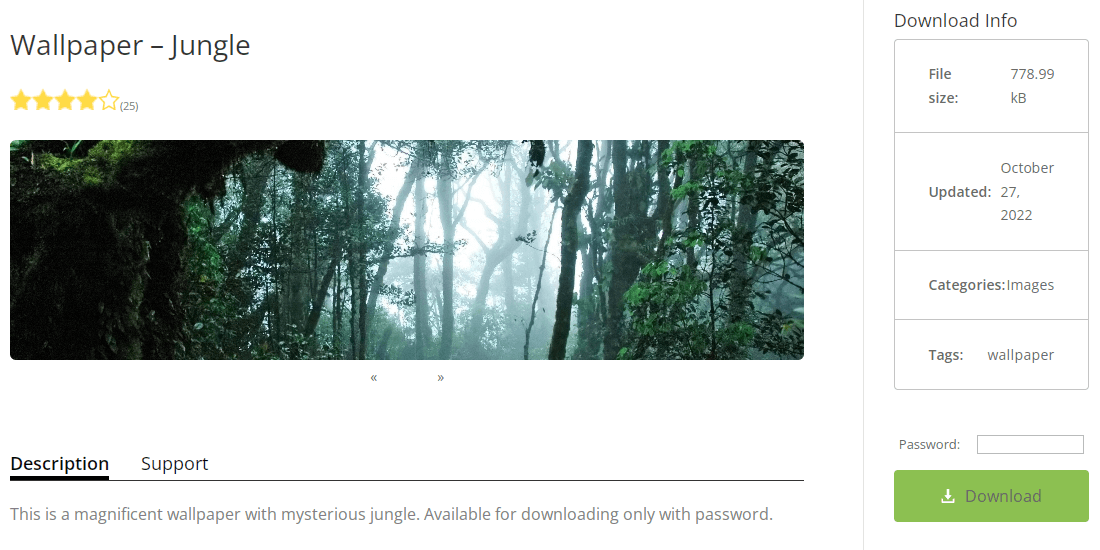 Dedicated File Page
 |
Searchable File Directory
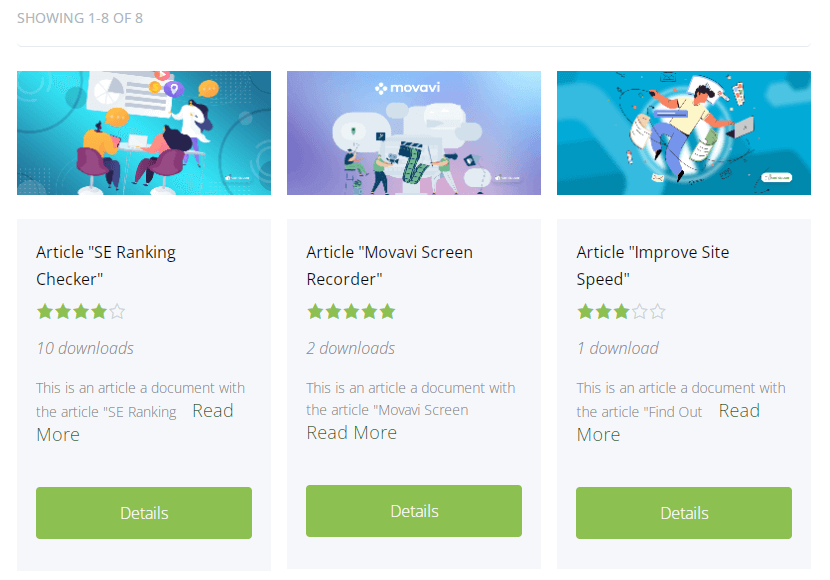 Download and File Manager Index Page
 |
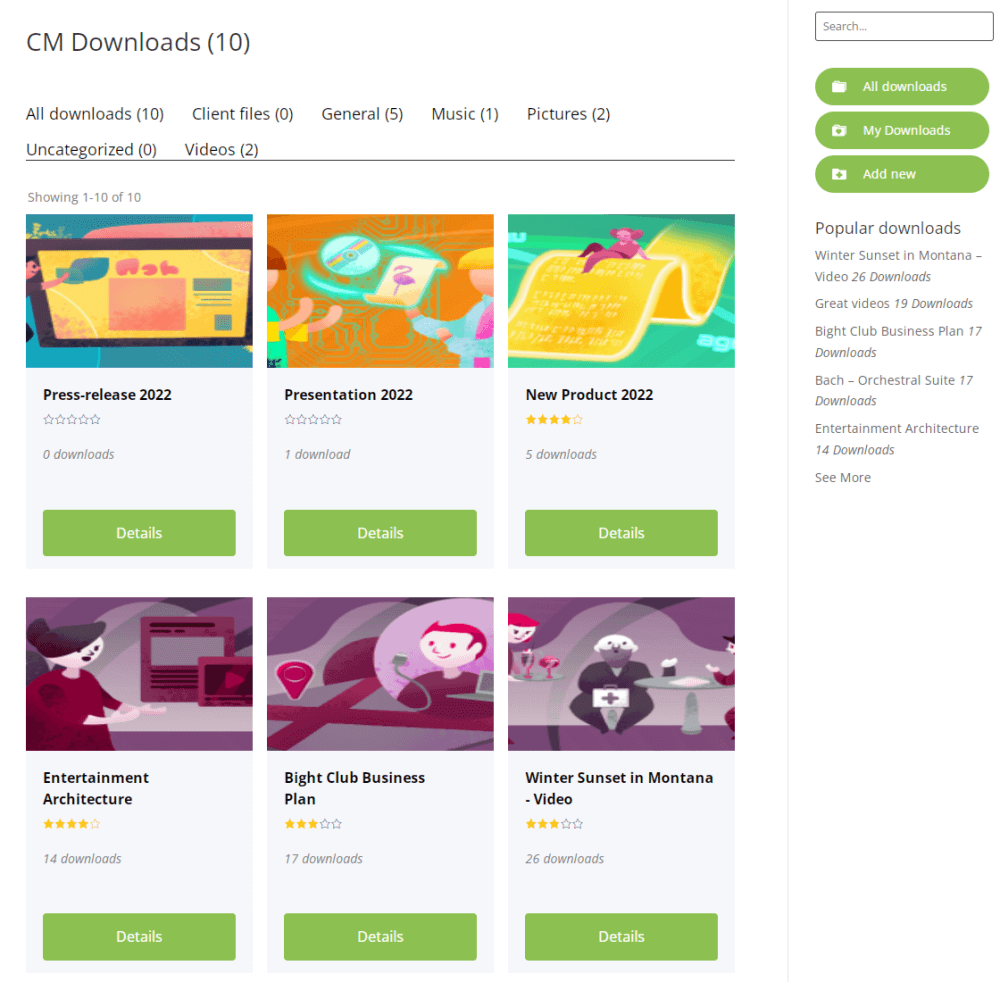
All files are organized in a centralized index page, where users can browse downloads by category. This makes it easier to navigate large collections of documents and resources. Built-in search and filtering allow users to find files by keywords, tags, or categories, helping them quickly locate the content they need. |
User Dashboard for File Management
|
The user dashboard allows each user to manage their files and documents directly from the frontend. Users can view file ID numbers, titles, download status (published or pending approval), and download counts. Users can also easily publish or unpublish files from the dashboard, giving them full control over their own content. |
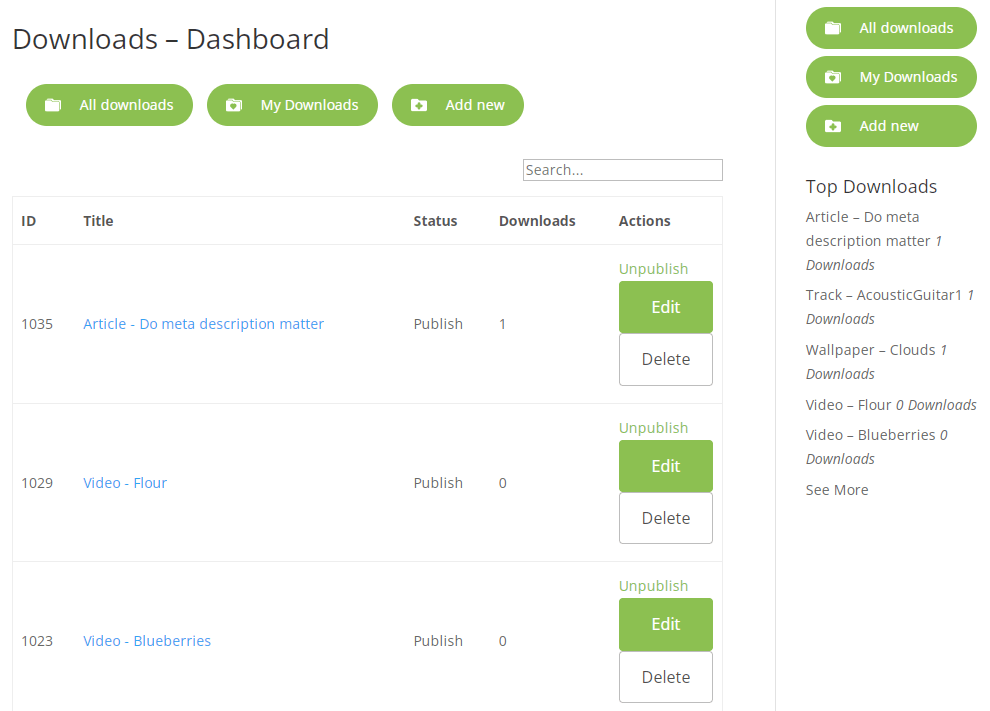 WordPress Download Manager Plugin User Dashboard
 |
Password-Protected Files
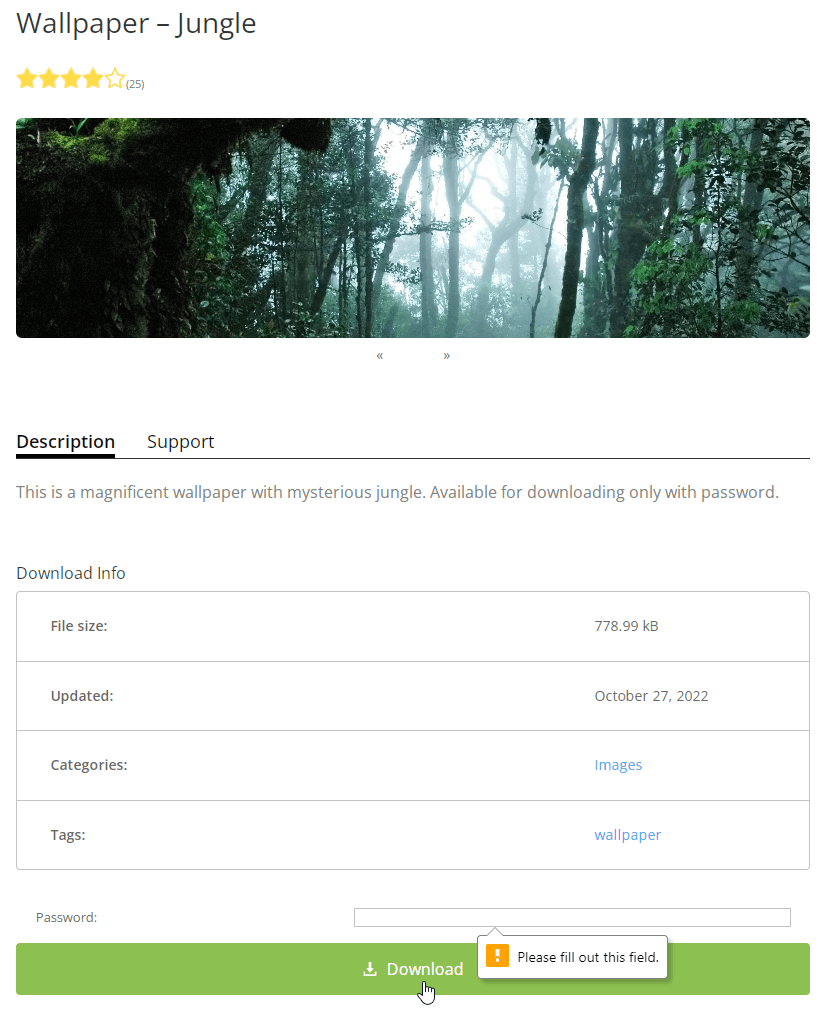 Password Prompt
 |
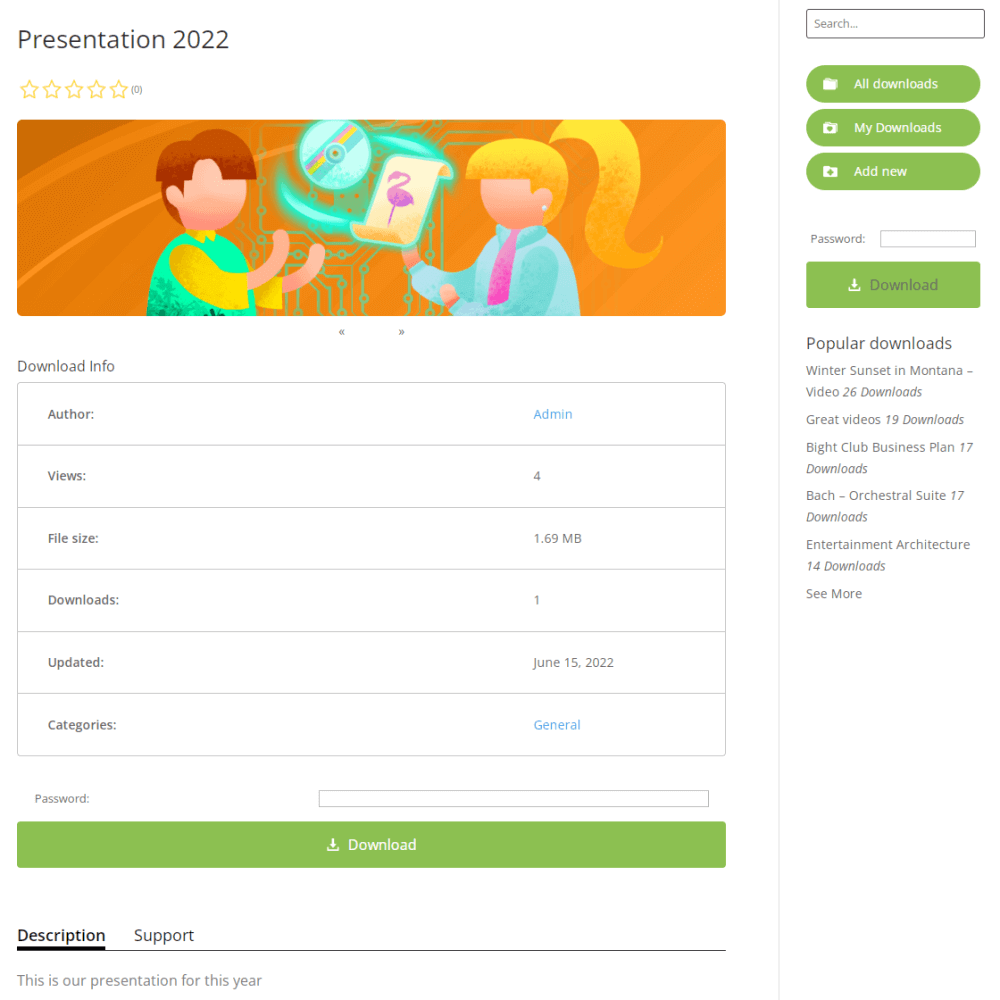
The plugin allows you to assign individual passwords to files, giving you precise control over who can access specific content. Each file can have its own password, providing an extra layer of protection on top of general security settings. This feature is ideal for sensitive documents, premium content, or temporary file sharing, ensuring only users with the password can view or download the file. |
Access Control Settings in WordPress File Manager
|
This plugin provides fine-grained access control, allowing administrators to assign permissions for files and folders to specific users or user groups. Additionally, administrators can enable the file uploader to control who can view or download their own uploads, giving content creators flexibility while maintaining overall security. |
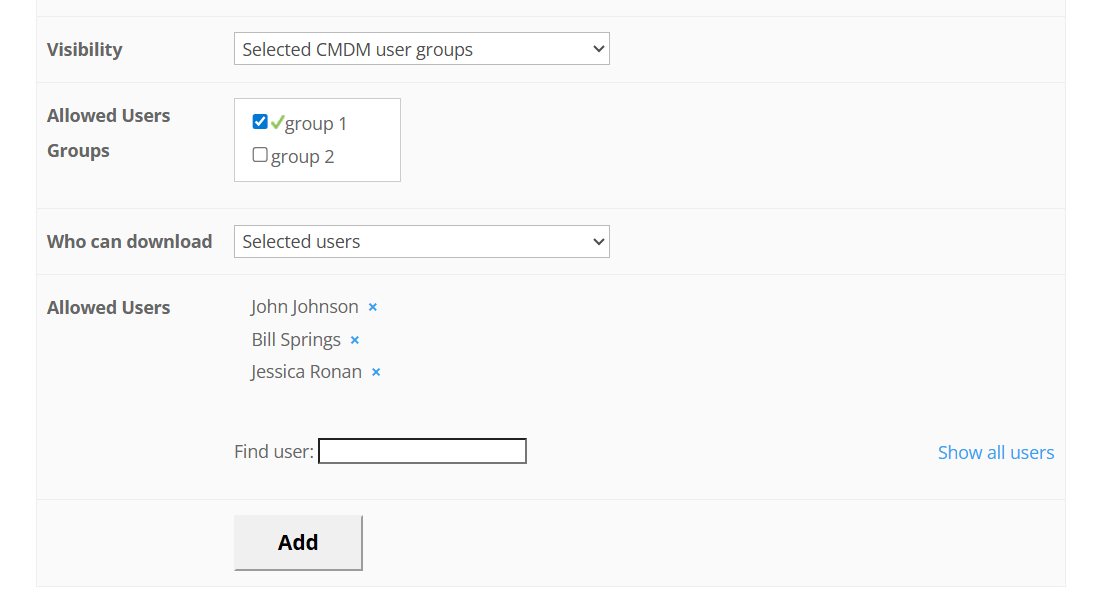 Access Settings that Author Can Set for a Download
 |
File Manager Translation and Localization
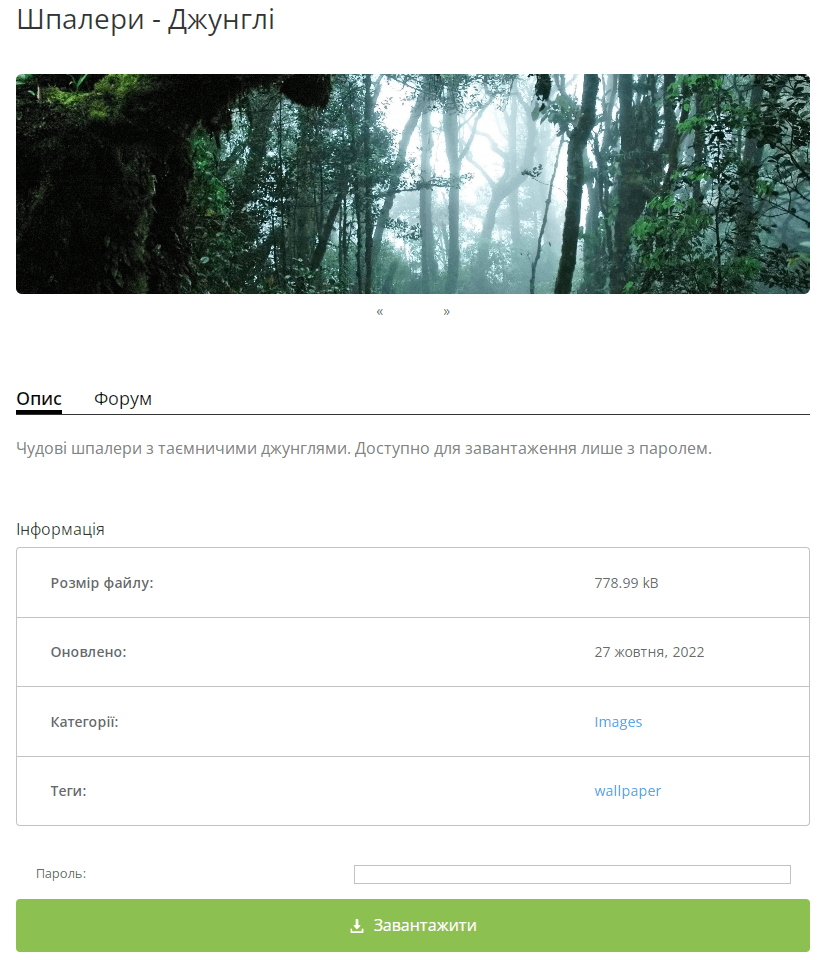 Translated Interface in Download and File Manager
 |
Plugin labels and front-end text can be customized directly from the settings, allowing you to translate the interface into different languages and better adapt it to your users. For deeper localization, the plugin includes PO/MO language files that cover all front-end interactions and allow full translation support. More details are available in the help documentation. |
Secure Client Zone Integration
|
With the optional Secure Client Zone add-on, you can create a secure, private portal for your customers. Each client can view, upload, and download their own files, while administrators control access, track activity, and send notifications for new files. This add-on integrates seamlessly with the Download Manager plugin, enhancing its capabilities by providing a dedicated area for managing client files, ideal for customer portals, employee dashboards, or private file sharing. For step-by-step guidance, see our guided tutorial on installing and configuring Secure Client Download Zone. |
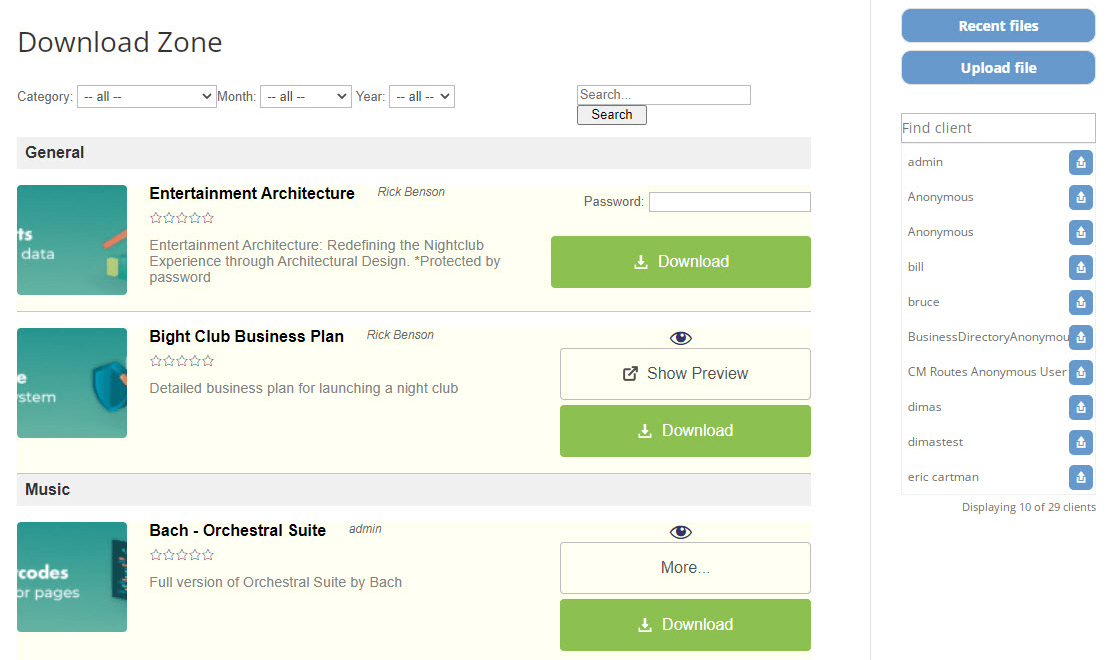 WordPress Document Management Download Zone
 |
Allow Anonymous Uploads
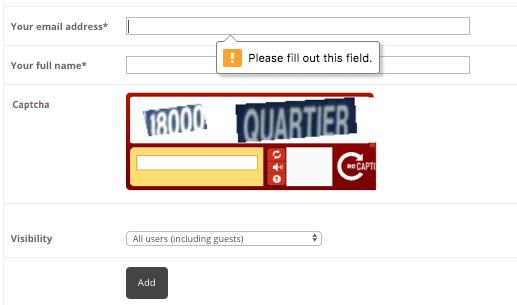 Anonymous user solving reCAPTCHA to upload file
 |
With the optional Anonymous Posting add-on, visitors can upload files to your site without registering an account. Each submission can be moderated by administrators, ensuring content is approved before becoming visible. The add-on includes reCAPTCHA protection to prevent spam uploads, keeping your site secure. For detailed instructions, see our guide on allowing anonymous users to upload files. |
Monetize Your Downloads
|
The WordPress Download and File Manager plugin can be extended with optional add-ons to charge users for file downloads or uploads. With the Downloads Payments add-on, you can accept payments via PayPal, credit card, or other methods through Easy Digital Downloads (EDD) and WooCommerce integration. Additionally, by integrating the WordPress MicroPayments plugin, you can create a digital wallet and charge users with points for downloads or uploads. |
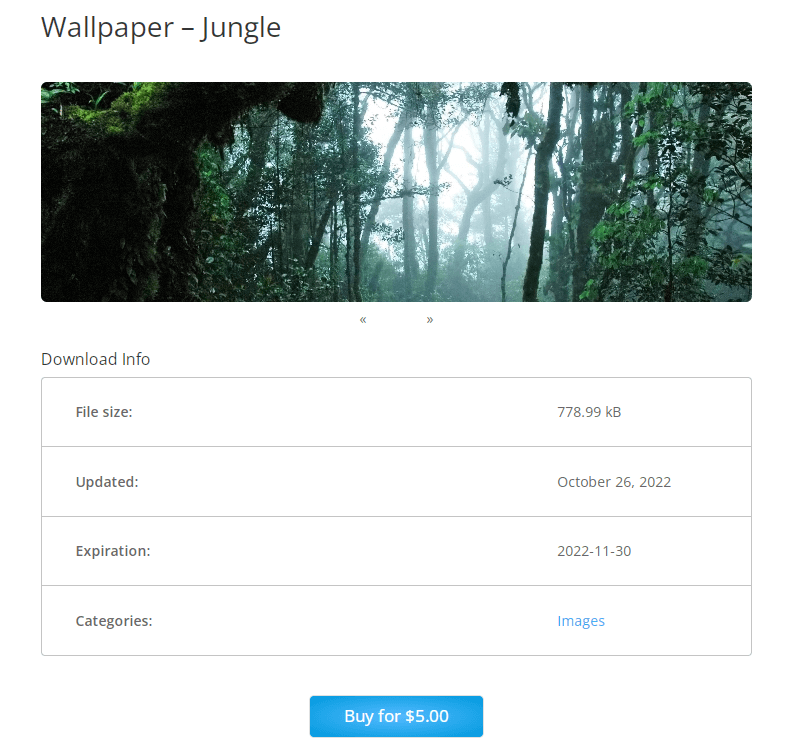 Download and File Manager Payments Integration
 |
Ready to Manage Files in WordPress?
Using The WordPress Download and File Manager Plugin
The plugin makes it easy to manage files on your WordPress site in three simple steps:
- Configure – Set which file types can be uploaded, define who can view and upload files, and customize the interface to fit your site.
- Upload – Add your first file or external link to start sharing content immediately.
- Share – Invite users to upload files, access their dashboards, and participate in discussions on each file’s dedicated board.
Download and File Manager Additional Resources
Related Blog Posts for File Manager Plugin
Start Building Your File System Today
Download and File Manager Features
Please see the Plugin User Guide to learn more about this plugin.
File Management
Multiple File Upload
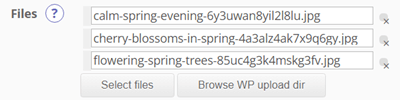
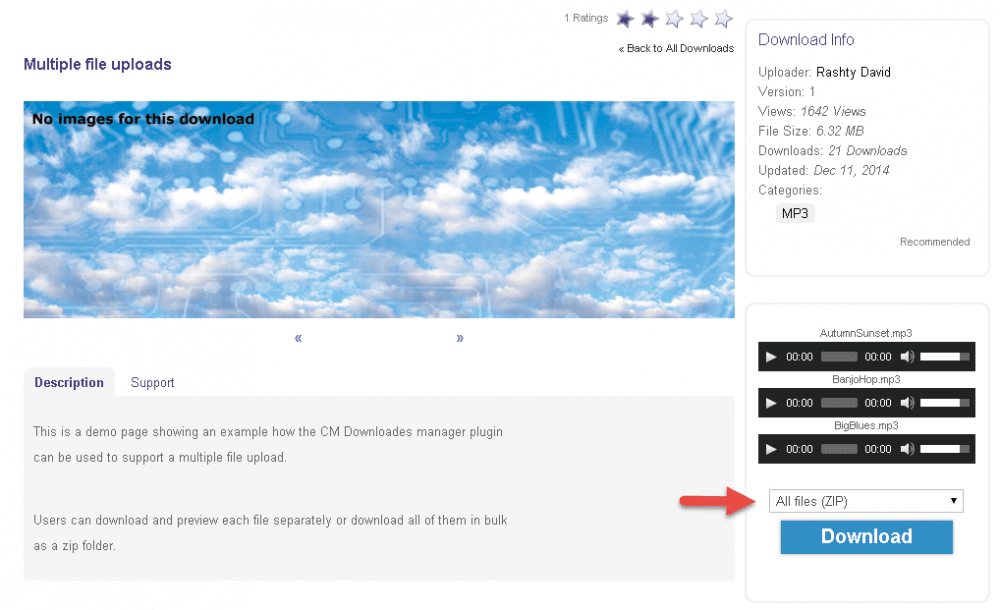
Each download page can contain multiple files. File can be downloaded separately or using a zip to download all.
Audio Player

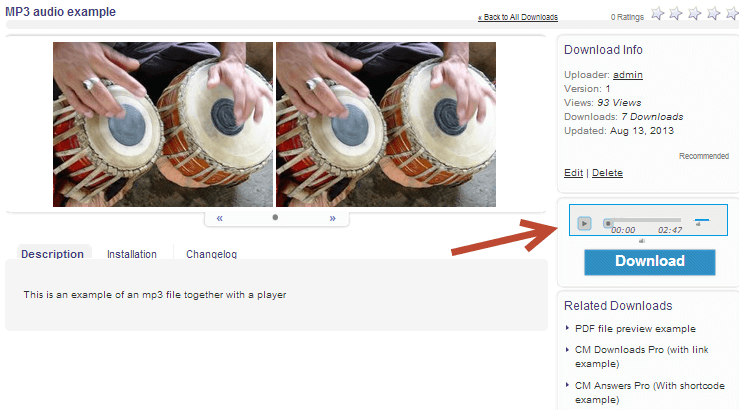
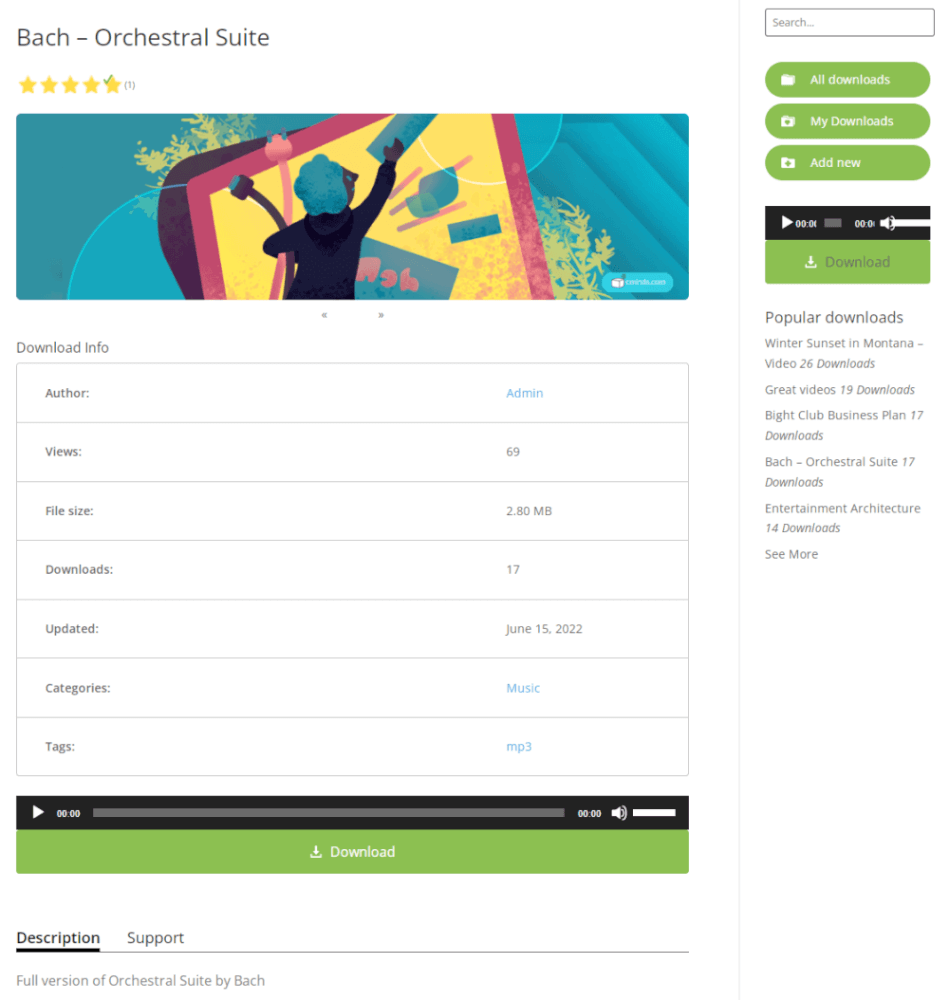
Embed an audio player for previewing audio and mp3 files prior to download.
Image Gallery Slideshow

Display an image slideshow for each download.
File Categories
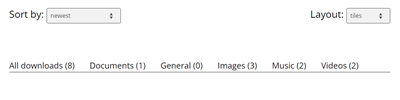
Organize files with multiple levels of categories.
FTP or Local Storage
You can choose if to store the files on local storage or on your FTP storage.
Import/Export
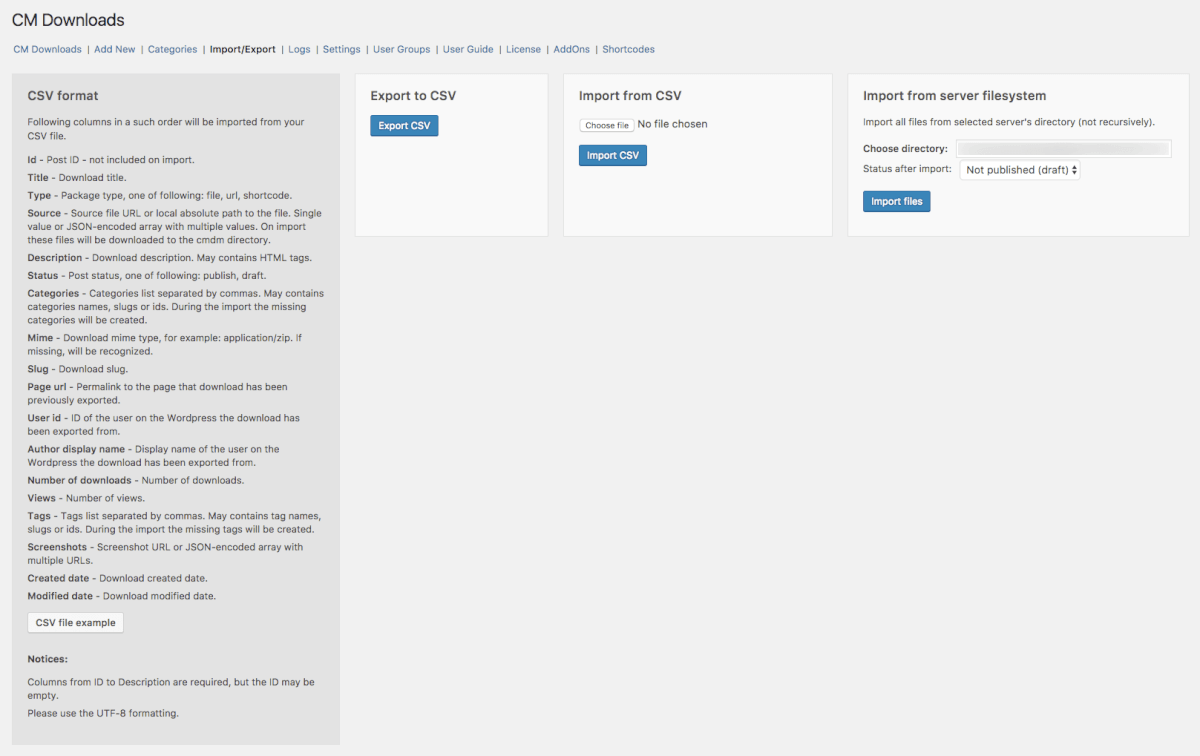
You can export or import downloads as a CSV file. The CSV file doesn’t contain files, it only lists information on every file, including their URL addresses.
ZIP File Management

Compress all files or select specific files or file categories to download as a zip file.
Video Player

Embed a video player to preview video of mp4 and other video files prior to downloading.
Instant Preview
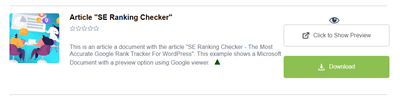
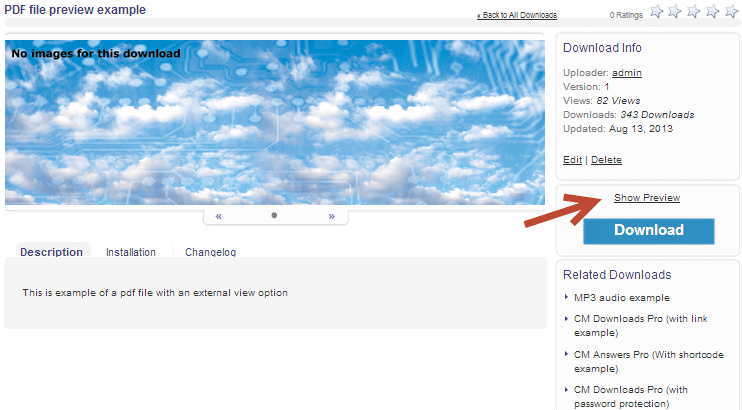
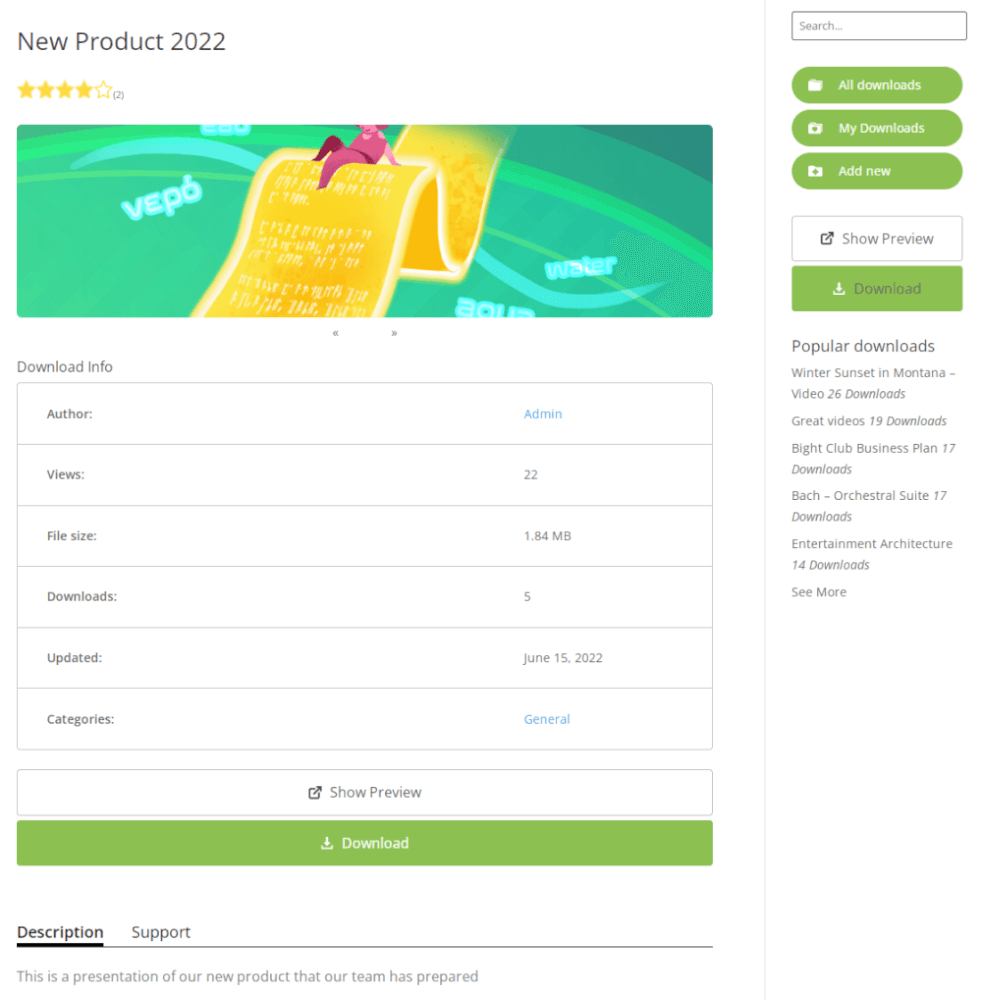
Integrate Google Docs, allowing easy file preview before download (supports all main document and spreadsheet file extensions).
User Profile with all Downloads
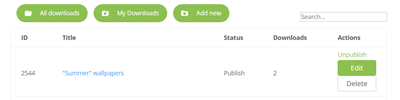
Each user has a profile page showing all their uploads and basic information about the user.
FTP Storage Sync
Upload your files directly to the folder in your FTP storage and the downloads will be automatically generated in the Download and File Manager.
SEO Support
Index page and every download page can have a relevant title, meta description, and keywords tags.
Download Moderation & Notifications
1 – 1 File Access
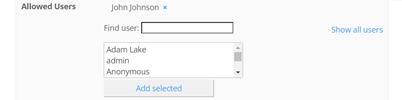
Restrict access so users can only see their files and the ones the admin shares with them.
Email Notifications
Send custom email notifications to download authors when their file upload has been approved or support questions are posted. Notify users of file uploads to categories they follow. Notify the admin when uploads are pending approval.
Log & Statistics
Generate a detailed report from the downloads log with file specific stats based on downloads date, users, and locations.
File Access Control
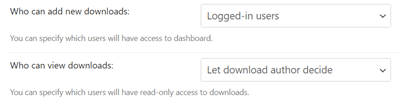
Set access settings to grant permissions for individual users or user groups to view or upload files.
User Moderation
Moderate user posts and permissions on the download support forum or choose to pre-approve posts and uploads by specific users.
Interface & Customization
Download Index Page Views
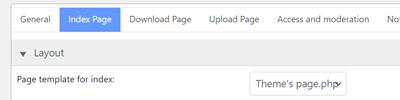
Choose from four different templates to display the WordPress Downloads Manager Index page.
Download Customization
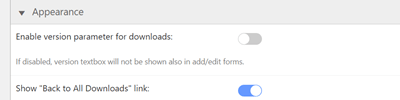
Easily customize the look & feel of the digital downloads template page with your theme.
Download Voting

Vote for each download using a star rating system.
Ajax Search
Users can search for the downloads staying on the same page.
Download Page Templates

Customize the style of the WordPress Download and File Manager page template and adjust the plugin’s look and feel.
Localization
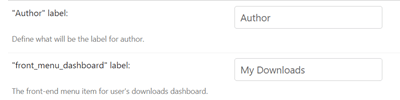
UTF-8 characters are supported, allowing text translation into multiple languages.
Widgets
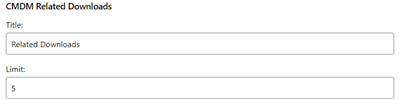
Several sidebar widgets can be added. Widget can show most recent downloads, downloads with the highest download count and more.
Shortcodes
Embed a specific download, prefiltered download lists, user dashboard and more using shortcodes on any page or post.
Download Security & Privacy
Specific Download Password Protection
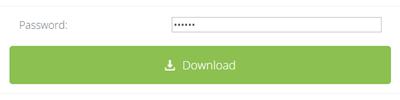
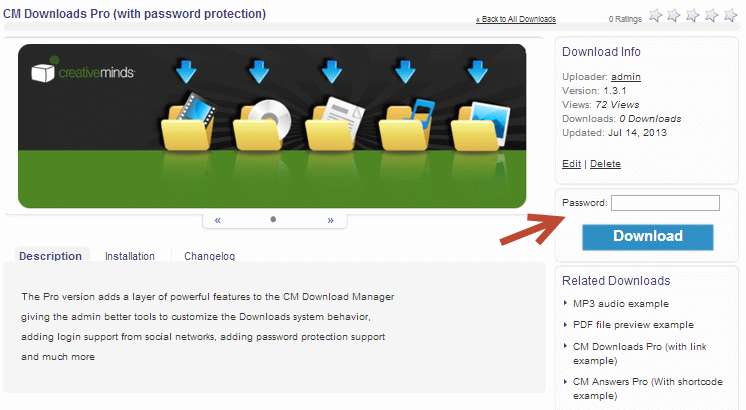
Password protect specific downloads you want to restrict access to.
Temporary Downloads
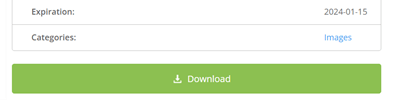
You can setup the expiration date for each download. After the specified date the download can be either blocked or deleted.
GDPR Compliant
Let users have full control over their data, assisting the admin with data regulations compliance. Learn more
User Verification
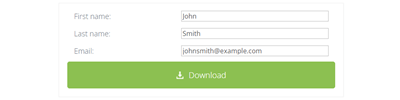
Choose whether to require users to enter their name and email before downloading a file. This lets you easily track which users download which file, and can also be used to quickly grow your email list.
File Manager Disclaimer
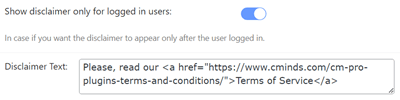
Include a disclaimer requiring users to agree to your terms when visiting a download page for the first time.
Geolocation
Track from which location your files are being downloaded via a free Geolocation API key.
File Sharing & Social
Social Login
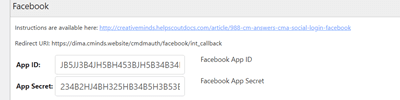
Users can login to the file sharing directory with their social media accounts from Facebook or Google.
Support Forum

Enable a support forum for downloads that lets users post questions or support answers for each download.
Plugin Integrations
BuddyPress

Integrated with BuddyPress to display profile information and download stats according to a user’s BP profile.
Micropayments Platform
Allow site visitors to earn a virtual currency for file uploads and require visitors to spend their virtual currency to download files. Requires installing the MicroPayments plugin.
Questions and Answers Forum
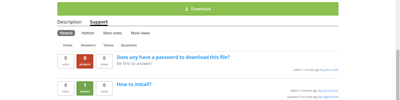
Add an advanced message board to each download with the Questions and Answers plugin.
Video Lessons Manager
Integrate with the Video Lessons Plugins to provide a downloads widget inside the video lessons structure. This can support video courses which also include learning material for students to download. Requires installing the Videos Lessons Manager plugin.
Add-ons
Paid Downloads
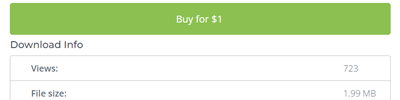
Payments Add-on allows to charge users for downloading or uploading files. The admin can set a different price for each download and users will only be able to complete the download after payment.
EDD and WooCommerce Support
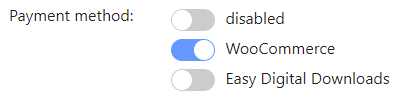
Payments Add-on works with Easy Digital Downloads and WooCommerce payment plugins.
Customer Area
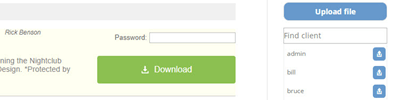
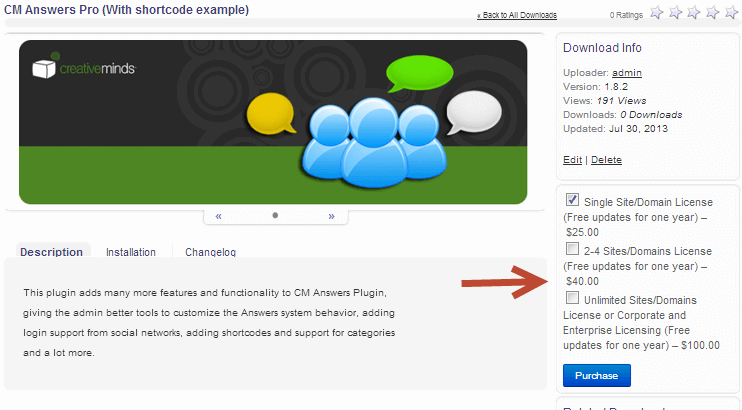
Secure Client Zone add-on creates a restricted area which users and site managers can use to share and manage files. File downloads support user notifications and statistics. Admins can share files with groups of users and password protect specific files via the download manager.
Download Manager Plans and Pricing
Choose from different license options and pricing plans for the WordPress Download and File Manager plugin to find the version that fits your website’s needs.
Compare License Options
| PLANS | Pro | Client Zone | Ultimate | |
| Price includes 1 year support/updates. Manual renewal with 40% discount, not a subscription | $49 | $79 | $119 | |
| Number of Websites / License Activations | 1 | 3 | 5 | |
| BASIC FEATURES | ||||
| Customize Plugin Permalink |  | | | |
| Multisite Support | | | | |
| Log & Statistics | | | | |
| Internal Search | | | | |
| Import/Export | | | | |
| SEO Support | | | | |
| CLIENT ZONE SPECIFIC FEATURES | ||||
| Customer Dashboard |  | | | |
| Restricted Customer Zone | | | | |
| Send and receive files from admin | | | | |
| Widgets for sending files | | | | |
| DOWNLOADS FEATURES | ||||
| Unlimited Downloads | | | | |
| Downloads Categories | | | | |
| View Download Count | | | | |
| Download Password Protection | | | | |
| Require Email | | | | |
| Download File Preview Option | | | | |
| Download Audio & Video Player | | | | |
| Multiple File Upload | | | | |
| Automatic Zip Compression | | | | |
| Temporary Downloads | | | | |
| Download Voting | | | | |
| Download Support Forum | | | | |
| FTP or Local Storage | | | | |
| FTP Storage Sync | | | | |
| PERMISSIONS AND NOTIFICATIONS | ||||
| User Notifications | | | | |
| User Groups Permissions | | | | |
| Admin can define Upload Restriction | | | | |
| Admin can define View Restrictions | | | | |
| Moderation Support | | | | |
| INTERFACE FEATURES | ||||
| Second Level Navigation | | | | |
| Internal Ajax Search | | | | |
| Ajax Search | | | | |
| Customize labels | | | | |
| Download Shortcodes in Post/Pages | | | | |
| Shortcodes for downloads list | | | | |
| Multiple index page view | | | | |
| Widgets | | | | |
| Disclaimer Support | | | | |
| Customize Download Page | | | | |
| User Profile with all Downloads | | | | |
| INTEGRATIONS | ||||
| Social Media Integration | | | | |
| Integration with Micropayments | | | | |
| Gravatar Support | | | | |
| Integration with Store plugins | | | | |
| CM Answers Pro Integration | | | | |
| CM Video Lessons Manager Integration | | | | |
| ADD-ONS | ||||
| Download Payments Addon | | | | |
| Download User Registration Addon | | | | |
| Download Anonymous Posting Addon | | | | |
| Download PeepSo Integration Addon | | | | |
| Download Visual Widgets Addon | | | | |
| Download BBPress Integration Addon | | | | |
| SUPPORT | ||||
| Product Knowledge Base |
 |
|
| |
| Priority email support |
|
|
| |
| Product updates |
|
|
| |
| PLANS | Pro | Client Zone | Ultimate | |
| Number of Websites / License Activations | 1 | 3 | 5 | |
| Price includes 1 year support/updates. Manual renewal with 40% discount, not a subscription | $49 | $79 | $119 | |
How to Choose the Right Plan
Compare the features of each license to find the one that suits your workflow and site requirements:
- Essential: Best for websites that need a reliable file management system with basic security and sharing features. Supports multiple file types, password protection, and media previews. Perfect for small teams, blogs, or educational sites.
- Advanced: Ideal for businesses and projects that require a restricted client area and private file sharing. Includes user dashboards and secure upload options for logged-in users. Perfect for agencies, schools, or corporate sites handling sensitive files.
- Ultimate: Designed for larger or more complex setups that need full functionality with all add-ons included. Offers restricted client zones, anonymous uploads, payment integration, visual widgets, and community plugin compatibility (PeepSo, BBPress). Perfect for enterprises, membership sites, or sites with paid digital content.
Choose the plan that fits your site’s needs and start managing and sharing files securely on your WordPress website today.
Download Management Plugin Demos
DOWNLOAD AND FILE MANAGER DEMO SITES
EXAMPLES OF SITES USING THE DOWNLOAD AND FILE MANAGER
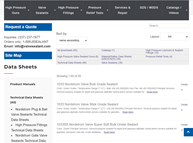
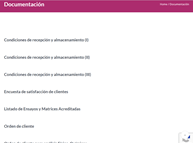
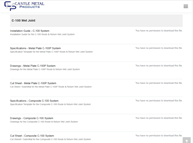
Watch the video clips below to see each Download and File Manager Plugin feature in action.
For more in-depth descriptions, visit our Video Tutorial Library or plugin User Guide.
DOWNLOAD MANAGEMENT















Download and File Manager Plugin Image Gallery
-

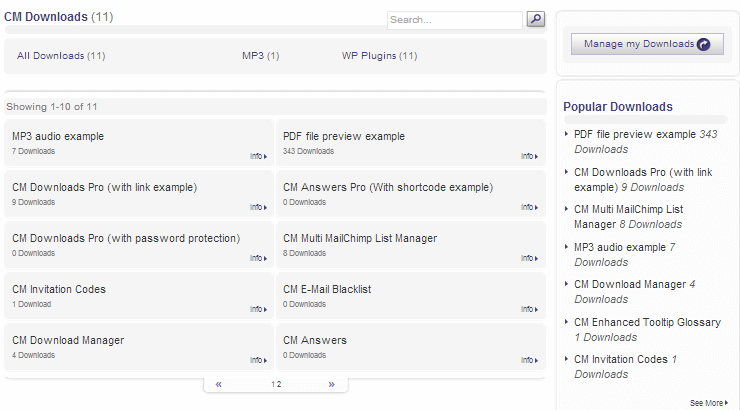
- Index page in the Download Manager plugin for WordPress
-
- Music preview on the downloads page Download Manager WordPress Plugin
-
- Downloads page of the Download Manager WordPress Plugin
-
- Shortcode of the Download Manager WordPress Plugin
-

- A normal looking downloads page
-

- Index Page (Flat Design Style)
-

- Download Page – Audio Player (Flat Design Style)
-

- Download Page – File Preview (Flat Design Style)
-

- Download Page – Password Protected (Flat Design Style)
Back-end Gallery
-

- General Settings – Navigation: permalinks, menus, searching

-

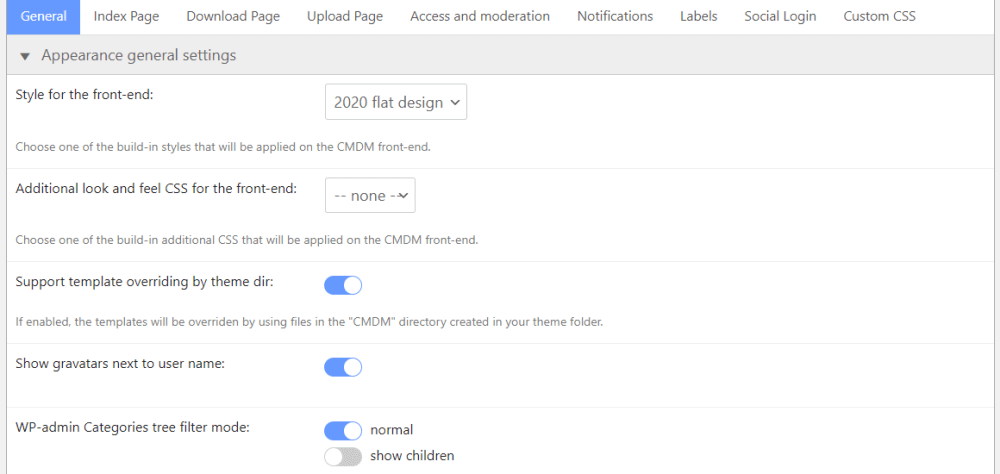
- General Settings – Appearance general settings
-

- General Settings – Login Widget

-

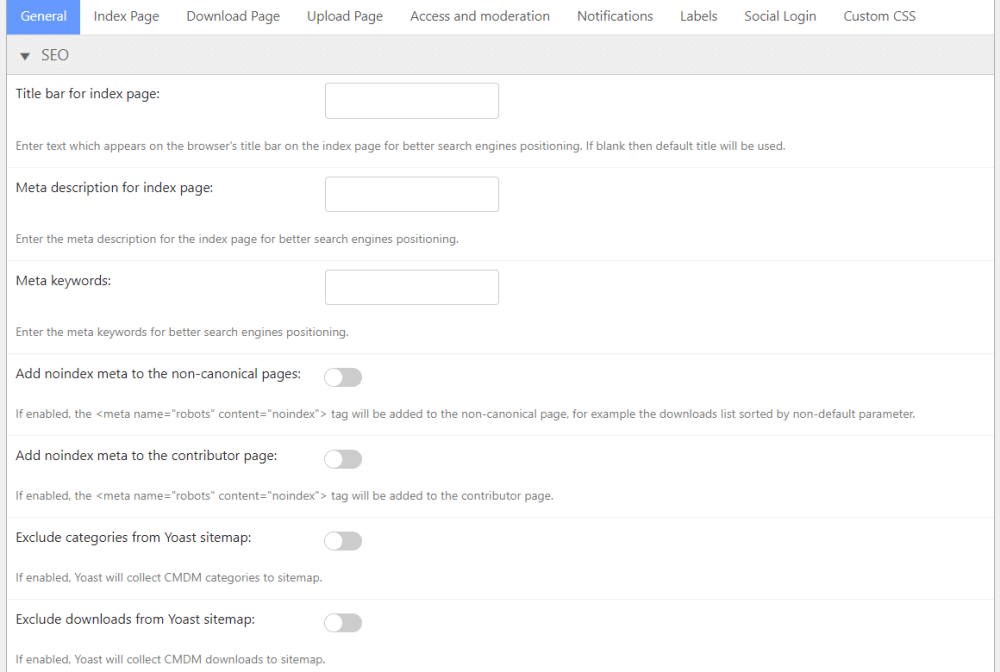
- General Settings – SEO
-

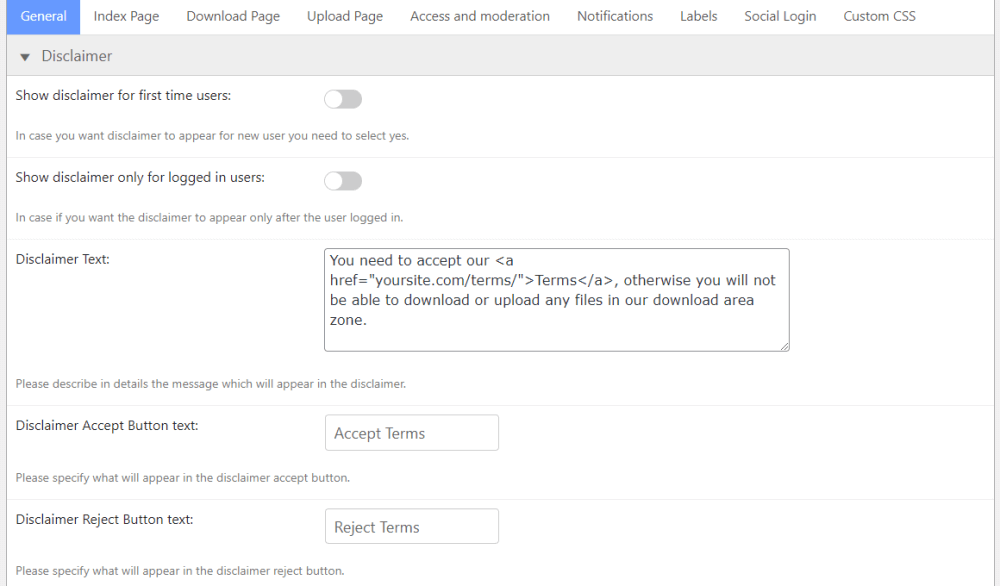
- General Settings – Disclaimer
-

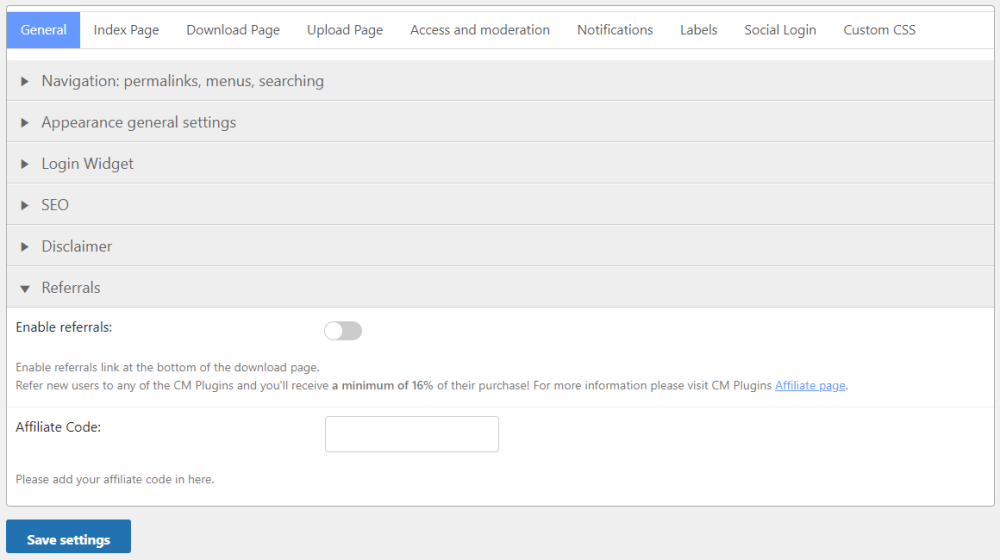
- General Settings – Referrals
-

- Index Page – General settings
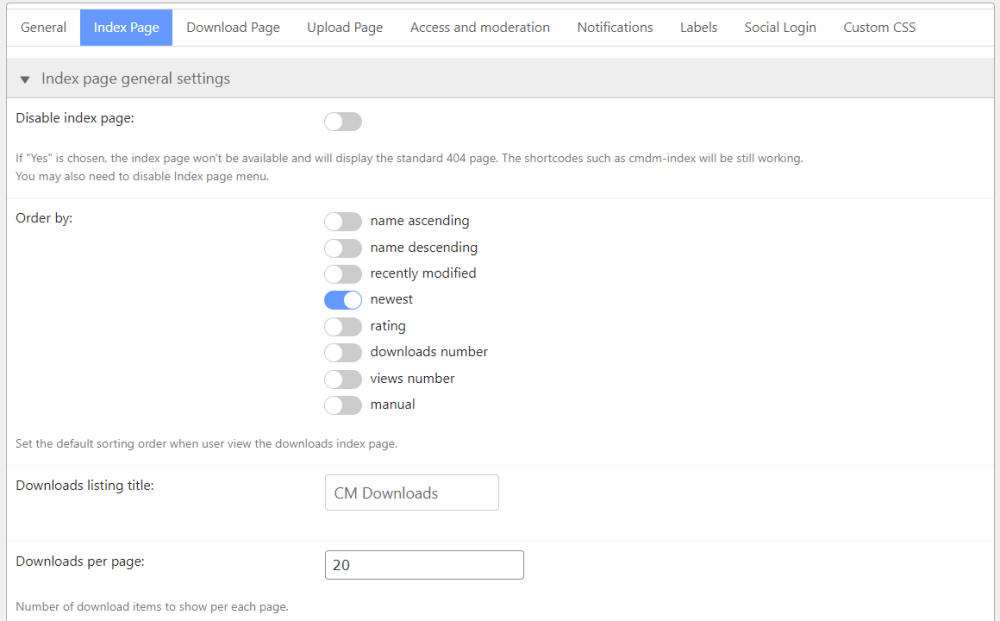
-

- Index Page – Layout
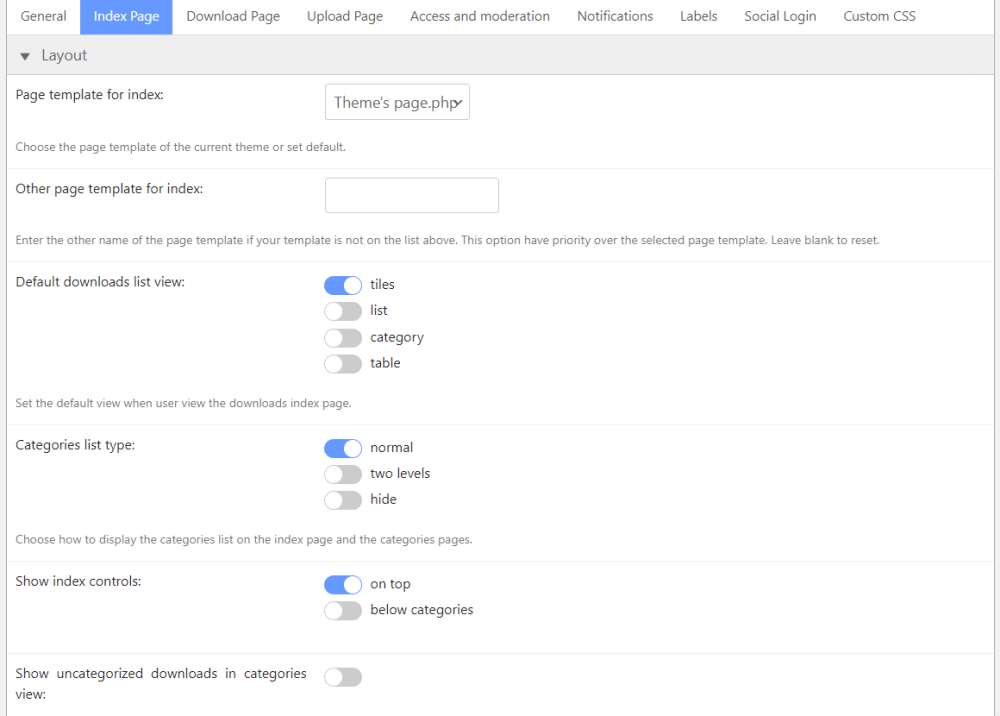
-

- Index Page – Appearance
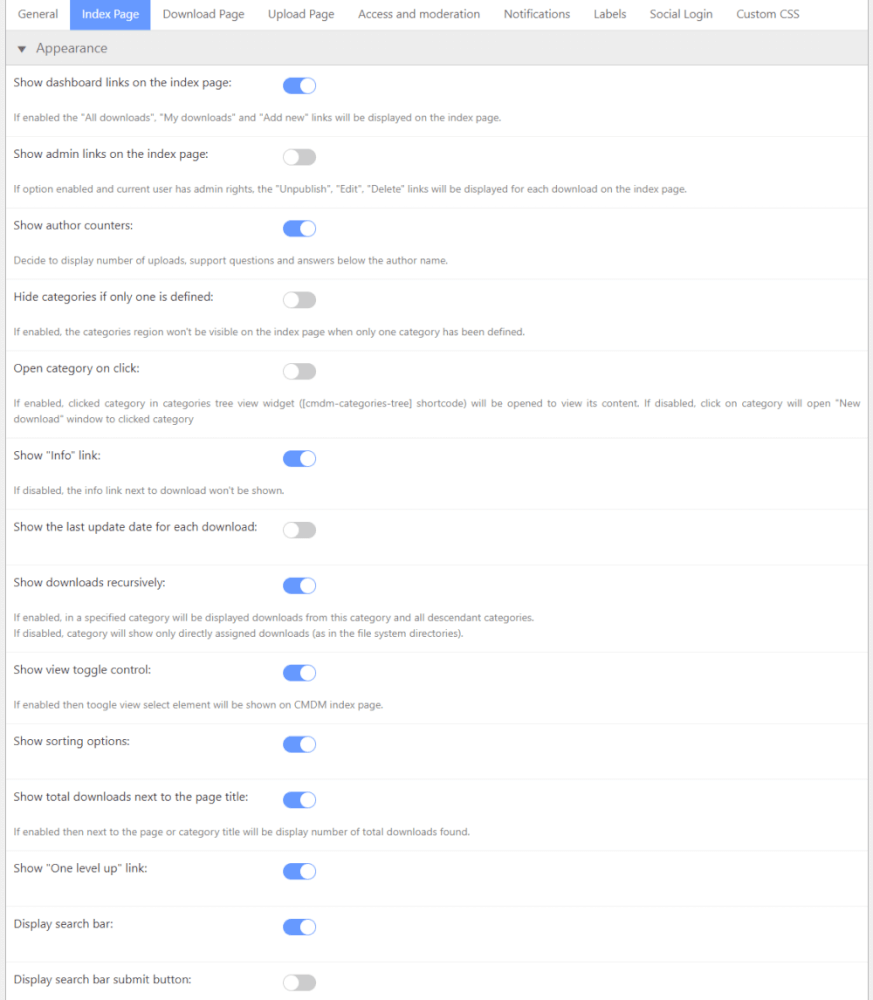
-

- Index Page – Files list appearance settings
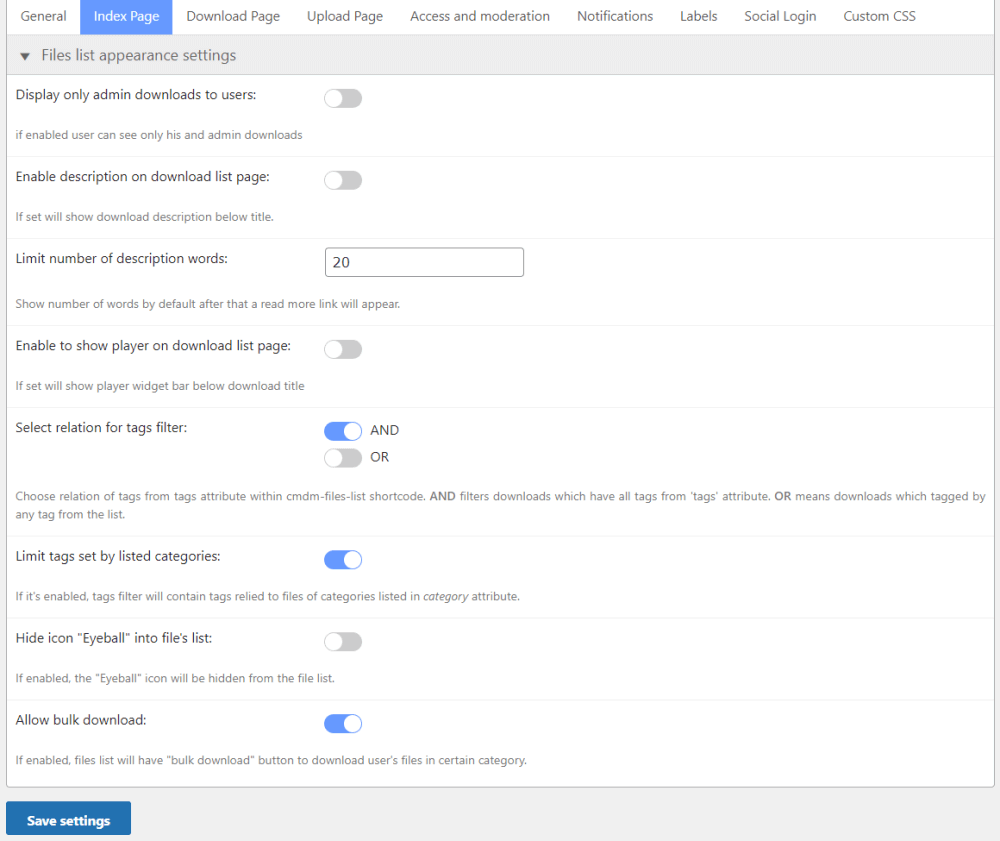
-

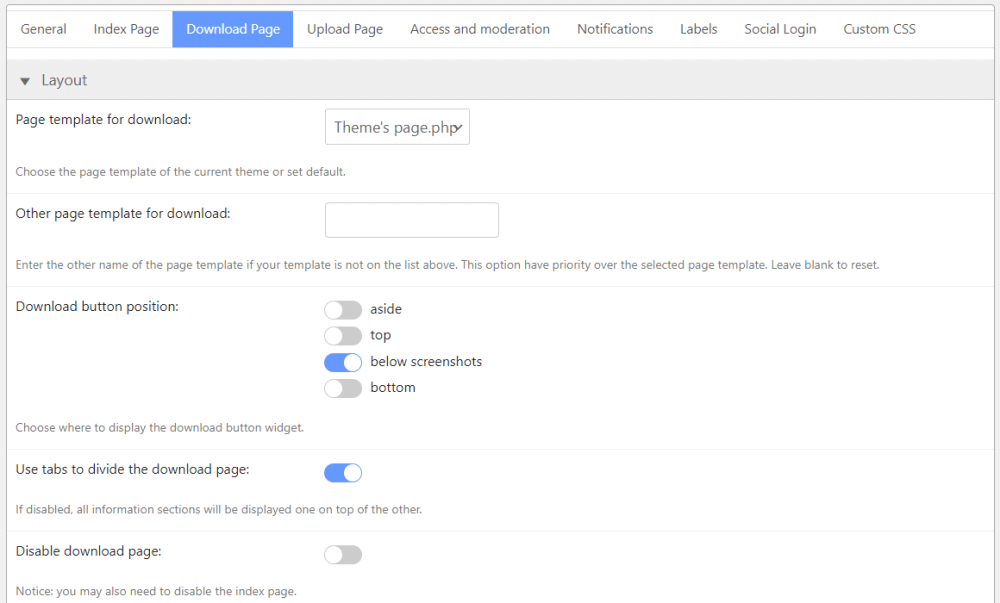
- Download Page – Layout
-

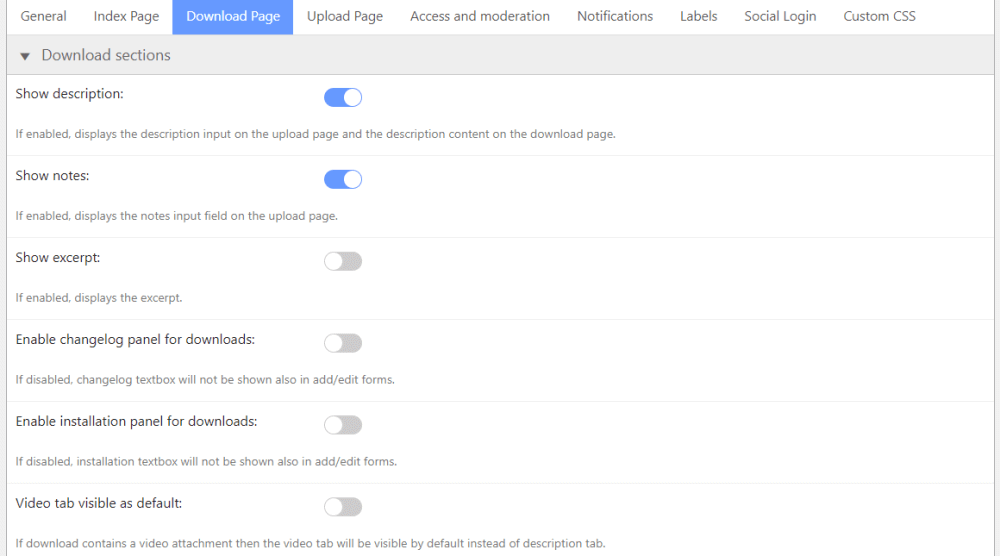
- Download Page – Download sections
-

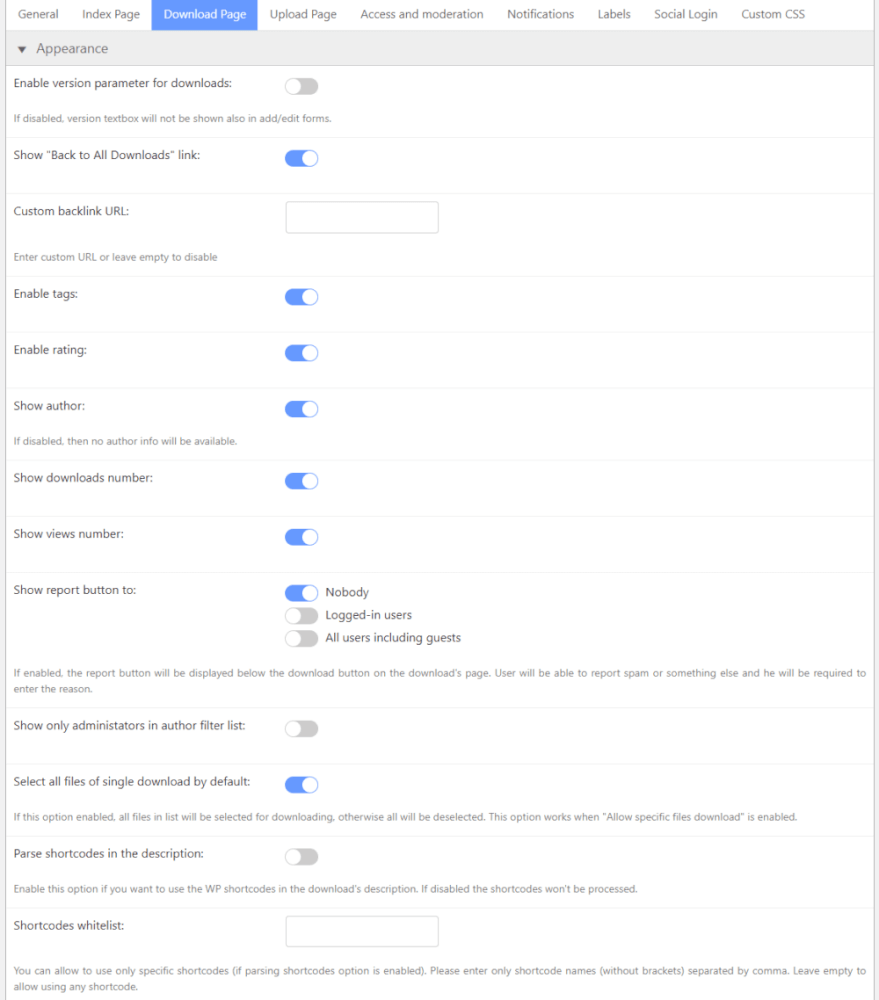
- Download Page – Appearance
-

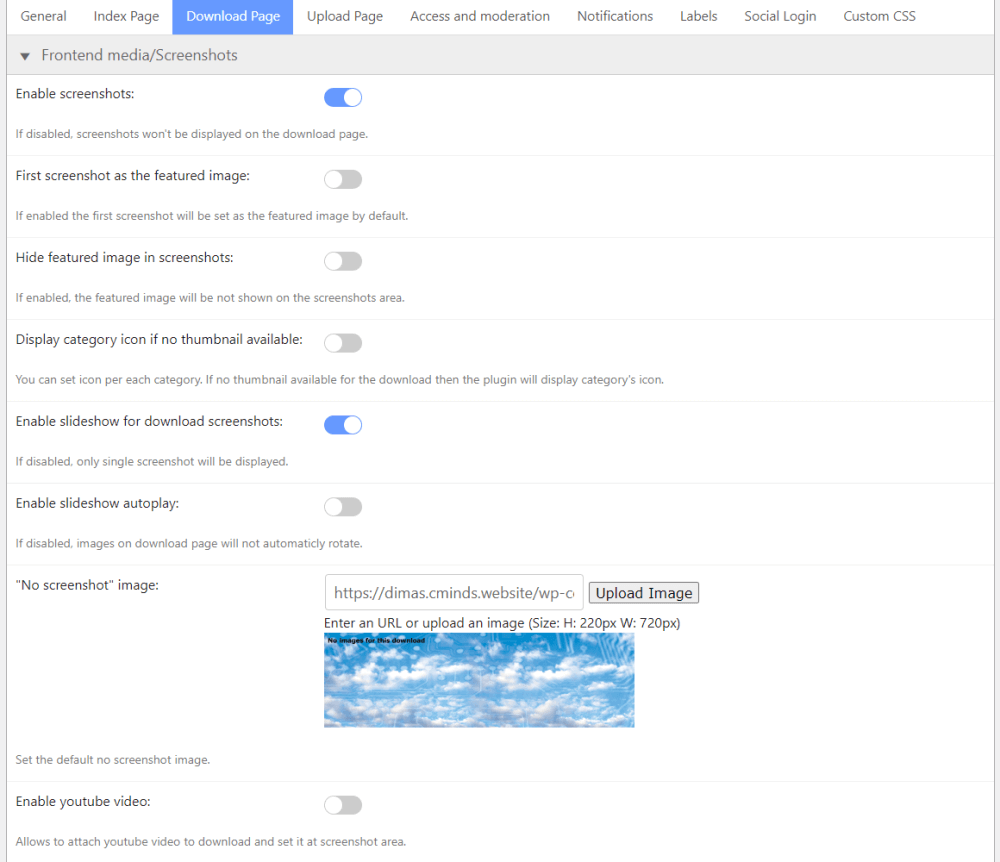
- Download Page – Frontend media/Screenshots
-
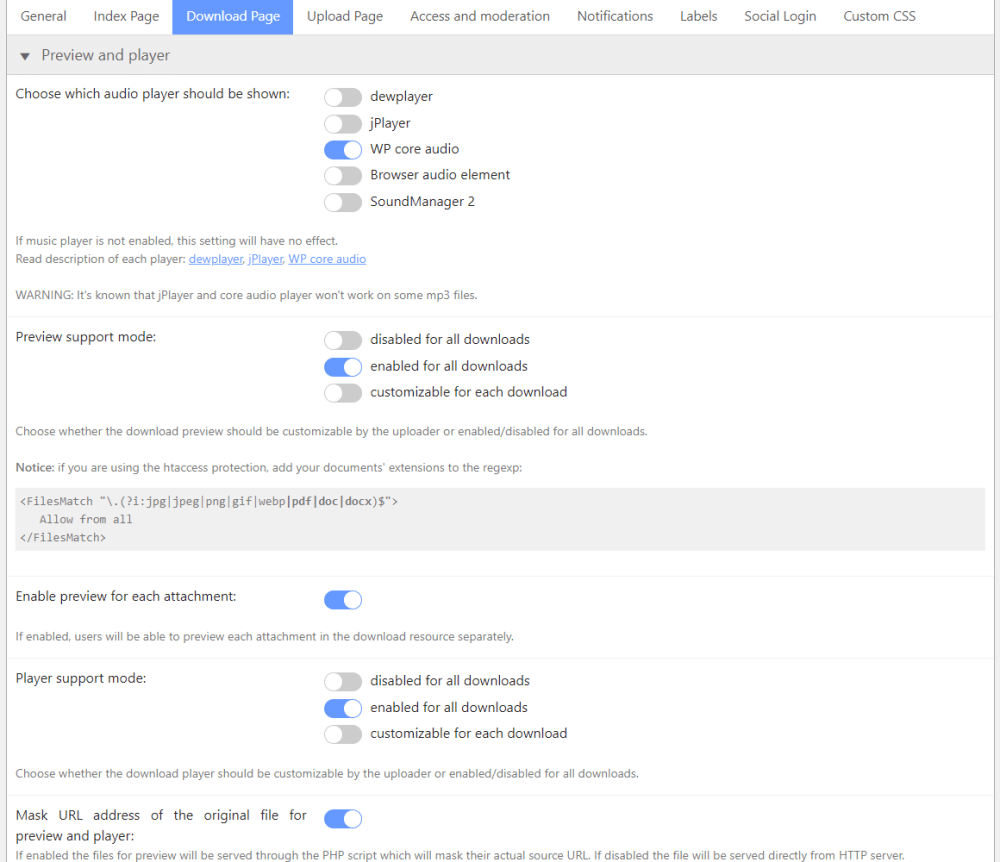
- Download Page – Preview and player
-

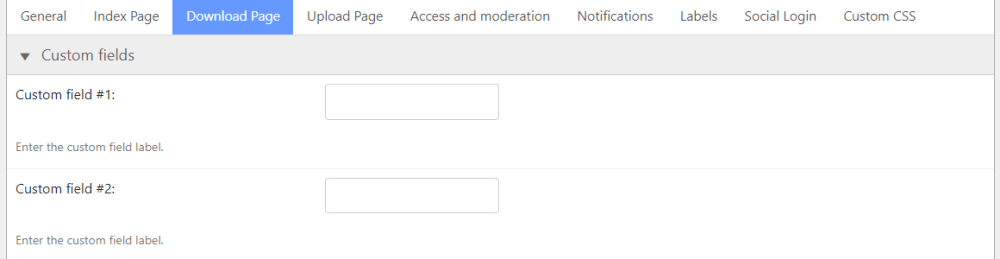
- Download Page – Custom fields
-

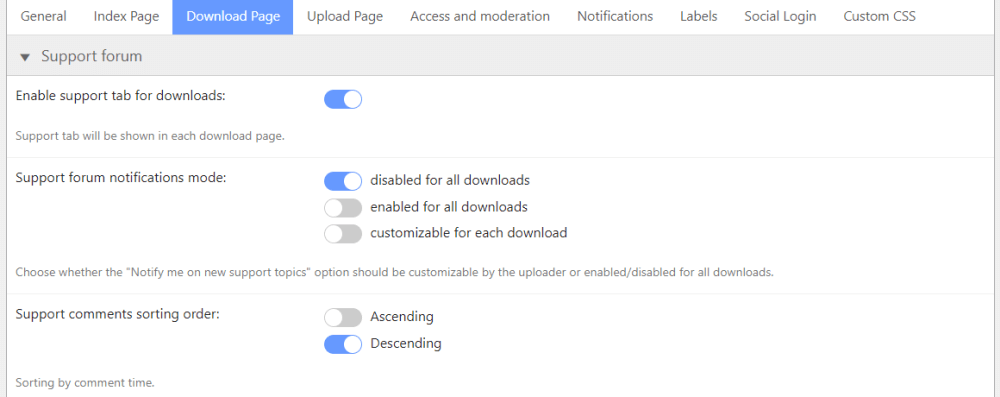
- Download Page – Support forum
-
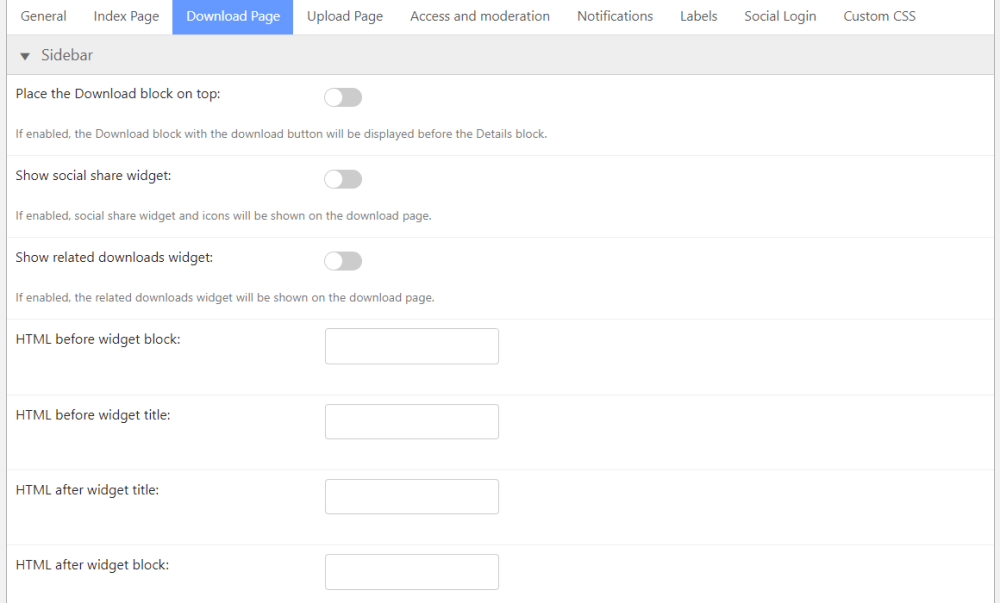
- Download Page – Sidebar
-

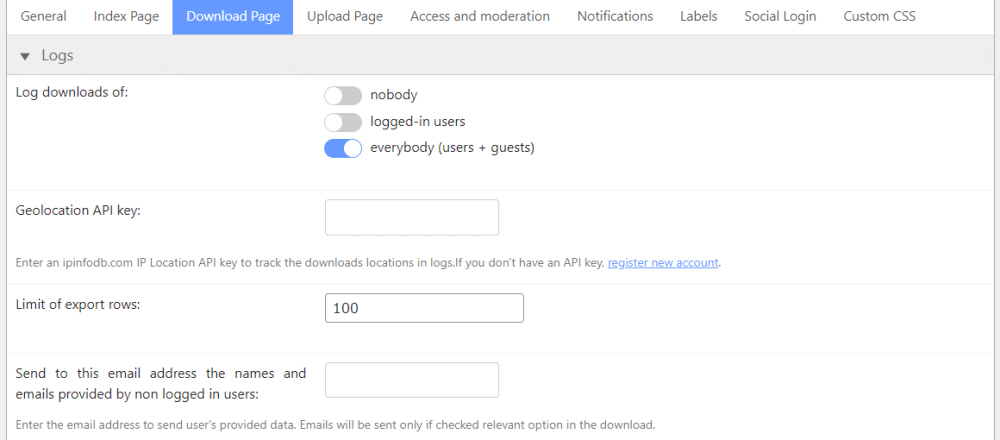
- Download Page – Logs
-

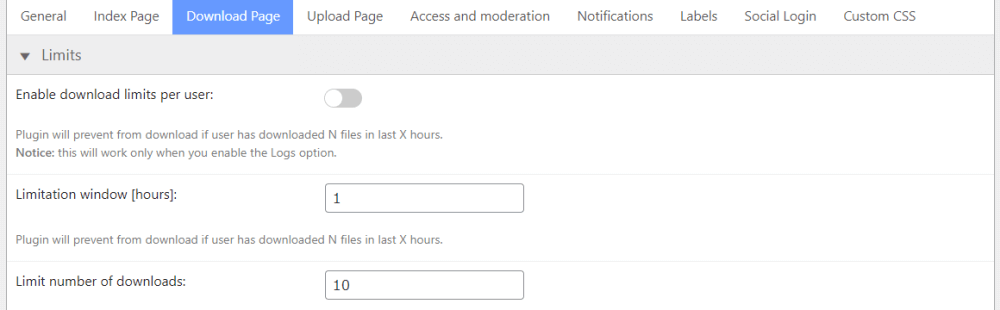
- Download Page – Limits
-
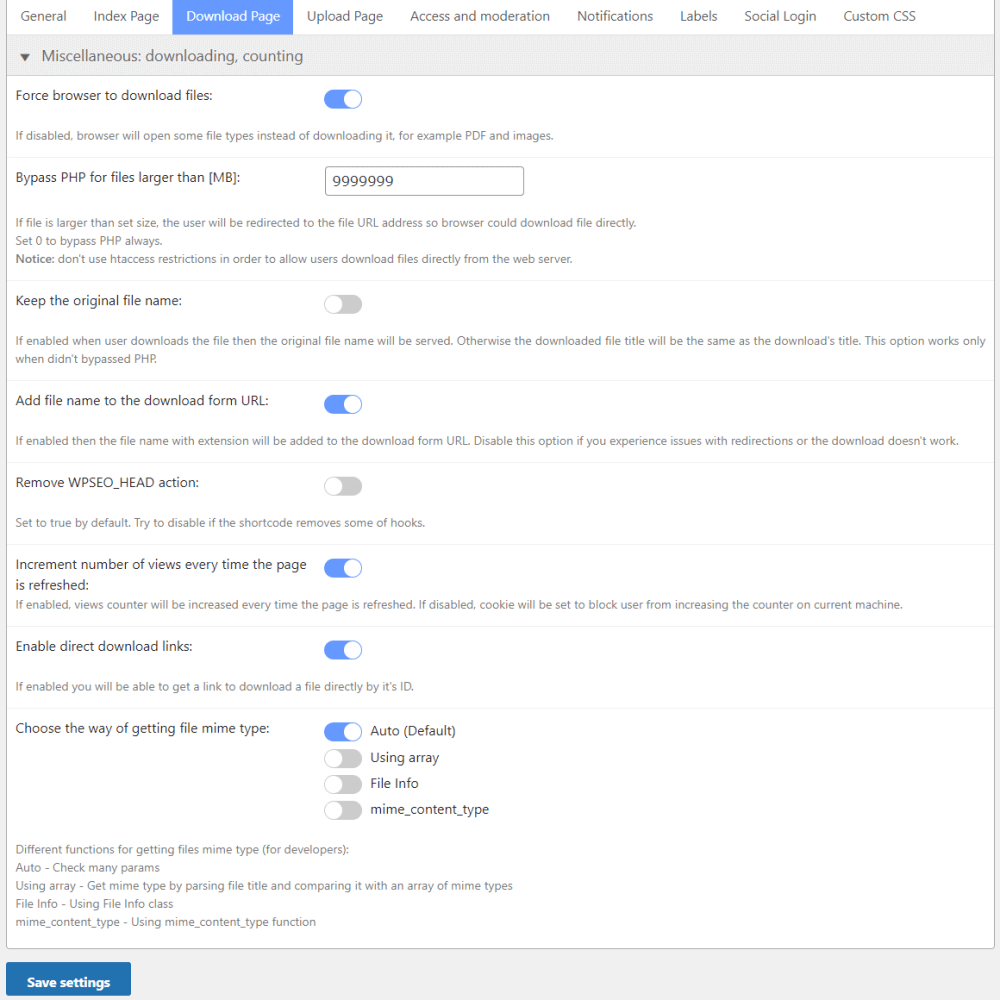
- Download Page – Miscellaneous: downloading, counting
-

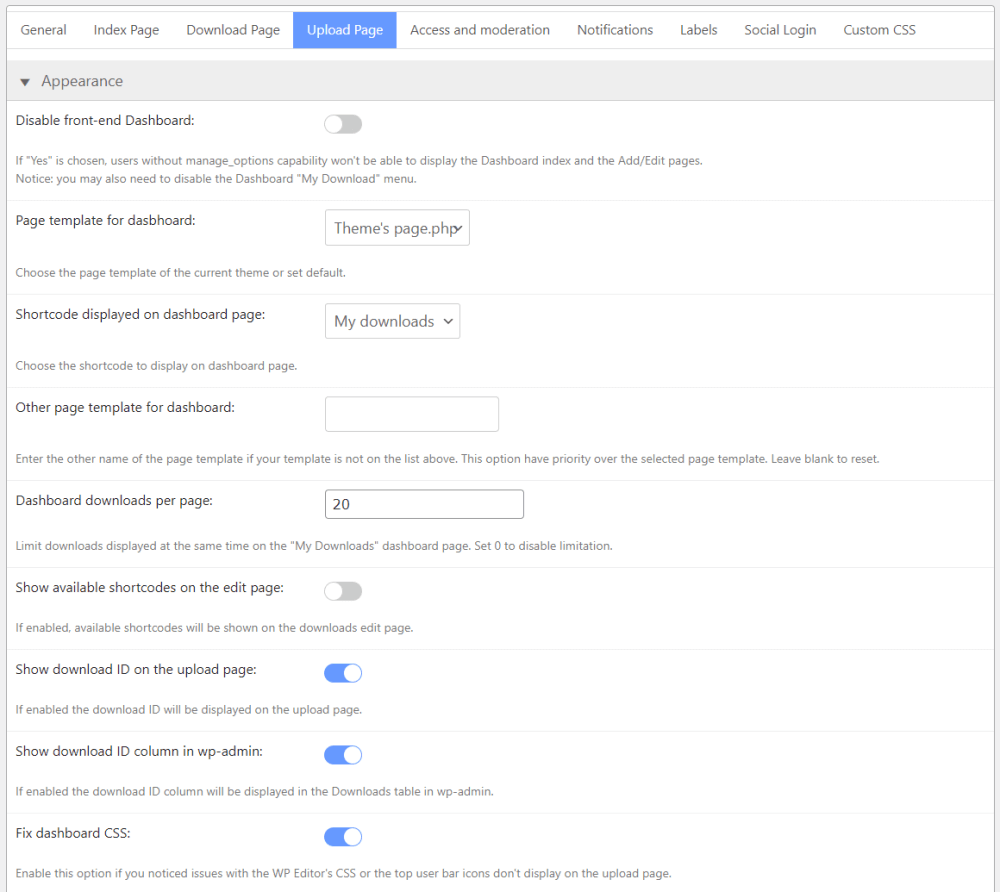
- Upload Page – Appearance
-

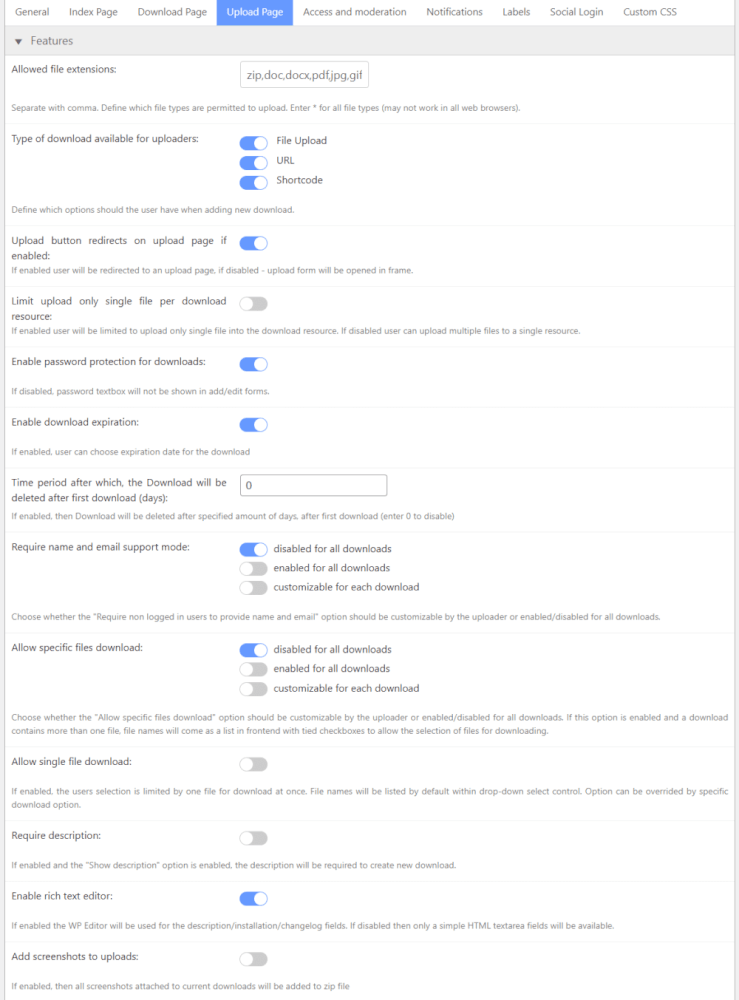
- Upload Page – Features
-

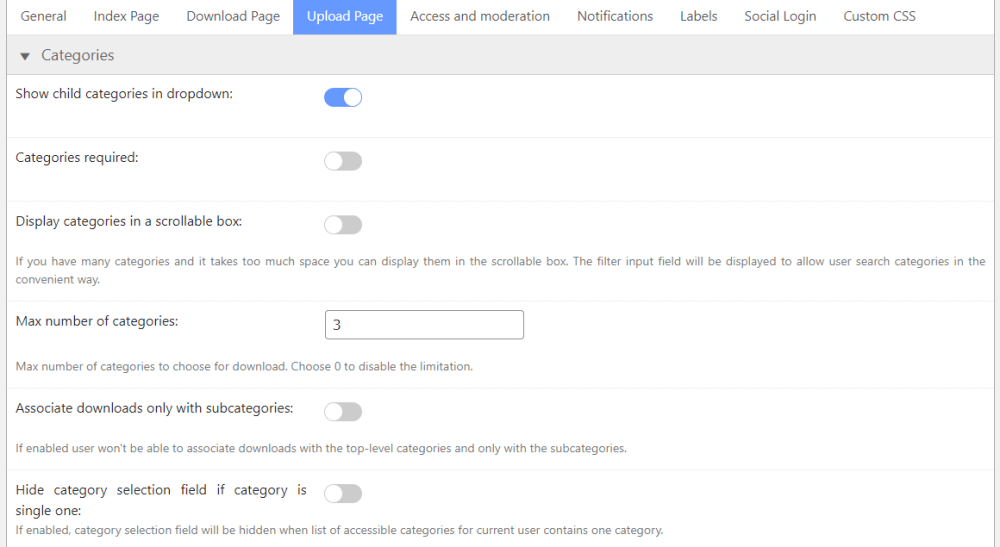
- Upload Page – Categories
-

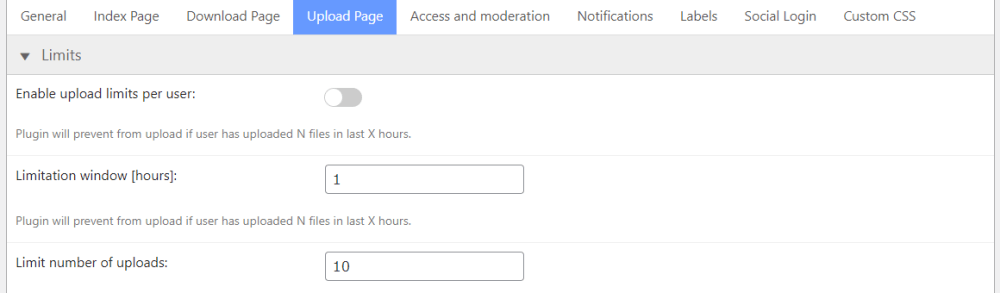
- Upload Page – Limits
-

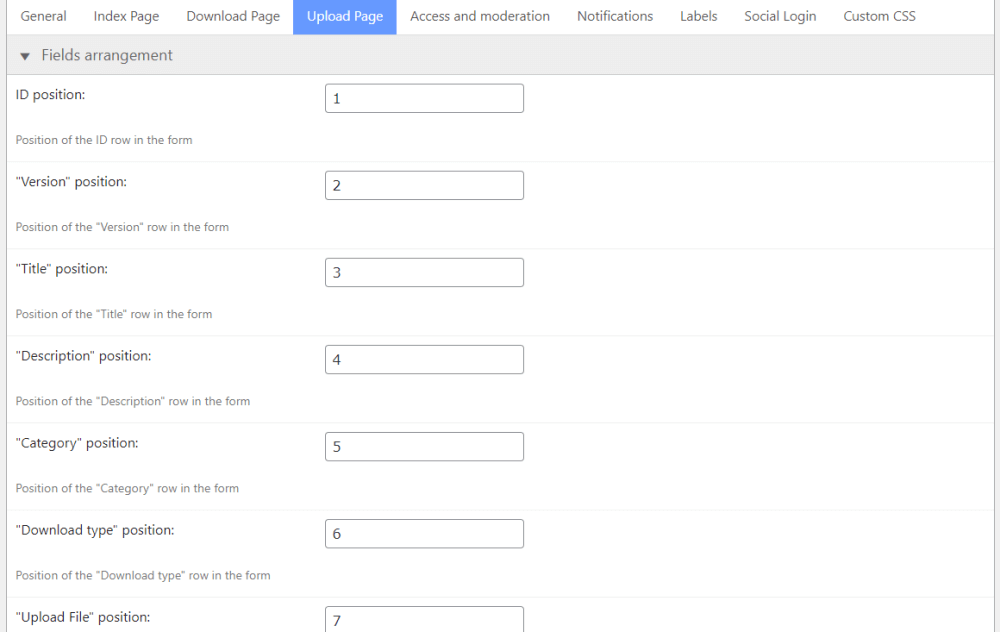
- Upload Page – Fields arrangement
-

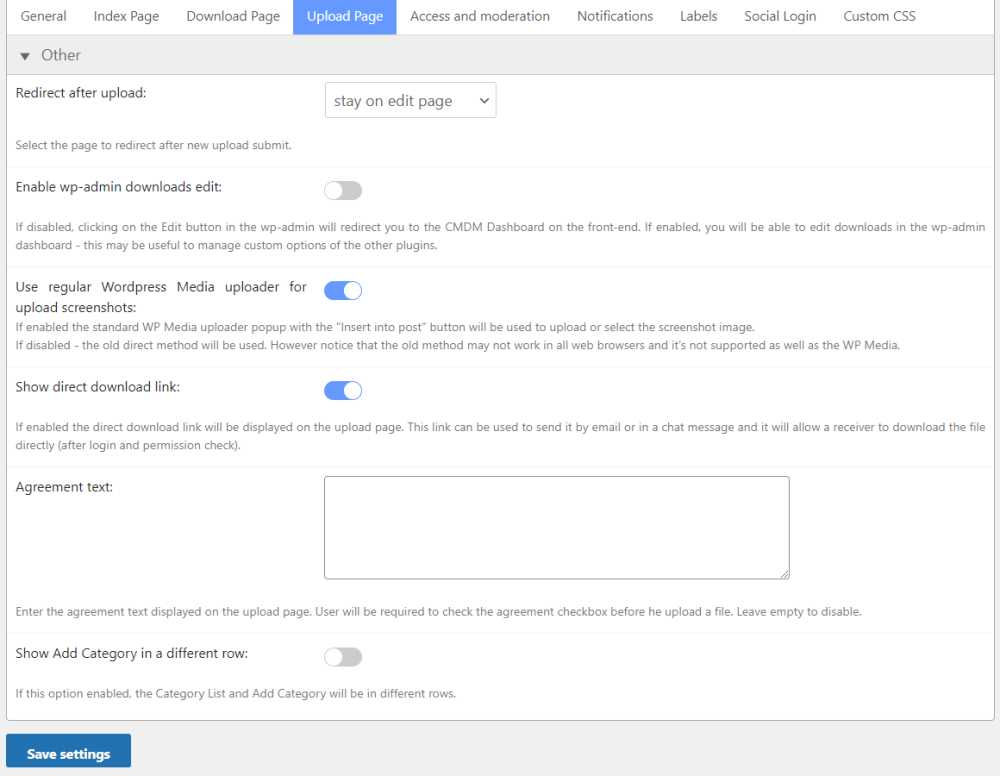
- Upload Page – Other
-

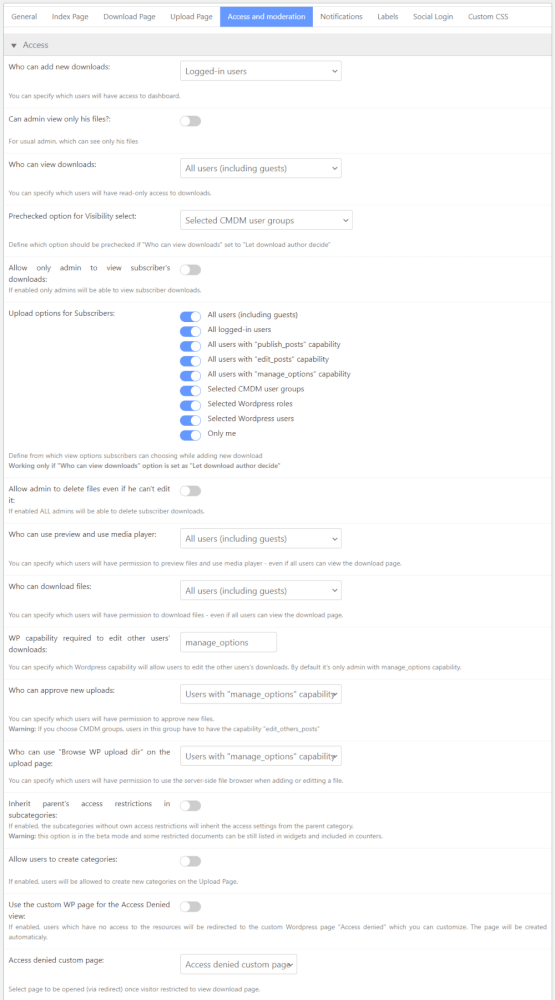
- Access and moderation – Access
-
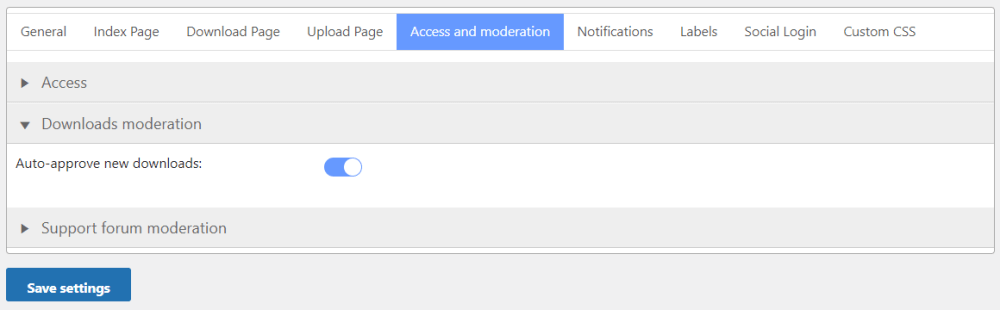
- Access and moderation – Downloads moderation
-

- Access and moderation – Support forum moderation

-

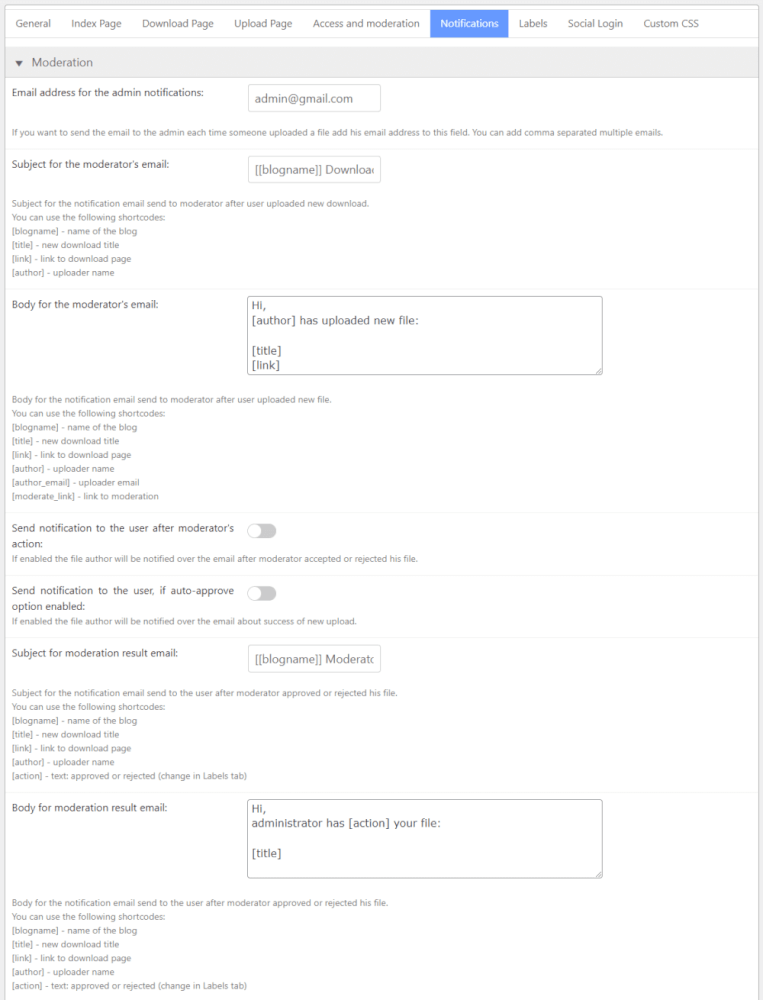
- Notifications – Moderation
-
- Notifications – New download

-

- Notifications – Support forum
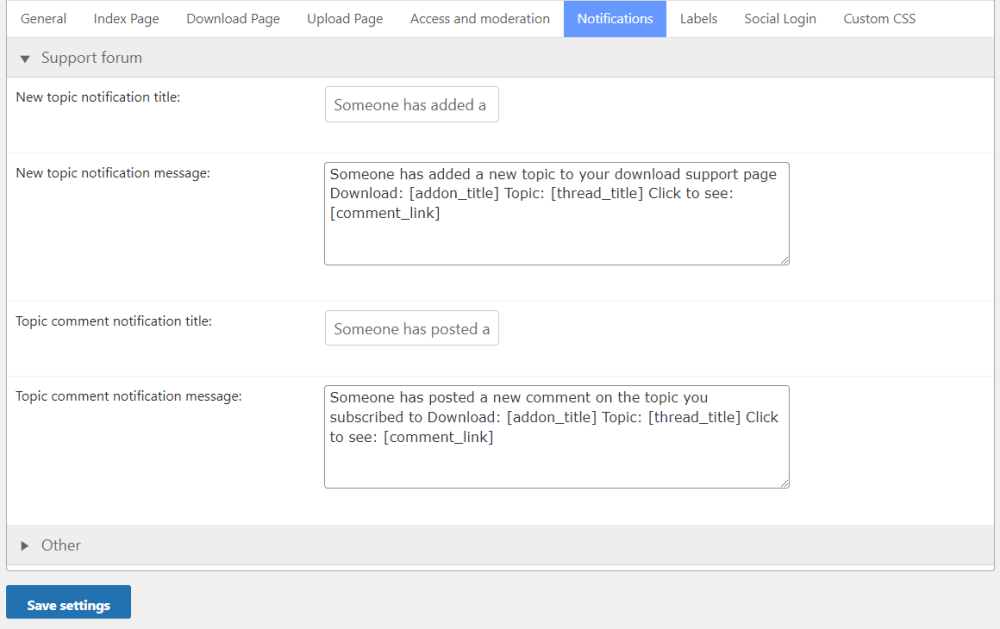
-

- Notifications – Other
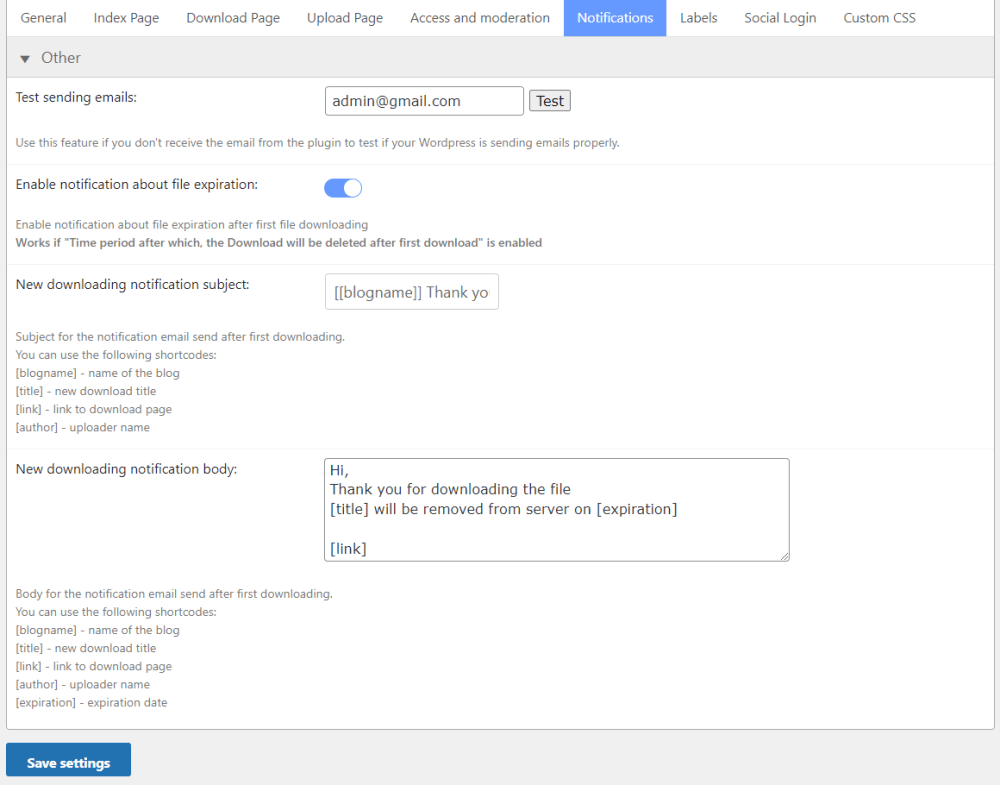
-
- Labels
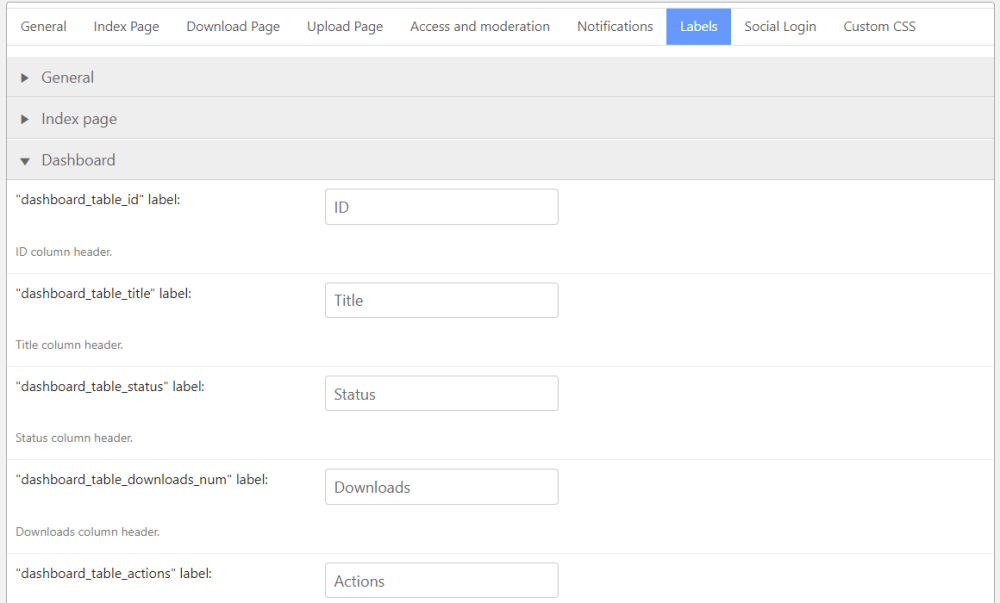
-

- Social Login
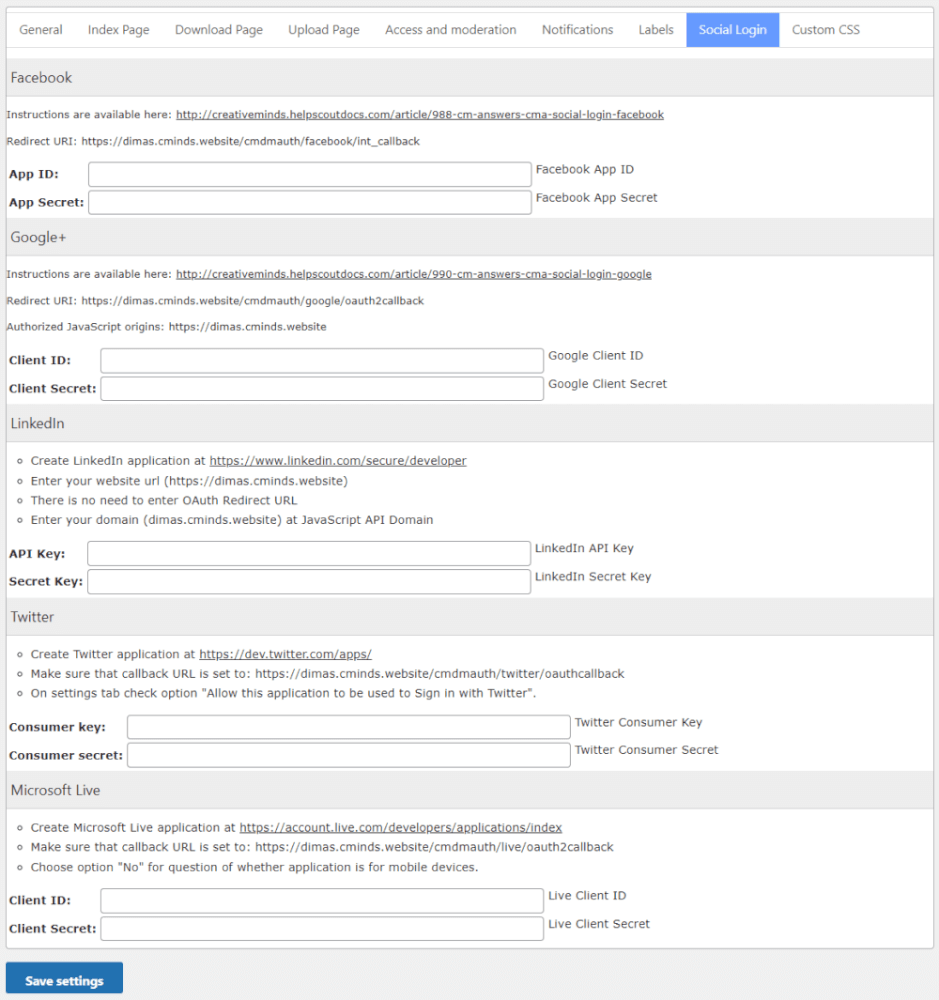
-
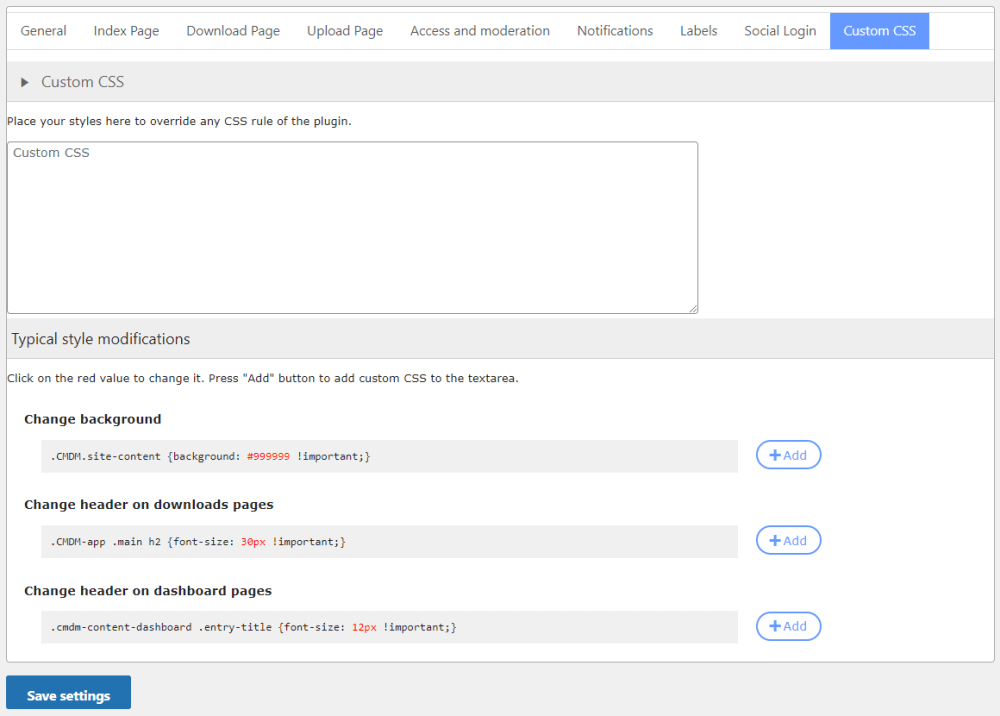
- Custom CSS
-
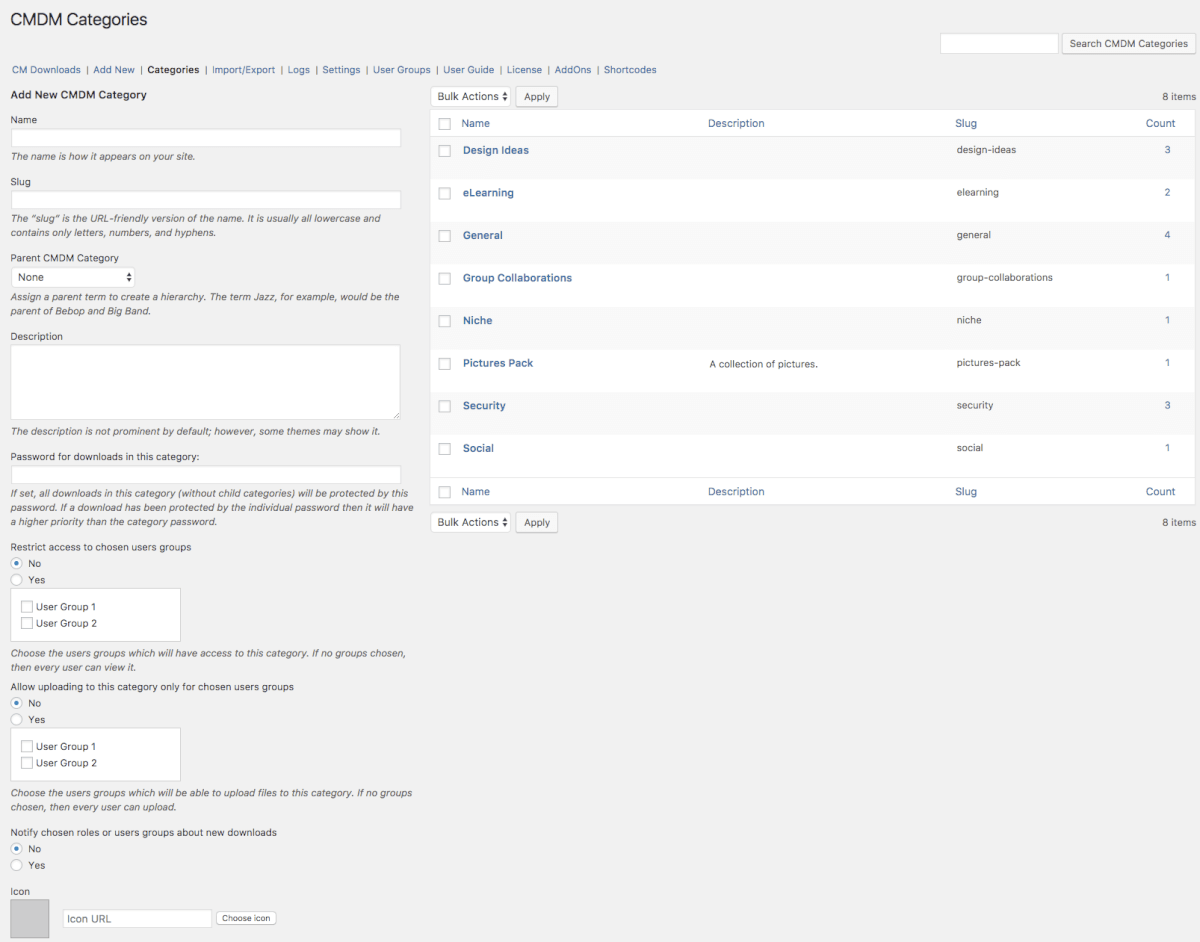
- Download and File Manager – Categories
-
- Download and File Manager – Import/Export
-

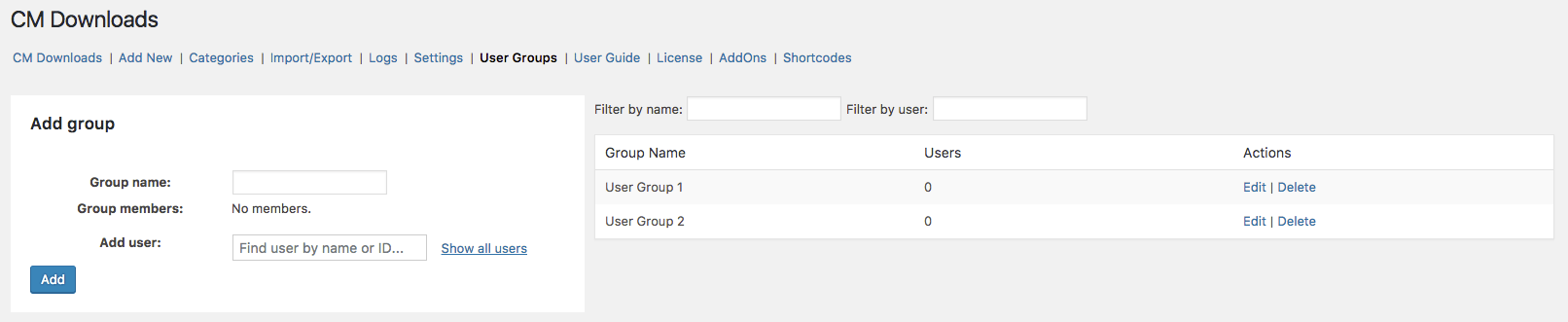
- Download and File Manager – User Groups
Download Manager Additional Add-ons and Modules
The following list includes additional modules and add-ons which can be installed together with the WordPress Download and File Manager plugin to provide enhanced functionality and extended features.
Download Manager Add-ons
These add-ons extend the capabilities of the Download and File Manager plugin, allowing you to add extra features such as secure client zones, anonymous uploads, payment options, user dashboards, and integration with community plugins like PeepSo and BBPress.






Download Manager Related Plugins
Explore other CreativeMinds plugins that can enhance your website alongside the Download and File Manager plugin, adding more tools for file management, user interaction, and site functionality.



Download and File Manager Frequently Asked Questions
Please check the user guide to learn more about this plugin.
Pre-Sales
Is this plugin free?
No. It’s available in the Pro, Client Zone and Ultimate versions. All come with lifetime access and one year of support and updates.
It has a lite version with limited features – the best free Download and File Manager plugin. You can download it here.
How do I upgrade Download and File Manager from free to pro?
For the plugin to work you need to activate the license. Here is a video explaining this
Do I pay only once or is there a monthly fee?
You only pay once. All products come with a license. You can continue to use the product after the license expires, but you won’t be able to receive new updates and customer support after this time.
The license lasts for one year starting from the moment of purchase.
If you choose to renew your license, you will receive a 40% discount off the original product price. You can read more about our license policy.
How to use this WordPress Download and File Manager Plugin?
You should start by doing basics technical setups. Then, you can configure the allowed file types, who has access to the downloads and then adding the first file.
For more information, read the Quick Start Guide.
Features
Which file extensions can users upload? Can I limit that?
You can control the file extensions users can upload. For instance, jpg, pdf, bmp and so on.
The plugin places no restriction on this, so you can enable any file extension you wish.
Learn more: CM Download (CMDM) – Downloads – File Extensions and Download / Upload Types.
What is included in the download page?
Some of the elements:
- Description, author, tags, changelog
- Thumbnail, screenshots and slideshow
- Dedicated discussion forum
- View and download count
- Social share buttons
- Media preview
- Up to two custom fields
Learn more: CM Download (CMDM) – Theme – Download Page Customization.
Does each download page include a dedicated forum?
Yes. Every download page can have a space for question and answers. They are added automatically.
The support forum sends notifications for new messages to the user who posted the downloads and also let users who posted a message to follow any answers posted.
You can also integrate it with the CM Answers plugin and instead of the built-in support forum use the CM Answer forum which is much more advanced. To read more about the integration with the CM Answers forum click here.
Learn more: CM Download (CMDM) – Extras – Support Forum.
Is there a way that users can download files without logging in?
You can define access permission for each download or for all downloads in the plugin settings. Access permissions can limit which download is visible for which user.
How do I restrict downloads access to specific user groups?
Next, when creating a new file for download, you can assign each file to a specific user group. Users in that group will be able to view and download the file, while all other users will be denied access.
Is it possible to upload zip folders to the downloads directory?
Absolutely! If you want to allow users to upload multiple files to your downloads directory, for example a bunch of software files or musical tracks, zip folders will provide the ultimate solution. They will save you and your users both time and storage space.
Zip folders can easily be created on your computer and then uploaded and downloaded either individually or in bulk.
Which file extensions can users preview?
- Documents (using Google Docs) – doc, docx, xls, xlsx, ppt, pptx, pdf, pages, ai, psd, tiff, dxf.
- Audio and Video (using embedded players) – mp3, mp4, ogg, wav, wma, web, flv, rtmp.
Interface Questions
Can I add screenshots and thumbnails to my downloads?
Yes to both. You can add them from your computer or from a URL.
Learn more: CM Download (CMDM) – Downloads – Setting Images as Thumbnails.
Can I add custom CSS to my downloads landing pages?
You can also rewrite css in your theme css using the same classes and making sure it loads after the plugin css.
The last option is to edit the plugin css located in /view/resources but this is not recommended since each time we update the plugin you will need to review your changes.
Integration With Other Plugins/Services
How does the BuddyPress integration work?
This is recommended for site that use the BuddyPress forum system and want to add a file sharing option.
How does the integration with CM MicroPayments work?
It allows users to pay or receive points, with real or virtual value, by uploading or downloading files.
For example, when a user comes to purchase a digital good on your stores – such as a music file or a software zip – they will be charged with points that in turn will be taken off their digital wallet.
Learn more: CM Download (CMDM) – Add-ons – Micropayments.
Technical Questions
Where does the WordPress Download Manager Plugin store files?
Our plugins take advantage of the existing WordPress features to provide the plugins’ functionality.
- The text, metadata and settings are stored in the WordPress database.
- Static files like images, JS, CSS used by the plugin are stored in the plugins directory.
- The users’ files uploaded when working with the plugin are stored in the plugin-specific folder inside the wp-content/uploads directory.
With Download and File Manager you can also add links as files. That means you can add the URL of a file hosted by Google Drive or Box as a download.
Data isn’t lost after removing the plugin. However moving the plugin’s data between two different websites can be very difficult because of the IDs associated with each other as the foreign keys.
Learn more: General Support – WordPress – Where the plugin data is being stored – CreativeMinds Products Documentation.
What is the maximum file size in the WordPress Download and File Manager plugin?
The plugin doesn’t set any limit, so that depends on your server settings. Please refer to your web admin to learn more.
Is it possible to localize the Download and File Manager for languages that don't appear on the list?
Language files are located under the /lang directory in the plugin. You can take any existing .po file and change the non English description to your custom language. You can then use a po to mo converter like in here http://po2mo.net/ to create the mo file.
Here is an example of how the original English text and the translation look in the po file
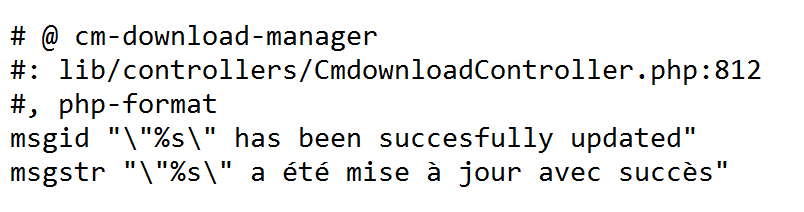
Localizing WordPress Download Manager plugin using /lang directory and PO/MO files.
After creating these two files, copy them to the language directory. You are also welcome to send them to us so we can include them in the plugin pack.
What our Customers Say about the Download and File Manager



Customer Reviews for the Download and File Manager Plugin
- High Quality
I'm very grateful for everything, very high quality relation with users. keep it up.
I'm very grateful for everything, very high quality relation with users. keep it up.
- Very Good Customer Support
Premium support is very good. They helped me solve my issue within one day. The plugin works well and does what it is supposed to. intext:”Plugin: CM Download Manager”
Premium support is very good. They helped me solve my issue within one day. The plugin works well and does what it is supposed to. intext:”Plugin: CM Download Manager”
- GREAT GREAT Support!
I can’t say enough how rare it is and THANKFUL I am to be able to work DIRECTLY with the plug-in developers when issues arise! The plug-in interface isn’t an artful masterpiece, but the functionality is good and the support for issues is outstanding. Worth every cent!
I can’t say enough how rare it is and THANKFUL I am to be able to work DIRECTLY with the plug-in developers when issues arise! The plug-in interface isn’t an artful masterpiece, but the functionality is good and the support for issues is outstanding. Worth every cent!
- Very good product and support
Really useful plugin. Plus, both technical support questions about my multisite licence were resolved quickly and in a friendly way. Nice work.
Really useful plugin. Plus, both technical support questions about my multisite licence were resolved quickly and in a friendly way. Nice work.
- Recommended!
the knowing and friendly creative minds team supply fast programming, professional work and best service ! I really can recommand creative minds to everyone who needs and searches reliable partner for wp and magento works.
the knowing and friendly creative minds team supply fast programming, professional work and best service ! I really can recommand creative minds to everyone who needs and searches reliable partner for wp and magento works.
- the best support ever !
I want to start off with a quote to an email I wrote the publisher on May.31 2 days after purchasing the pro version of this plugin.
“OMG PERFECT !!!!!!!!! Your team goes above and beyond. So glad I found and purchased from you guys…”
Besides the fact this is the most amazing file manager plugin the creative mind teams goes above and beyond to make sure you are happy.
The plugin is flawless and creative minds thought of everything.
If you need a file download manager don’t waste your time looking elsewhere as I did. This is the only one you will ever need.
Lewis Wolk Owner AtoZfitness.com distributing free fitness e-books since 1996
I want to start off with a quote to an email I wrote the publisher on May.31 2 days after purchasing the pro version of this plugin.
“OMG PERFECT !!!!!!!!! Your team goes above and beyond. So glad I found and purchased from you guys…”
Besides the fact this is the most amazing file manager plugin the creative mind teams goes above and beyond to make sure you are happy.
The plugin is flawless and creative minds thought of everything.
If you need a file download manager don’t waste your time looking elsewhere as I did. This is the only one you will ever need.
Lewis Wolk Owner AtoZfitness.com distributing free fitness e-books since 1996
- Awesome!
I found this plugin and loved the fact that you can divide downloads into categories and the simple design. It was all i needed actually. Sadly the original design was over the whole page. And because i have a sidebar on my site the download section wasnt visible. But! I contacted the creators via the support forum and explained my problem. A tiny bit later they had the option to choose yourself where the download button will appear. So my problem was solved and now i can use the plugin!
Amazing! 😀
I found this plugin and loved the fact that you can divide downloads into categories and the simple design. It was all i needed actually. Sadly the original design was over the whole page. And because i have a sidebar on my site the download section wasnt visible. But! I contacted the creators via the support forum and explained my problem. A tiny bit later they had the option to choose yourself where the download button will appear. So my problem was solved and now i can use the plugin!
Amazing! 😀
- Downloads made easy
Loaded with features that really makes one feel that a lot of thinking has gone into this quality product. Excellent response times from support
Loaded with features that really makes one feel that a lot of thinking has gone into this quality product. Excellent response times from support
- Wonderful Plugin!
I purchased the Pro version and have it customized with some “Customized Hours” from Creative Mind (to have a tailor-made design that fit perfectly with my client’s request), and I’ve been delighted with the result!
The website is now online (I prefer post a review when the website is finish to avoid getting a first, wrong impression; as it’s too often the case) and counts now 133 documents (and still growing).
Both my client and I are very satisfied with the result: no glitch, fast loading, effective query,responsive design… The support team and the sell team happened to be very reactive and effective as well (and on time!).
Some may say that some functions are confusing (e.g. the menu, the interface) but I believe that each plugin has its own very way of working, and when you get to understand this one, it will just do all what you expect it to!
I surely recommend this plugin for anyone who wish to have a Searchable Database, or an Online Library (you name it as you want); the balance price/quality is more than fair.
PS: I am a web-designer, not a web-developer, so the simplicity and the effectiveness of a plugin is crucial for me (please, spare me the coding!). I have this plugin customized, but I believe the Pro version would work just as well out of the box.
I purchased the Pro version and have it customized with some “Customized Hours” from Creative Mind (to have a tailor-made design that fit perfectly with my client’s request), and I’ve been delighted with the result!
The website is now online (I prefer post a review when the website is finish to avoid getting a first, wrong impression; as it’s too often the case) and counts now 133 documents (and still growing).
Both my client and I are very satisfied with the result: no glitch, fast loading, effective query,responsive design… The support team and the sell team happened to be very reactive and effective as well (and on time!).
Some may say that some functions are confusing (e.g. the menu, the interface) but I believe that each plugin has its own very way of working, and when you get to understand this one, it will just do all what you expect it to!
I surely recommend this plugin for anyone who wish to have a Searchable Database, or an Online Library (you name it as you want); the balance price/quality is more than fair.
PS: I am a web-designer, not a web-developer, so the simplicity and the effectiveness of a plugin is crucial for me (please, spare me the coding!). I have this plugin customized, but I believe the Pro version would work just as well out of the box.
- Good multifunctional plugin and good support
This plugin is multifunctional and very good.
I wanted to…
1.get download items list 2.view graph of download items(I wanted day and month) 3.get csv file of download data
This plugin satisfied that. (And it has more functions.)
And when it work not good, I mail to the dev team. It has been supported so kindly and quickly 🙂
This plugin is multifunctional and very good.
I wanted to…
1.get download items list 2.view graph of download items(I wanted day and month) 3.get csv file of download data
This plugin satisfied that. (And it has more functions.)
And when it work not good, I mail to the dev team. It has been supported so kindly and quickly 🙂
- Feature-rich, great support
Tried several download management plugins, this one had all my required features and then some. Support was quick (above and beyond) to assist with install and enhancement request.
Tried several download management plugins, this one had all my required features and then some. Support was quick (above and beyond) to assist with install and enhancement request.
- Great shortcode & super fast support help
I was really impressed how quickly the support team gave me a hand to fix stuff. I am a designer, so sometime my requests are very fussy. However the support team made all of my requests done so quickly. The end result looks amazing. Not only visually, but the plugin’s functionality works so smooth and user friendly. I’m a very happy customer. If anyone looking for download plugin, I recommend CM download manager!
I was really impressed how quickly the support team gave me a hand to fix stuff. I am a designer, so sometime my requests are very fussy. However the support team made all of my requests done so quickly. The end result looks amazing. Not only visually, but the plugin’s functionality works so smooth and user friendly. I’m a very happy customer. If anyone looking for download plugin, I recommend CM download manager!
- Useful plugin and great support
I have tried several file manager plugins for WordPress. CM Download Manager is by far the best plugin that I have tried, and the pro version does have a lot of options.
And, importantly, great and fast support
I have tried several file manager plugins for WordPress. CM Download Manager is by far the best plugin that I have tried, and the pro version does have a lot of options.
And, importantly, great and fast support
- Useful product – great support
I’ve purchased my fair share of plugins for WordPress over the years and have often come up against the brick-wall of plugin support – but not so with this group. Even after 11 months, this group is just as interested in helping me as they were day-one. This is certainly a pleasant surprise.
So far, they have also been very helpful in listening to feedback and feature requests. I’ve been very pleased with their support. If my clients have need for any of their products, I wouldn’t hesitate to order again.
I’ve purchased my fair share of plugins for WordPress over the years and have often come up against the brick-wall of plugin support – but not so with this group. Even after 11 months, this group is just as interested in helping me as they were day-one. This is certainly a pleasant surprise.
So far, they have also been very helpful in listening to feedback and feature requests. I’ve been very pleased with their support. If my clients have need for any of their products, I wouldn’t hesitate to order again.
- good product & service
Love the pro version of cmdownloads. Easy to use and good support.
Love the pro version of cmdownloads. Easy to use and good support.
- Fantastic plugin – Easy to set up and use
What a great plug in cmdownloads is and what fantastic support. I needed to create an online document archive, viewable by the public but which members could upload to without logging into the WordPress backend – this plugin does all that and looks great. I have been running the pro version for the past six months and any issues or question I have had have been answered quickly by support and they have not hesitated to go into my admin area and sort out the problem.
The plugin is easy to set up with lots of configurable options and widgets and shortcodes.
What a great plug in cmdownloads is and what fantastic support. I needed to create an online document archive, viewable by the public but which members could upload to without logging into the WordPress backend – this plugin does all that and looks great. I have been running the pro version for the past six months and any issues or question I have had have been answered quickly by support and they have not hesitated to go into my admin area and sort out the problem.
The plugin is easy to set up with lots of configurable options and widgets and shortcodes.
- Great plugin!
This is a very good and useful plugin! I have used the Pro-version for a while and it is really good. I have also received very good support from the developers.
This is a very good and useful plugin! I have used the Pro-version for a while and it is really good. I have also received very good support from the developers.
- Easy to use/setup plugin – and developer support is AWESOME!
This was the perfect solution for what we needed in a file management plugin for WordPress. Not only is it easy for the web designer to setup but also easy enough that the end user/client can upload their own files after 30 minutes of training by me. What really was a pleasant surprise was how quickly the developer Creative Minds answered my questions and are open to suggestions for improvements to the plugin. To me that is worth the price of the plugin!
I’m only using half of the features this plugin has so there is plenty of room to grow if the client wishes. I would (and have) highly recommend this plugin to anyone looking for a simple yet robust file management system for WordPress.
This was the perfect solution for what we needed in a file management plugin for WordPress. Not only is it easy for the web designer to setup but also easy enough that the end user/client can upload their own files after 30 minutes of training by me. What really was a pleasant surprise was how quickly the developer Creative Minds answered my questions and are open to suggestions for improvements to the plugin. To me that is worth the price of the plugin!
I’m only using half of the features this plugin has so there is plenty of room to grow if the client wishes. I would (and have) highly recommend this plugin to anyone looking for a simple yet robust file management system for WordPress.
- Easy to use
I have a WordPress website and needed a way to easily manage downloads and allow other people to access different documents and CM Download Manager does that. It is quick and easy to download and getting it set up and started didn’t take much time. I love that it gives me the downloads in a directory listing so it is easy to manage. I am able to see who downloads documents and how many times documents have been downloaded. CM Download Manager has helped my site become more organized and has made it easier for me to run a website.
I have a WordPress website and needed a way to easily manage downloads and allow other people to access different documents and CM Download Manager does that. It is quick and easy to download and getting it set up and started didn’t take much time. I love that it gives me the downloads in a directory listing so it is easy to manage. I am able to see who downloads documents and how many times documents have been downloaded. CM Download Manager has helped my site become more organized and has made it easier for me to run a website.
- Just what I was looking for
Upgraded to the pro edition for the shortcodes, formats and the BuddyPress integration.
The customization is pretty cool as well as the file preview feature. Great experience so far. Very simple and efficient.
I highly recommend it for anyone looking for a download manager plugin.
Upgraded to the pro edition for the shortcodes, formats and the BuddyPress integration.
The customization is pretty cool as well as the file preview feature. Great experience so far. Very simple and efficient.
I highly recommend it for anyone looking for a download manager plugin.
- Great Experience!
I have had an amazing experience so far with CM Download Manager. I have a blog on WordPress and it was getting exhausting running it by myself. CM Download Manager allows me to have the ability to be able to have multiple users log in and they are able to access all of the different sets of documents that I have laid out to each one of them. It’s nice that I can set up individual files for each one and they are each able to access their own specific files.
On my blog, I post a lot of files that users are downloading. This plugin has made the process that much easier. It’s so easy to use and it’s working great for me so far.
CM Download Manager has kept me organized. The support team has been great in aiding me with any questions that I have. Great plugin that does what it’s supposed to!
I have had an amazing experience so far with CM Download Manager. I have a blog on WordPress and it was getting exhausting running it by myself. CM Download Manager allows me to have the ability to be able to have multiple users log in and they are able to access all of the different sets of documents that I have laid out to each one of them. It’s nice that I can set up individual files for each one and they are each able to access their own specific files.
On my blog, I post a lot of files that users are downloading. This plugin has made the process that much easier. It’s so easy to use and it’s working great for me so far.
CM Download Manager has kept me organized. The support team has been great in aiding me with any questions that I have. Great plugin that does what it’s supposed to!
- Plugin provides a lot of use cases
and also good support.
and also good support.
- Probably the best WordPress file manager
This is a very solid plugin, does what it states and it’s well supported. Who’d need more?
This is a very solid plugin, does what it states and it’s well supported. Who’d need more?
- Really Helps to Keep me Organized!
I have had a WordPress site for a few months now, but what I was lacking was a good Download Manager plugin. My site was very unorganized as a result, and I knew I needed to do something to fix my issues. I came across the CM Downloads Manager, and really liked what it had to offer.
Downloading and installing the plugin was extremely quick and stress free. Very easy to intergrate onto WordPress; you don’t have to be a computer tech to do it. I noticed quite a few things that I really liked right away; first of all, you have the ability to upload, manage, and track files in a directory listing format, allowing others to be able to easily use and comment on. You can specify which users have the ability to use these features as well, which is a huge plus. You also have the ability to preview music you want before downloading it – love this feature! You also have the ability to customize the look and feel of it, which I have already done.
Since downloading the CM Downloads Manager and using it for awhile on my WordPress, I have to say that I’m extremely pleased. It really helps to keep everything in order, and It’s not buggy at all (unlike some other plugins I’ve tried). I would highly recommend this one!
I have had a WordPress site for a few months now, but what I was lacking was a good Download Manager plugin. My site was very unorganized as a result, and I knew I needed to do something to fix my issues. I came across the CM Downloads Manager, and really liked what it had to offer.
Downloading and installing the plugin was extremely quick and stress free. Very easy to intergrate onto WordPress; you don’t have to be a computer tech to do it. I noticed quite a few things that I really liked right away; first of all, you have the ability to upload, manage, and track files in a directory listing format, allowing others to be able to easily use and comment on. You can specify which users have the ability to use these features as well, which is a huge plus. You also have the ability to preview music you want before downloading it – love this feature! You also have the ability to customize the look and feel of it, which I have already done.
Since downloading the CM Downloads Manager and using it for awhile on my WordPress, I have to say that I’m extremely pleased. It really helps to keep everything in order, and It’s not buggy at all (unlike some other plugins I’ve tried). I would highly recommend this one!
- Excellent Plug in
I manage a website using WordPress, and I needed an efficient way to upload files. I wanted a plugin that would allow other website admins to upload documents, and to manage what users are able to download these files. In the past, I did not have an acceptable solution for this, and since I had control of all of the files to be uploaded, it became solely my job; the other admins had to ask me to upload files. I felt like I was doing everything to manage a website that I was already paying others to assist with.
I currently have the free version of the CM Download Manager Plug In, and I am very happy with it. I am pleased that there is no limitation on downloads, since I have chosen to make most of my uploaded files public. I have the ability to see how many views each file is getting, as well as votes for each user download.
The index where I manage my downloads has lots of useful features that allow me to sort my downloads based upon the particular stats I am looking for, such as by upload date, popularity of the download, and more. This helps me to evaluate my site’s success better.
I am definitely happy with how this plugin has helped to increase my productivity and has changed the way upload files on my website. I am definitely considering purchasing the paid version; with all of the extra features, I’m certain that my website could benefit greatly.
I manage a website using WordPress, and I needed an efficient way to upload files. I wanted a plugin that would allow other website admins to upload documents, and to manage what users are able to download these files. In the past, I did not have an acceptable solution for this, and since I had control of all of the files to be uploaded, it became solely my job; the other admins had to ask me to upload files. I felt like I was doing everything to manage a website that I was already paying others to assist with.
I currently have the free version of the CM Download Manager Plug In, and I am very happy with it. I am pleased that there is no limitation on downloads, since I have chosen to make most of my uploaded files public. I have the ability to see how many views each file is getting, as well as votes for each user download.
The index where I manage my downloads has lots of useful features that allow me to sort my downloads based upon the particular stats I am looking for, such as by upload date, popularity of the download, and more. This helps me to evaluate my site’s success better.
I am definitely happy with how this plugin has helped to increase my productivity and has changed the way upload files on my website. I am definitely considering purchasing the paid version; with all of the extra features, I’m certain that my website could benefit greatly.
- Its very helpful
My WordPress website was driving me crazy. I am not a computer tech and had difficult time to manage my website. I was introduced to use CM Download Manager by my website builder. I have loved it since then. It has simple and user friendly interface, which allows multiple users to login and I am able to assign different accessibilities to each of them. Now I am no longer the only one doing the work. At the same time, it helps us work even closer together and more efficiency. I am also amazed by their customer support, whenever we have questions, they are there to help and answer. Cm Download Manager does help us running the website a lot. I recommend it highly.
My WordPress website was driving me crazy. I am not a computer tech and had difficult time to manage my website. I was introduced to use CM Download Manager by my website builder. I have loved it since then. It has simple and user friendly interface, which allows multiple users to login and I am able to assign different accessibilities to each of them. Now I am no longer the only one doing the work. At the same time, it helps us work even closer together and more efficiency. I am also amazed by their customer support, whenever we have questions, they are there to help and answer. Cm Download Manager does help us running the website a lot. I recommend it highly.
- Download plugin that is reliable and easy to use!
I have been using CM Download Manager for a couple of months now. I needed a plug in that would allow me to have multiple users, each with access to a different set of documents. CM Downloads allows me to do just that!
Not only am I happy with the product, but the support is amazing. When ever I have a questions, or can’t figure something out, the support team gets back to me in a very timely fashion. They are also understanding and patient. I’m new to website building, and I’m sure I ask many silly questions. The support team has always treated me with respect, no matter how confused I am :).
Over all, if your website will have users downloading files, this is the plugin you need. Looks great, easy to use user interface. Quick to load, and keeps you up to date on file downloads. Very happy, thanks CMPlugins!
I have been using CM Download Manager for a couple of months now. I needed a plug in that would allow me to have multiple users, each with access to a different set of documents. CM Downloads allows me to do just that!
Not only am I happy with the product, but the support is amazing. When ever I have a questions, or can’t figure something out, the support team gets back to me in a very timely fashion. They are also understanding and patient. I’m new to website building, and I’m sure I ask many silly questions. The support team has always treated me with respect, no matter how confused I am :).
Over all, if your website will have users downloading files, this is the plugin you need. Looks great, easy to use user interface. Quick to load, and keeps you up to date on file downloads. Very happy, thanks CMPlugins!

| Download and File Manager Review by WP Explorer
I got my hands on CM Download and File Manager Pro and two things impressed me straight away: It’s intuitive and it’s compatible with the other CM plugins I’ve tested. |