


WordPress Q and A Plugin – Superb Forum Plugin
Are you a fan of Stack Overflow, Quora, and Yahoo Answers? If so, how would you like to build your own WordPress question and answer forum?
With our WordPress Questions and Answers Plugin, you can do just that.You can choose to build topic-specific knowledge bases or discussion boards.
Let’s take a look at what this WordPress forum plugin does and offers. Then you can see why many people agree this is one of the best plugins to create a forum for WordPress when compared with other WordPress forum plugins.
Complete Questions and Answers Forum
|
Our WordPress Questions and Answers plugin allows the members to ask questions of the community. Users then can post answers to the questions, comment on topics, upload files, and vote for the best and most relevant answers. This is based on the members’ user access settings and the access control of the forum. Users also can look through the forum and find the right question or use keywords in the WordPress forum. There is also a filtering option to find the most popular or most recent threads. |
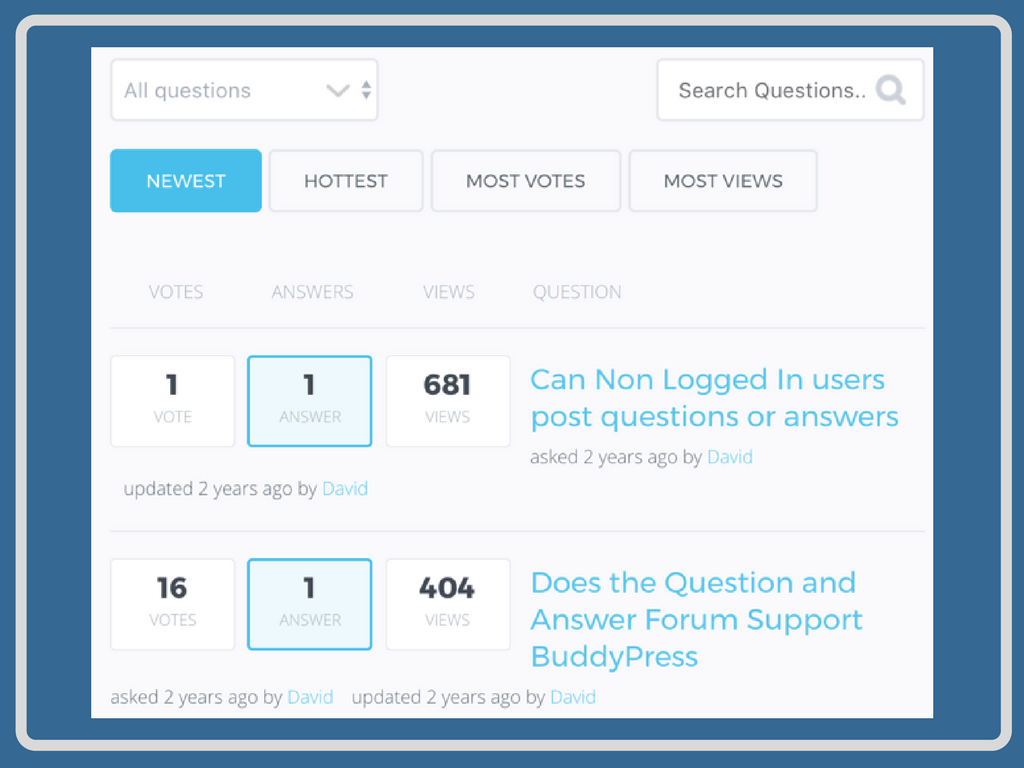 You can easily adjust the look and feel of your WordPress forum
 |
Q and A Thread Page
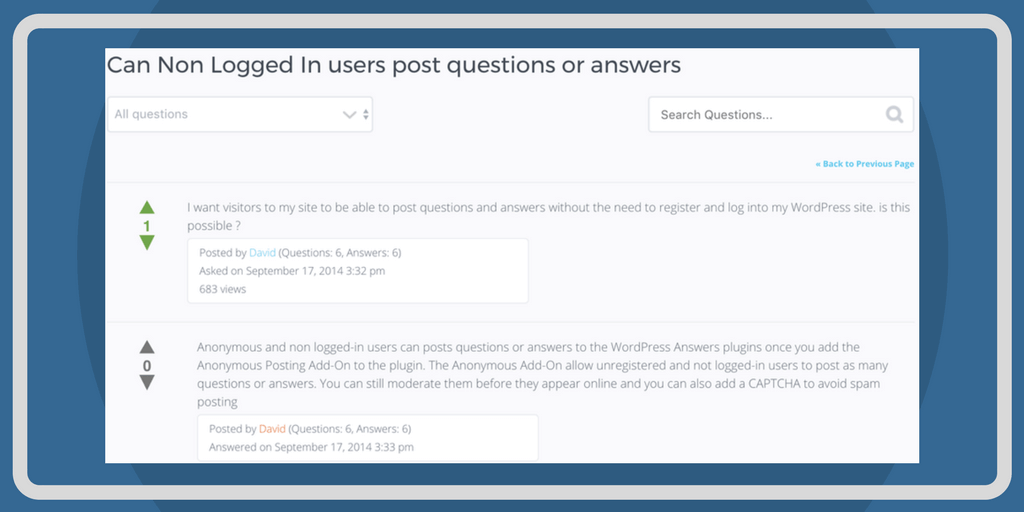 Example of a forum thread
 |
Each question on the forum created by our WordPress q and a plugin will get a thread page containing answers, attachments, comments, and images. The plugin also will show associated user information, if it’s available. This is things such as how many questions and answers there are. The users of the forum will vote on the answers they like best. This way the other users can quickly spot the questions and answers that are most popular. Once a question has gotten enough answers or it’s old without many replies, the admin can mark the question resolved. |
Admin Capabilities in the Question and Answers Plugin
|
With this WordPress question and answer plugin, you have a lot of control over what happens on your forum, by user and by topic. You can completely control your forum and moderate the questions that can be asked, along with the topics. This can help keep hate speech and negative language out of your forums. This is all done with notifications and the ability to restrict users on a case-by-case basis. |
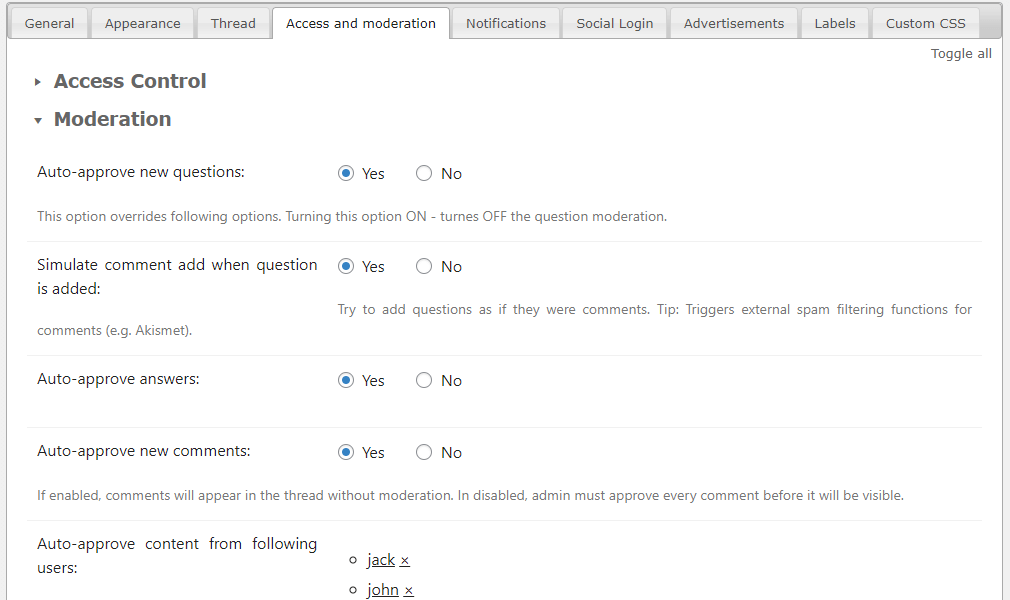 Q and A Plugin Moderation Settings
 |
ChatGPT and Gemini Forum Integration
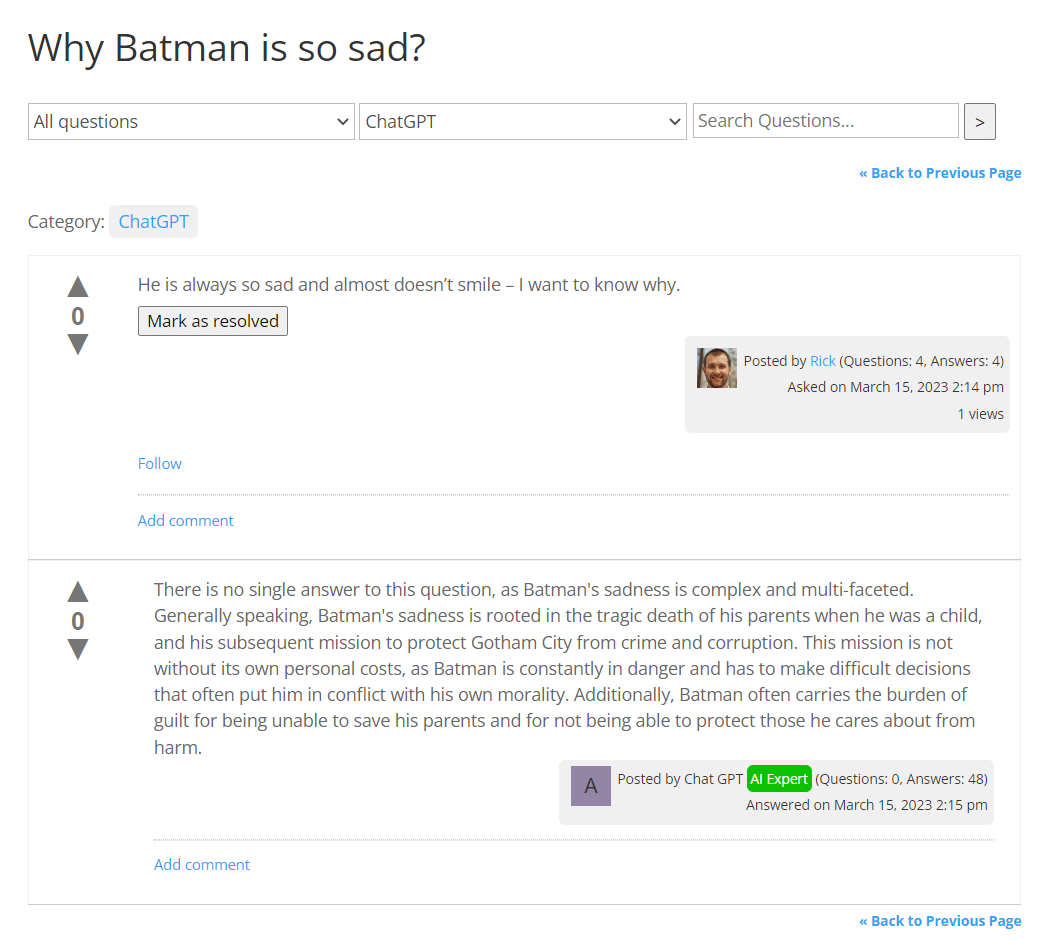 Example of an Answer Generated by ChatGPT
 |
One thing that has become very popular in recent days is AI technology, and that’s why we have made it so that this WordPress question and answer plugin supports ChatGPT and Gemini integration. The plugin can answer questions in particular categories automatically. Because it understands human language, this allows you to give answers immediately to the users on the forum. When you enhance your website using modern technology, you’ll be able to engage with more people on the platform as well as make your work simpler. |
AI-Powered Spam Detection
|
Every question, answer, and comment is analyzed by ChatGPT or Gemini before it appears on the site. When potential spam is detected, the system can move the content to trash, delete it permanently, or mark questions and answers as spam while keeping them visible. Users receive an email notification whenever their content is flagged or removed. Administrators can fine-tune the AI prompt to match the moderation rules of their community. |
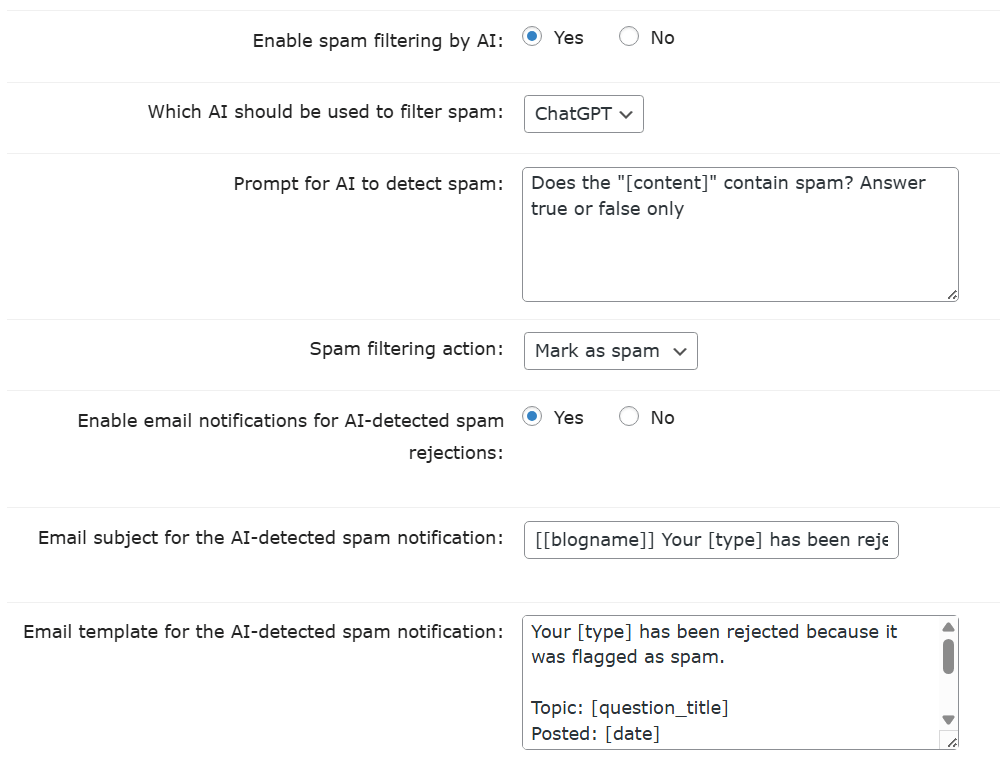 AI Spam Filter Settings
 |
AI-Powered Profanity Filter
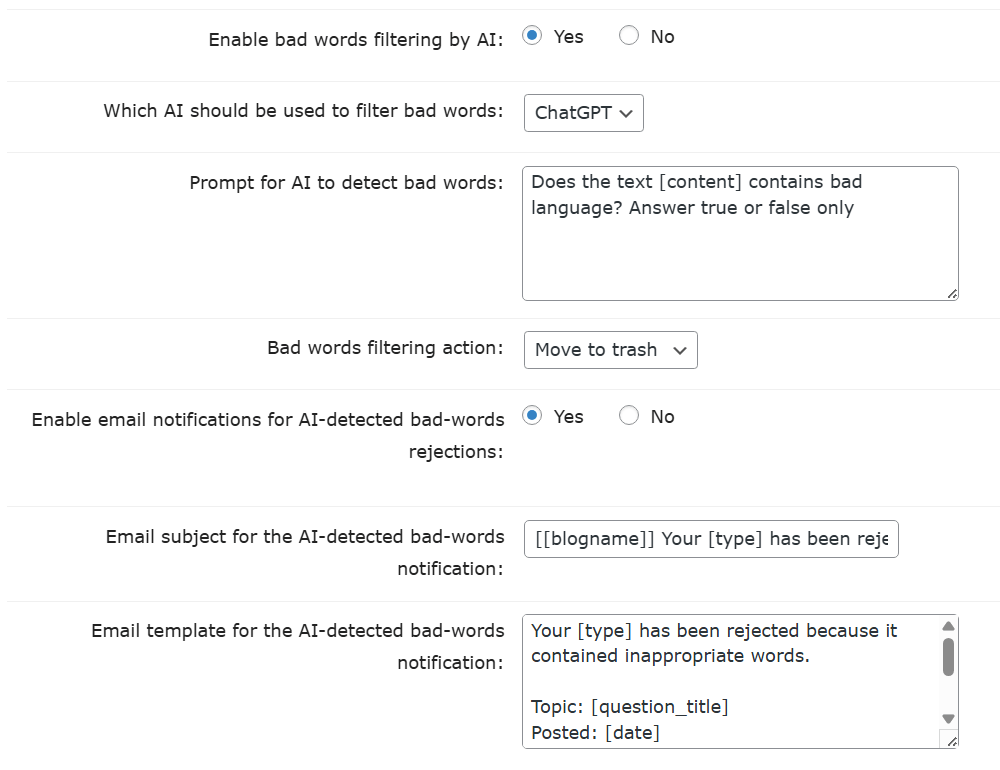 AI Profanity Filter Settings
 |
All submitted questions, answers, and comments are reviewed by AI to identify profanity or inappropriate language. When such content is found, it can either be moved to trash or permanently deleted according to your settings. Authors automatically receive an email notification when their content is removed. The AI prompt is fully customizable, allowing administrators to define what is considered unacceptable for their forum. |
Q and A Forum Reports and Statistics
|
With our WordPress discussion forum plugin, we have made it simple to see how many people are coming to your forum with the built-in log & statistics module. This makes it easy to track the activities on your forum. With our plugin, you can monitor who posted, when they posted, and in what categories they posted their questions. You can display a graph or table and then export the data. Our WordPress discussion forum plugin allows an admin team to filter the content, customize the way that the forum displays in a variety of ways, and create a variety of forums on the website using particular categories. |
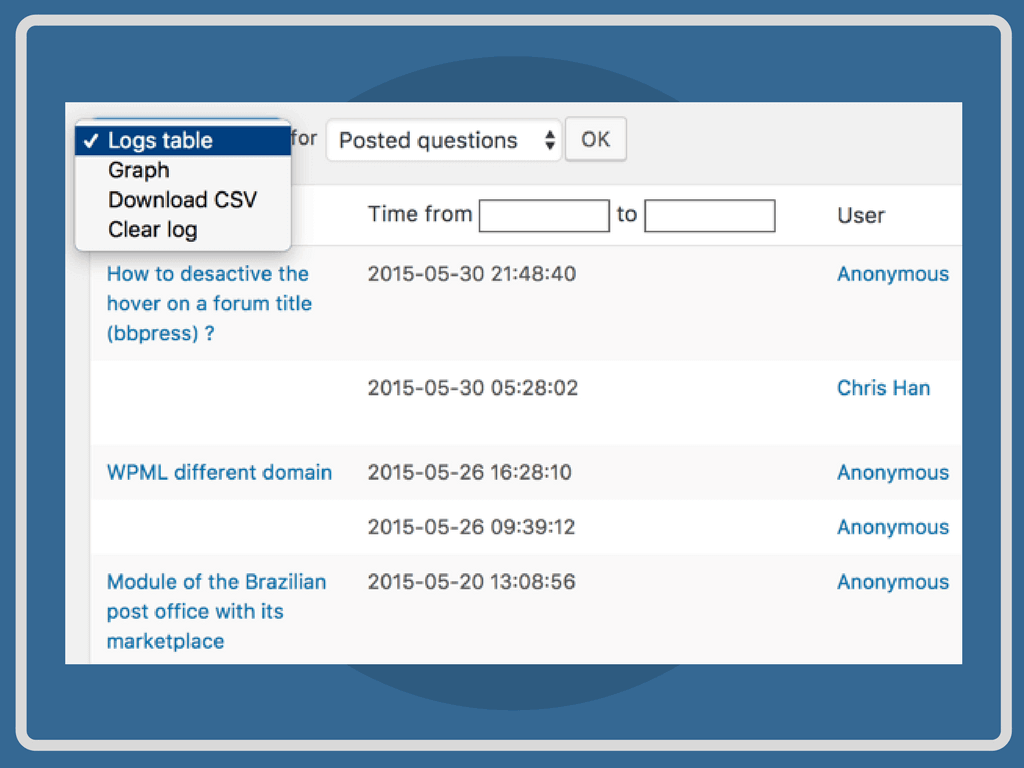 Discussion Forum Plugin Admin Reports Dashboard
 |
User Capabilities in the WordPress Forum Plugin
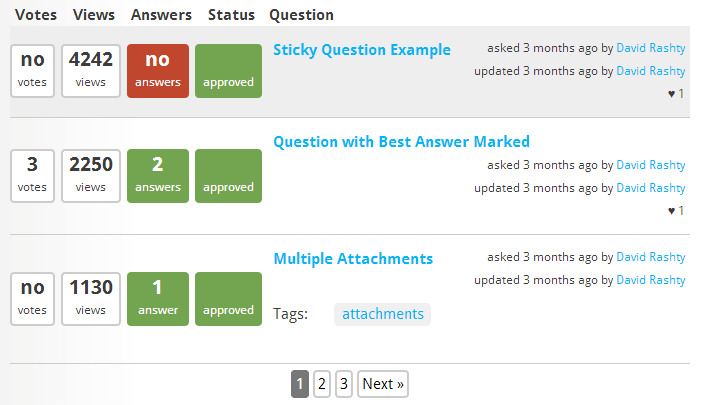 Forum created with the Q and A Plugin
 | Using this WordPress Question and Answer plugin, your users can enjoy many options, like social media logins, user profiles, user voting, private messages, and multiple file uploads. |
User Notifications and Updates
|
Users are able to send private messages to other forum users and subscribe to their favorite topics or categories. When they do this, they’ll be notified about any updates in the forum threads they’re following. This WordPress makes it simple to track tickets, which is great for making a WordPress Support forum. |
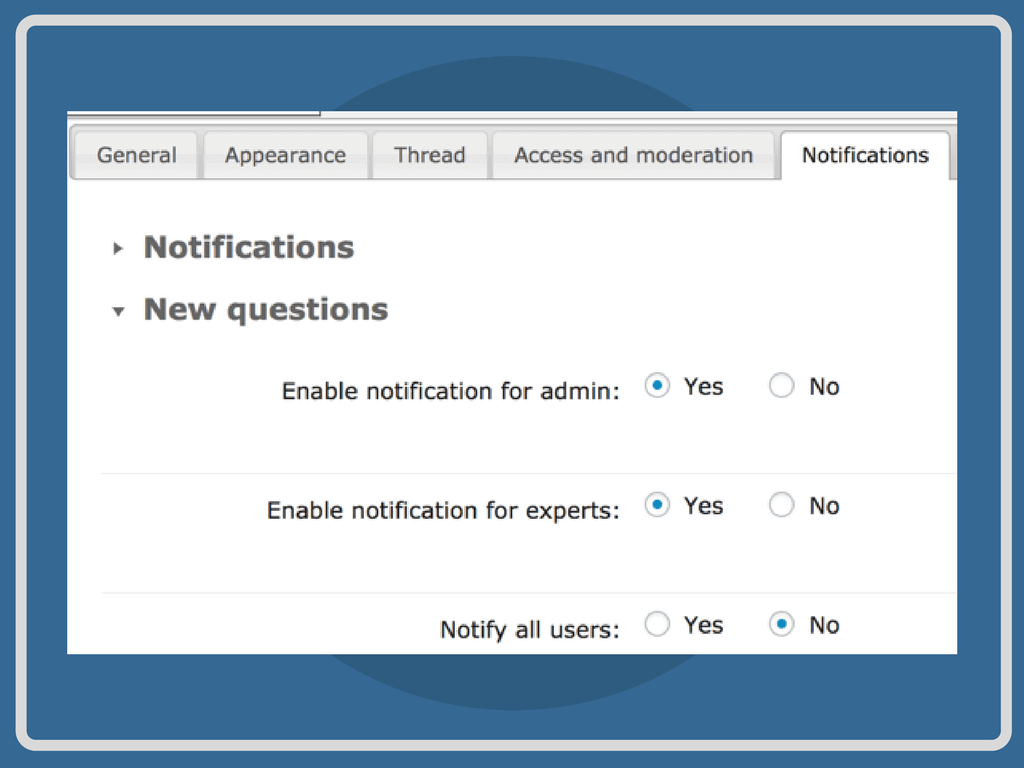 Robust Forum Notification System Settings
 |
Charging Users In The WordPress Question and Answer Plugin
 CM MicroPayments Integration
 | This WordPress question and answer plugin can be integrated with a variety of other WordPress plugins, which includes the WordPress MicroPayments Plugin. This adds virtual currency, requiring users to pay when they’re answering or asking questions. |
Monetize Your WordPress Forum
|
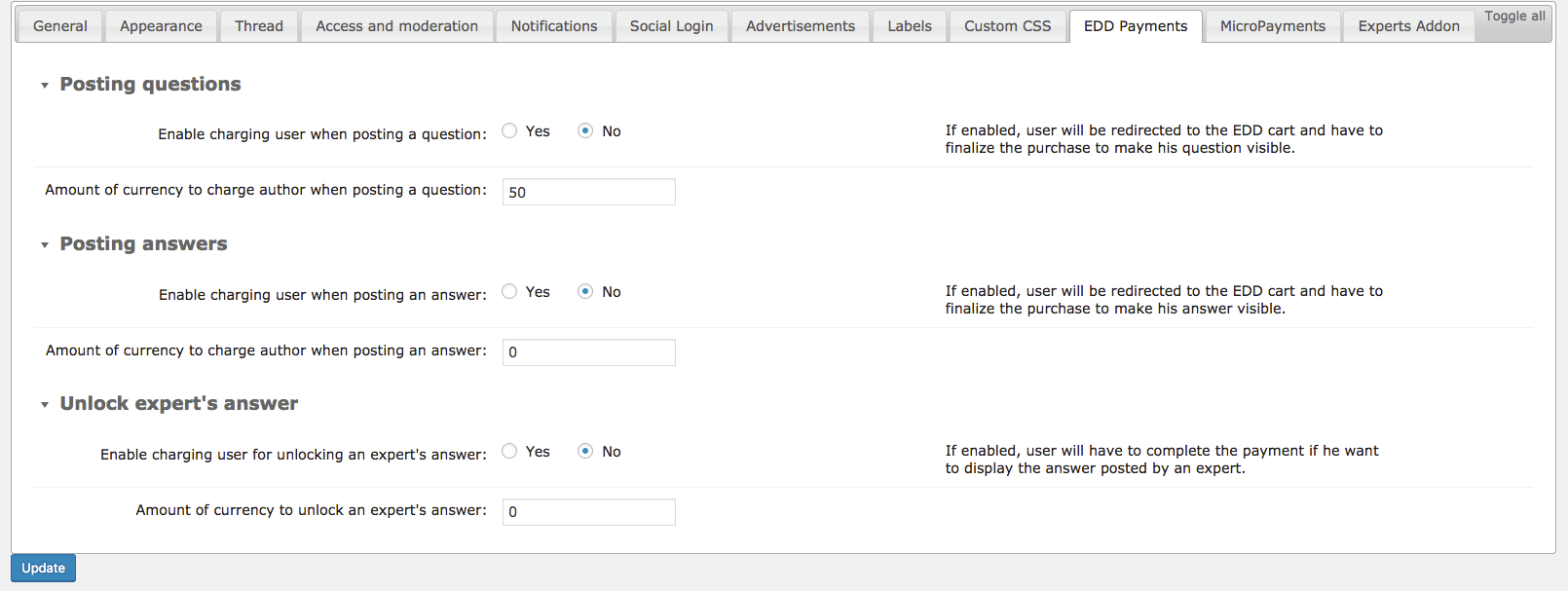
When you use the Payments Add-on, you can charge your users to answer questions or ask them. You can also generate revenue when you allow only a small user group to interact in the forum. The add-on has support for Stripe, PayPal, and a lot of other payment gateways through EOD, or Easy Digital Downloads, and WooCommerce. This allows you to charge your users real money and monetize the forum. Charge Users Real Money - Monetize your forum by integrating the Payments Add-on |
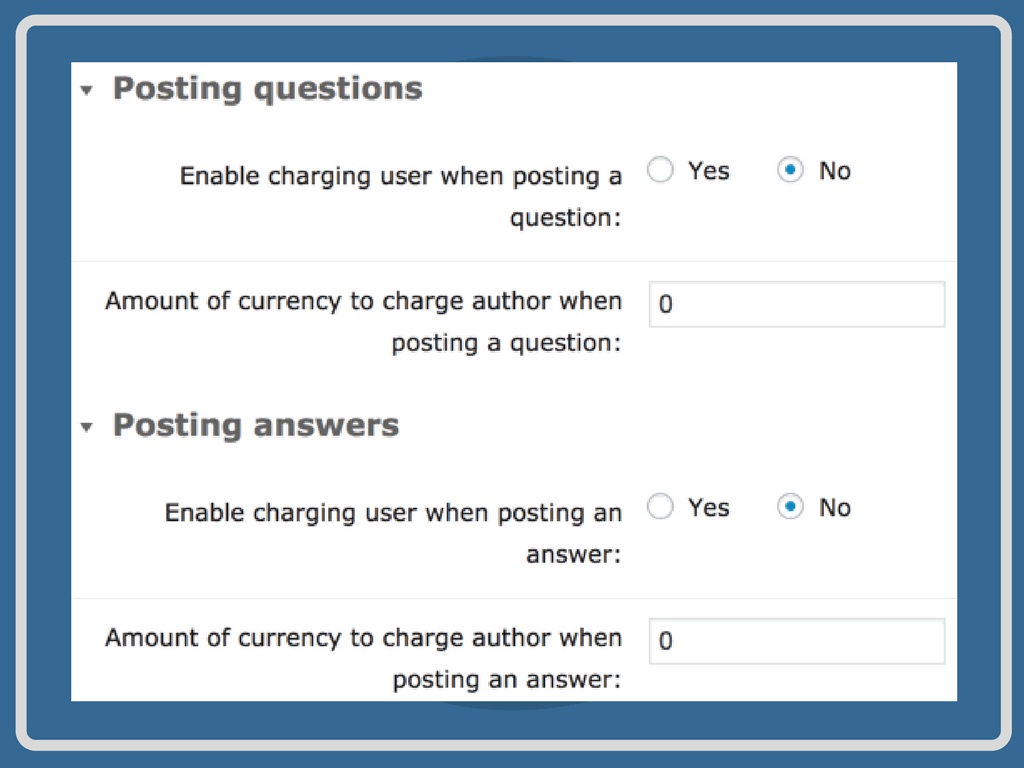 Define how much it costs to post
 |
Easily Localize the Q and A Forum
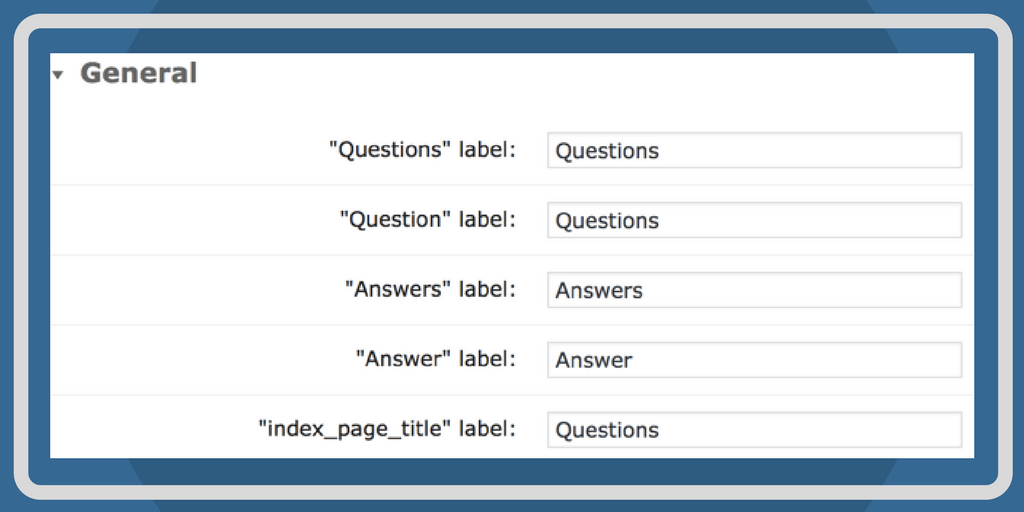 Q and A Plugin Labels Settings
 |
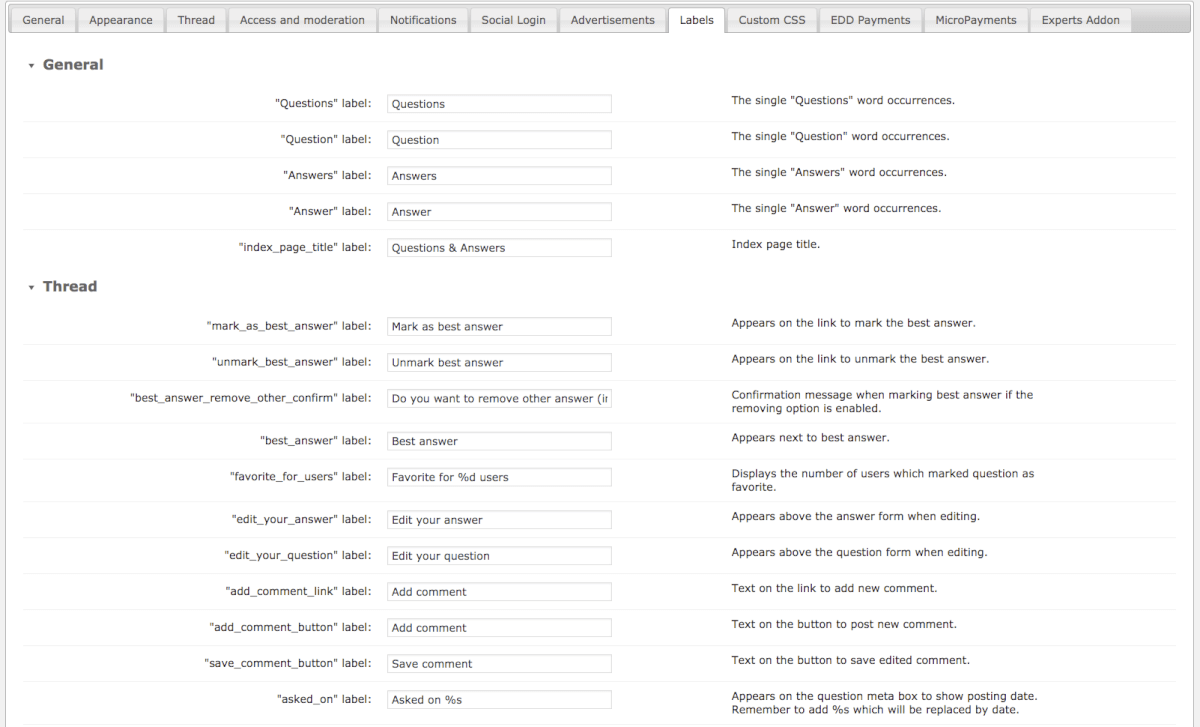
All of the front-end labels can easily be localized. We have PO/MO files for many languages that cover this discussion plugin frontend interaction. Our Questions and Answers Plugin supports multiple languages, such as Spanish, Polish, German, Danish, French, Italian, Russian, Czech, Dutch, Portuguese, and Swedish. We will be happy to assist in building other PO/MO files upon user request. |
Using the WordPress Question and Answer Plugin
- Robust WordPress Discussion Forum Plugin – Integrate a comprehensive Q and A forum inside your existing WordPress site.
- Versatile Shortcodes – Use shortcodes to place the forum anywhere on your posts or pages.
- Replace WordPress Comments – Replace the default WordPress comments system on any given post.
- Multiple Forums – Use categories to create multiple forums on your WordPress site.
- On-Page Navigation – Use Ajax browsing mode for seamless transitions when users access different parts of the forum.
- Powerful Forum Search – Users can search the forum history and filter discussion boards to quickly find answers.
- Forum Notifications – Keep your users notified on Q and A threads they are following.
- Forum Access – Decide who can view each forum, who can ask questions, or who can answer questions with detailed plugin access controls.
- Forum Moderation – Powerful moderation tools allow the admin to limit allowable content or restrict postings with offensive language.
- Forum Points System and Badges – Reward users with points and badges for posting questions or answers on your forum.
- Multisite Compatible – This WordPress plugin is multisite-compatible under the following conditions: Each site needs to have its unique license; Data is not shared across sites.
- Most Views – Users can see the popular questions under the “most views” tab.
WordPress Question and Answer Plugin Additional Resources
WordPress Question and Answer Plugin Related Blog Posts
Answers Plugin for WordPress Features
Please check the user guide to learn more about this plugin.
Questions & Answers
Voting

Users can vote for questions and answers.
Categories

Categorize your questions and answers into multiple sub-categories and forums. Related questions can be posted under the specific question category.
Tags
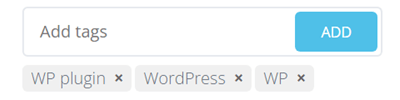
Tag questions with multiple keywords for searching similar topics on you CM Answers plugin.
Attachments

Upload file attachments to questions or answers. Admins can restrict certain file extensions. Support multiple file uploads on your discussion forum.
Text Editor
Users can edit their questions or answers with a functional TinyMCE text editor.
Best Answer

Authors can select the best answer out of all the responses submitted to their question.
Category Custom Fields

Per each questions category you can define additional fields which will be available to fill out on the question submission form and displayed on the thread page.
Comments

Comments can be added for each question or answer.
Drag & Drop

Drag & Drop files to attach them to questions or answers. Create a download forum!
Edit After Posting
Allow authors to edit their questions and answers even after they’ve been submitted.
Forum Features
Private Answers

Support posting answers which only question poster / user can view.
User Profile

Users can view their profiles that contain all their Q&A’s and discussion forum contribution statistics.
Badges

When using the Micropayments plugin display the users’ badges depending on their points balance.
Reassign Content
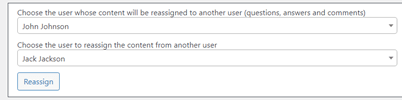
Reassign all forum content (questions, answers and comments) from one user to another one.
AI Spam Detection
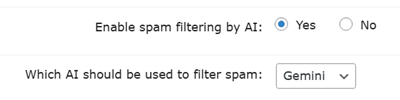
Uses ChatGPT or Gemini to analyze questions, answers, and comments for spam before publication, with options to delete, trash, or mark as spam (for questions/answers).
Moderation
Moderate user questions or answers or comments in your discussion forum like you would moderate WP spam. Restrict access or allow auto-approvals to specific users.
Private Questions

Support posting private questions directly to users.
User Gravatar

Displays a Gravatar icon beside each user profile.
Favorite Question

Users can vote on their favorite questions.
Bad Words Filter

Create a bad words filter, blocking users from publishing inappropriate content to the board.
AI Profanity Filter

Detects and removes offensive language with the help of AI and sends email notifications to users whose content was flagged.
Access Control
With this WordPress forum plugin administrators can control who is allowed to view or post questions and which users are allowed to respond. Also control access to categories by role.
Appearance & Style
Customization

Easily customize the style and appearance of your Q&A discussion forum. Style forums by changing the color of your choice and much more.
Sticky Questions

Questions can be set to appear always on the top part of the questions list.
User Posting Meter

A widget showing the amount of posting is shown near each question or answer.
Show Ads
Supports showing ads and banners inside forum.
Localization

This plugin is translatable. It provides multilingual support including RTL language support (right to left). Supports UTF-8 characters for translation into a variety of different languages.
Widgets
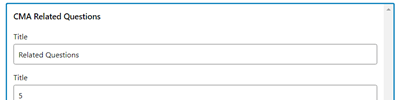
Support a few widgets to display recent questions, most popular questions, most active users and more.
Social Share Widget

Add a social share widget to each question page so users can share the question.
Mobile Responsive
The forum interface is mobile friendly and adjusts depending on the screen size.
Integrations
ChatGPT

Post automatically generated by ChatGPT answers to questions in chosen categories.
MicroPayments
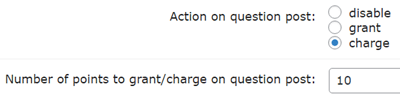
Integrates with the MicroPayments plugin so users have to pay virtual points to post answers.
GamiPress
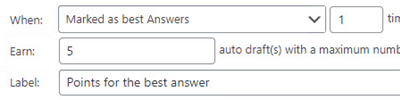
GamiPress can automatically award users for actions on your forum.
Social Media Login
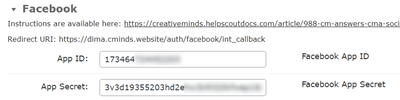
Users can login with their social media accounts to post questions or answers.
BuddyPress
Integrates with the BuddyPress API, specifically the groups feature. Buddypress will display posts on the CM Answers forum by users that login with their BP profile. You can also associate a BP group with a specific CMA category! The chosen CMA category becomes a forum for this group where the users can create topics (questions) and post answers.
Gemini
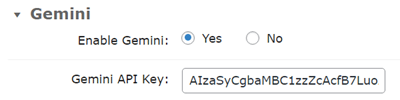
Post automatically generated by Gemini answers to questions in chosen categories.
Ultimate Member

The integration feature adds a custom CMA tab into the Ultimate Member user profile.
Expert Directory
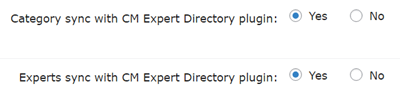
Allows you to associate WordPress user profiles to expert profiles from Expert Directory and synchronize categories.
Geolocation Information

Show the geographic location so you can see where your users are coming from.
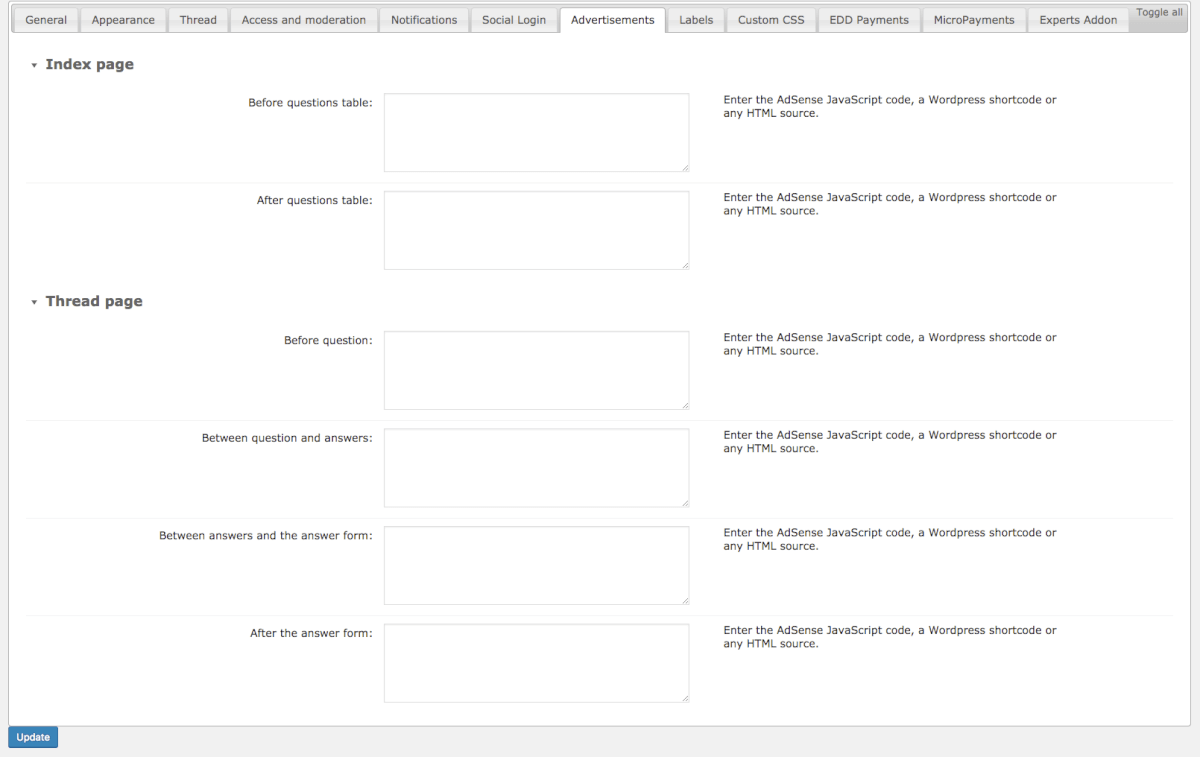
AdSense
Support integration with Google AdSense in order to show ads within forum content.
General Features
Logs & Statistics

Generates a detailed log and statistics of the forum activity.
Shortcodes
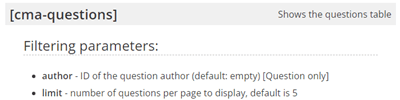
Use a shortcode to embed questions and answers in your discussion forum to any page or post.
SEO Features
The WordPress Answers plugin is SEO-friendly and includes support for SEO meta descriptions in the index page and automatically adds the meta description to the answer thread page.
Email Notifications

Advanced email notification system allows authors to receive notifications when answers to their questions are posted. Users can track discussions on specific topics based on the category.
Disclaimer
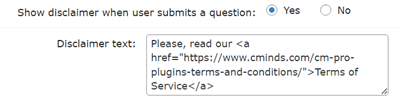
Include a disclaimer asking users to agree to your terms when they visit for the first time.
WordPress Multisite
Compatible with WordPress multisite functionality.
Add-ons Features
Payments

Payments Add-on allows to charge users for posting questions and answers. Set a price for asking or answering questions and users will only complete the action after payment.
PeepSo Integration

PeepSo Integration Add-on adds a questions and answers functionality into the PeepSo social network.
Answers Plugin Plans and Pricing
| PLANS | Pro | Pro Anonymous | Ultimate |
| Price includes 1 year support/updates. Manual renewal with 40% discount, not a subscription | $49 | $79 | $119 |
| Number of Websites / License Activations | 1 | 3 | 5 |
| BASIC FEATURES | |||
| Advanced Access Control |  | | |
| Shortcodes with Ajax Support | | | |
| Customize Permalink | | | |
| Multisite Support | | | |
| Logs & Statistics | | | |
| SEO Support | | | |
| QUESTIONS & ANSWERS FEATURES | |||
| Answers & Voting Counts | | | |
| File Attachments | | | |
| Q&A Comments | | | |
| Best Answer Support | | | |
| Edit After Posting | | | |
| Private Questions | | | |
| Question Categories | | | |
| Question Tags | | | |
| Category Custom Fields | | | |
| Full Text Editor | | | |
| AI Spam Detection | | | |
| AI Profanity Filter | | | |
| USER FEATURES | |||
| Basic Moderation options | | | |
| Private Answers | | | |
| Reassign Content | | | |
| User Profile Page | | | |
| Favorite Question | | | |
| User Posting Meter | | | |
| User Badges | | | |
| APPEARANCE FEATURES | |||
| Templates can be Customized | | | |
| Mobile Responsive | | | |
| Localization Support | | | |
| Make Forum your Homepage | | | |
| Widgets | | | |
| Sticky Questions | | | |
| Forum Disclaimer | | | |
| Social Share Widget | | | |
| Replace WordPress Comments | | | |
| INTEGRATIONS | |||
| ChatGPT Support | | | |
| Gemini Support | | | |
| Social Media Integration | | | |
| BuddyPress Integration | | | |
| GamiPress Integration | | | |
| Ultimate Member Integration | | | |
| Gravatar Support | | | |
| Geolocation Information | | | |
| AdSense Integration | | | |
| Integration with CM Expert Directory | | | |
| Integration with Micropayments | | | |
| ADD-ONS | |||
| Anonymous Posting for non logged-in Users |  | | |
| Payment support | | | |
| Answers Widgets | | | |
| Ask the expert support | | | |
| Idea Stimulator support | | | |
| Integration with PeepSo | | | |
| SUPPORT | |||
| Product Knowledge Base |
 |
|
|
| Priority email support |
|
|
|
| Product updates |
|
|
|
| PLANS | Pro | Pro Anonymous | Ultimate |
| Number of Websites / License Activations | 1 | 3 | 5 |
| Price includes 1 year support/updates. Manual renewal with 40% discount, not a subscription | $49 | $79 | $119 |
Questions and Answers Forum Plugin Demo
THE Q&A FORUM DEMO SITES

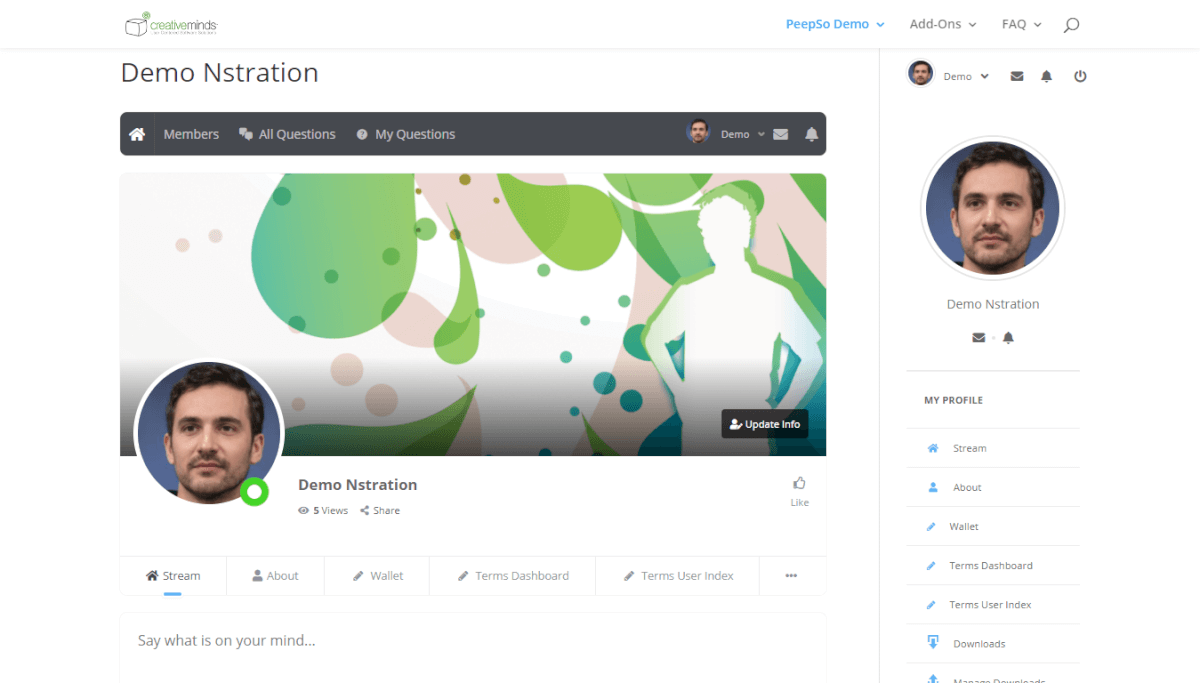

EXAMPLES OF SITES USING THE Q&A FORUM






Watch the video clips below to see each Q&A Forum Plugin feature in action.
For more in-depth descriptions, visit our Video Tutorial Library or plugin User Guide.
MAIN FORUM FEATURES


Answers WordPress Plugin Image Gallery
-

- Best WordPress forum plugin – CM Answers by creativeMinds
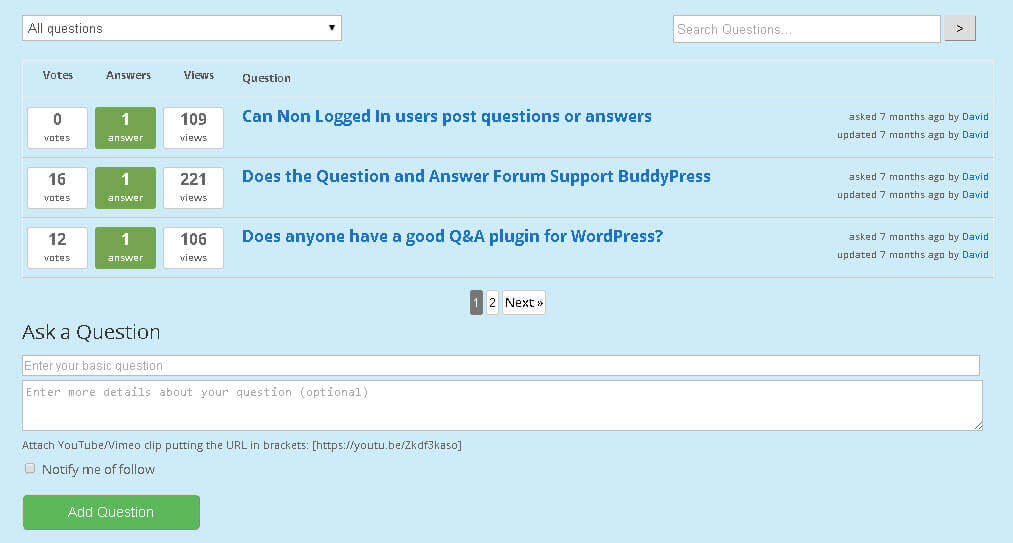
-

- Posting questions on the CM Answers discussion forum
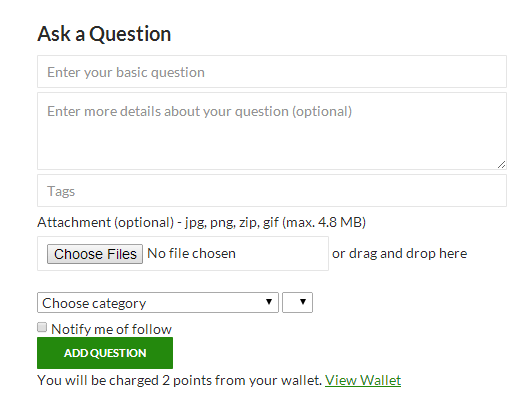
-

- Access Restriction settings on cm answers wordpress forum plugin

-

- Dashboard showing questions posted by a user in CM Answers Q&A WordPress forum Plugin
-

- Integrating CM Answers with CM Micropayment- WordPress forum plugin settings
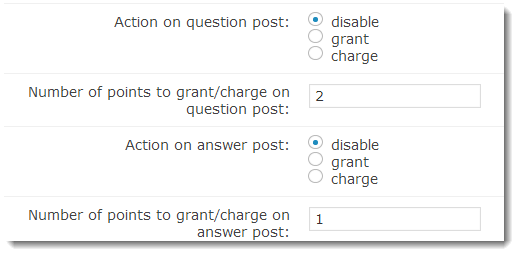
Back-end Gallery
-

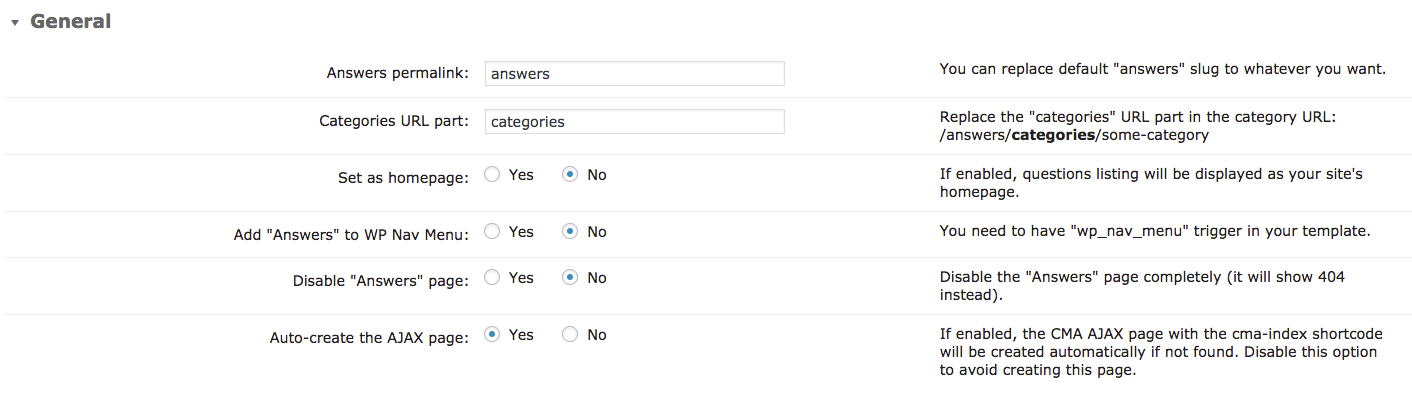
- General
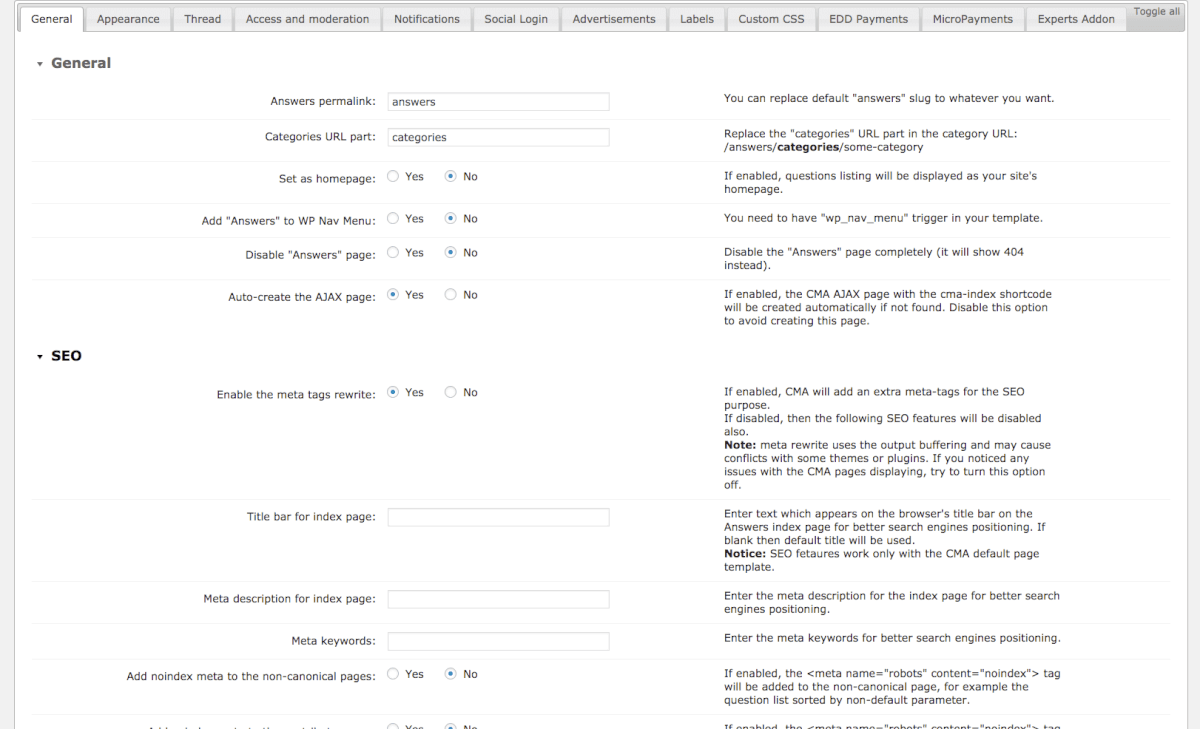
-

- General – Settings
-

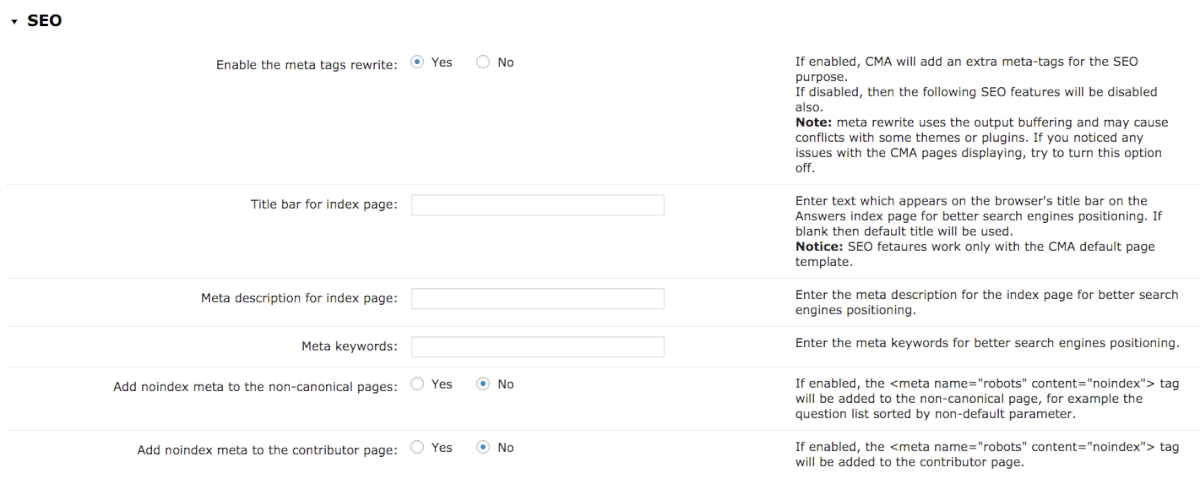
- General – SEO

-
- General – SEO
-

- General – Disclaimer

-

- General – Referrals

-

- General – Other

-
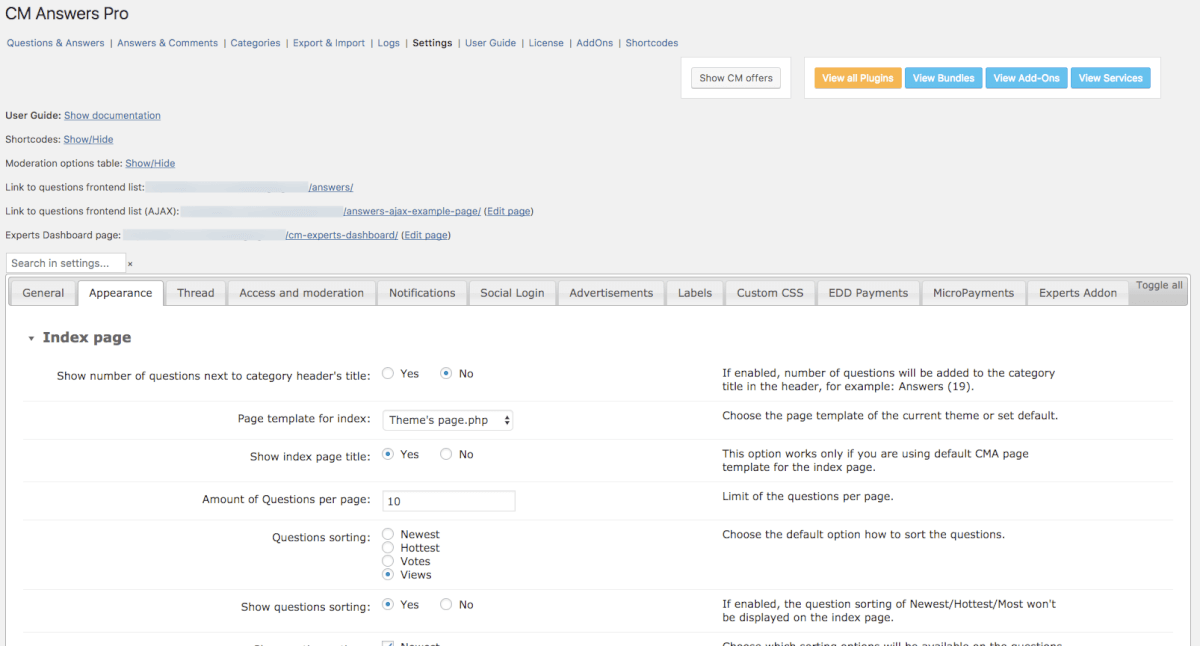
- Appearance
-

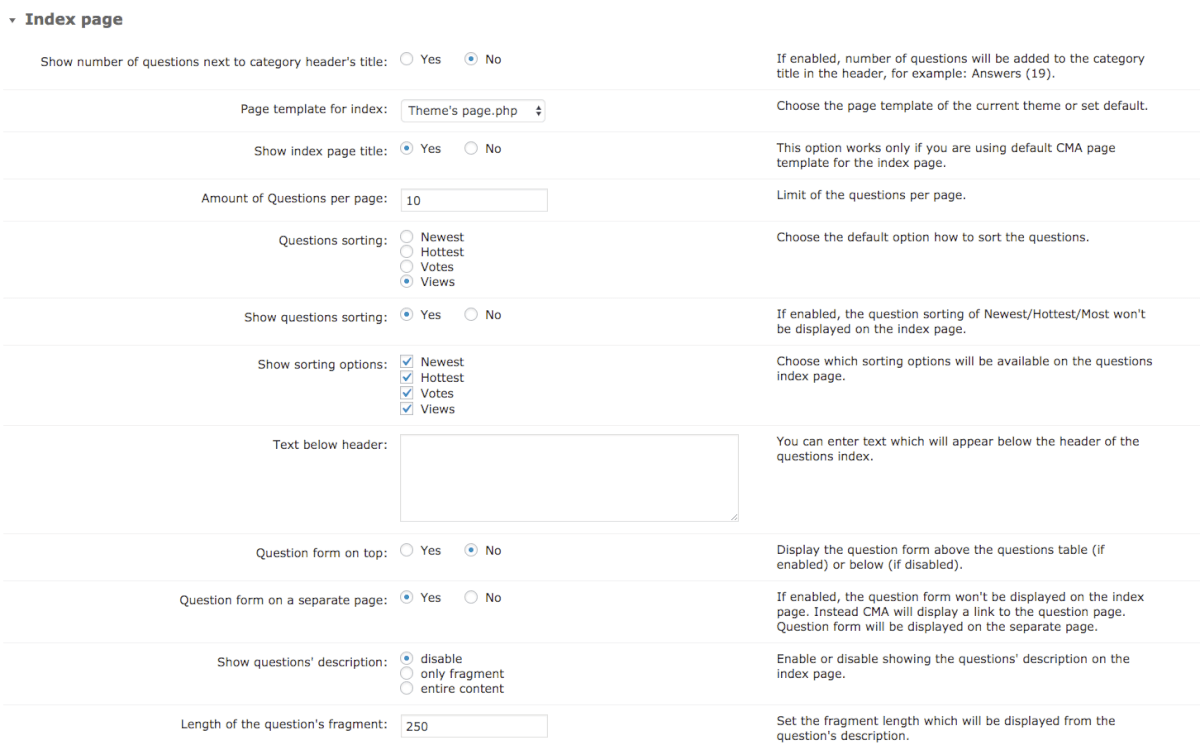
- Appearance copy – Index Page
-

- Appearance – Table of Questions
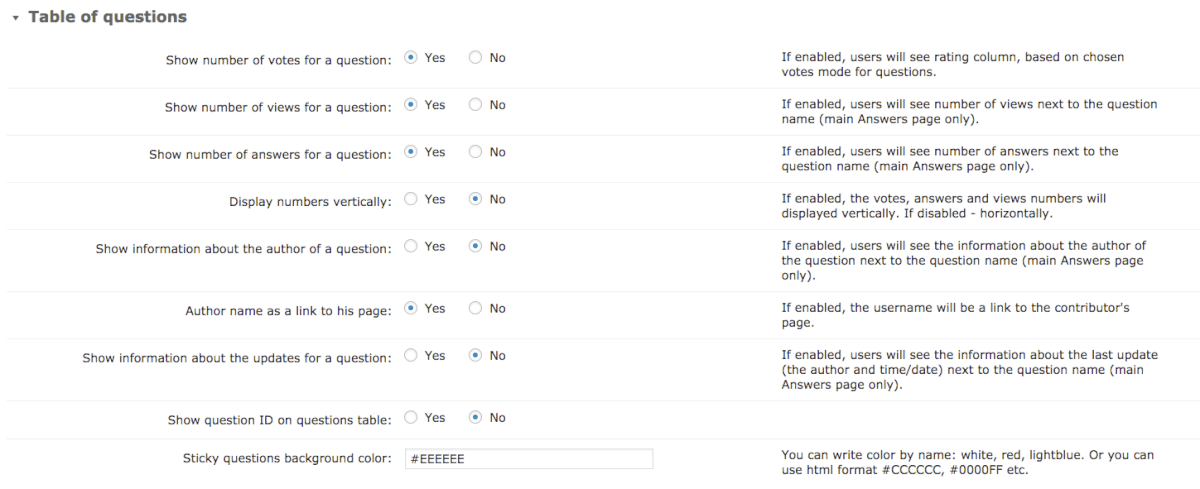
-

- Appearance – Questions rating

-

- Appearance – Thread Pages
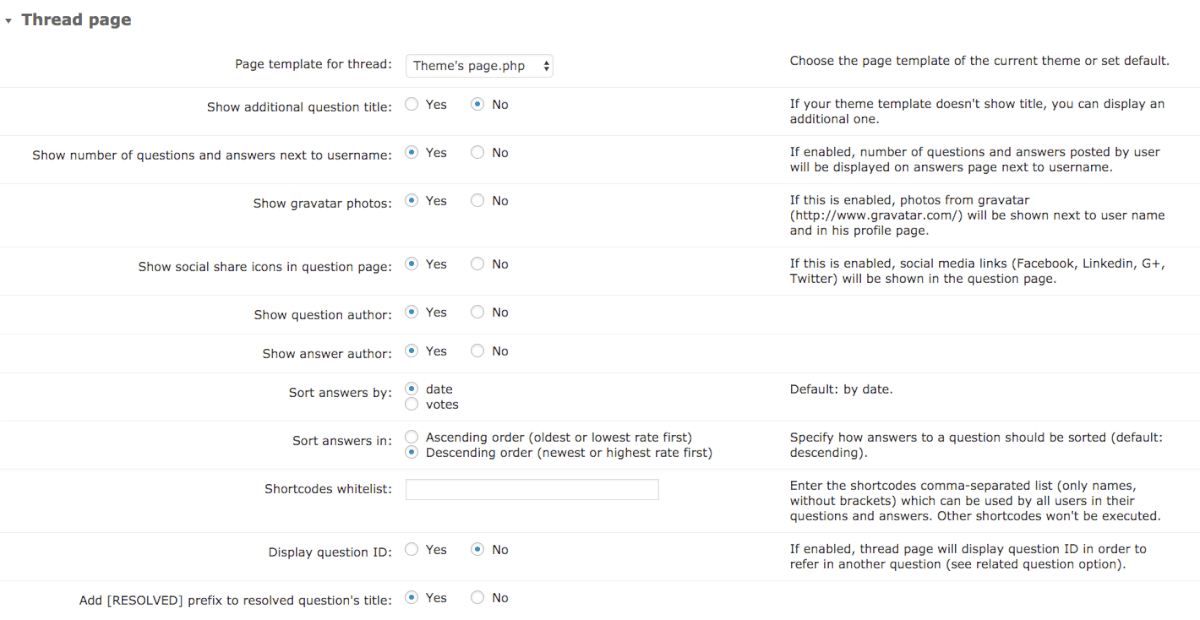
-

- Appearance – Attachments

-

- Appearance – Editor
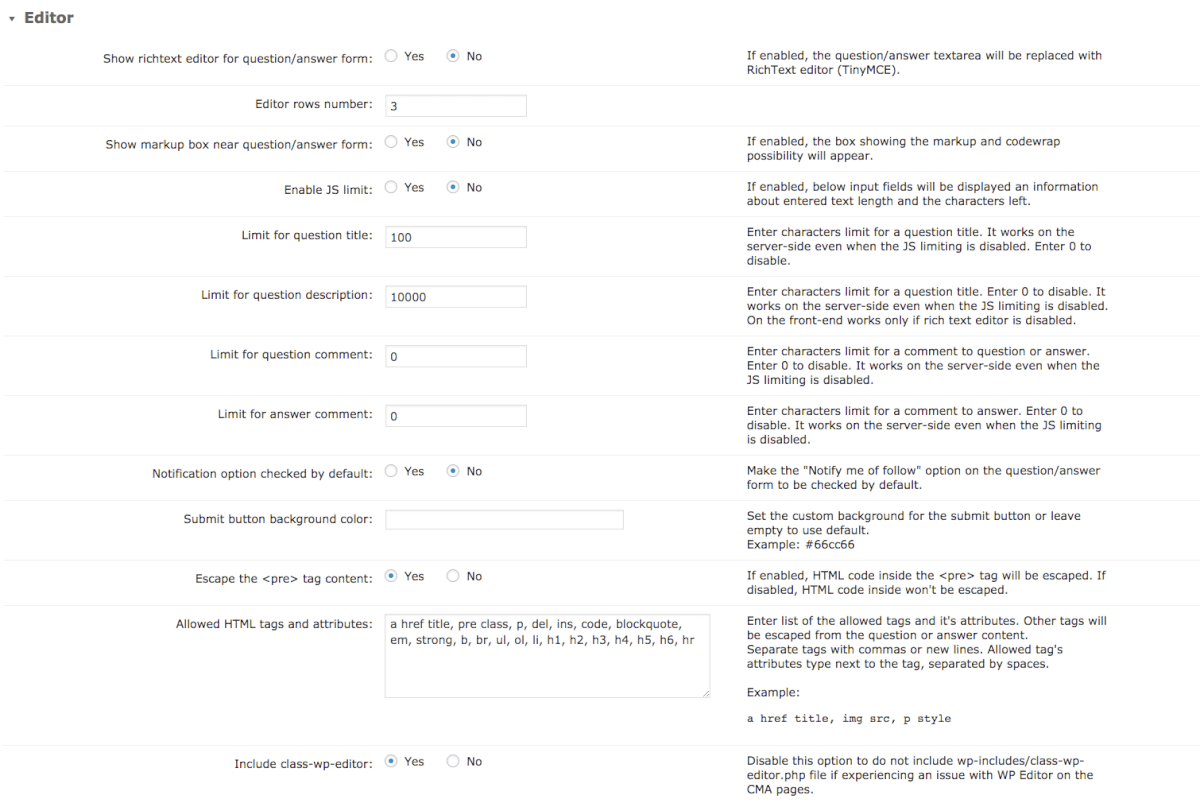
-

- Appearance – Navigation
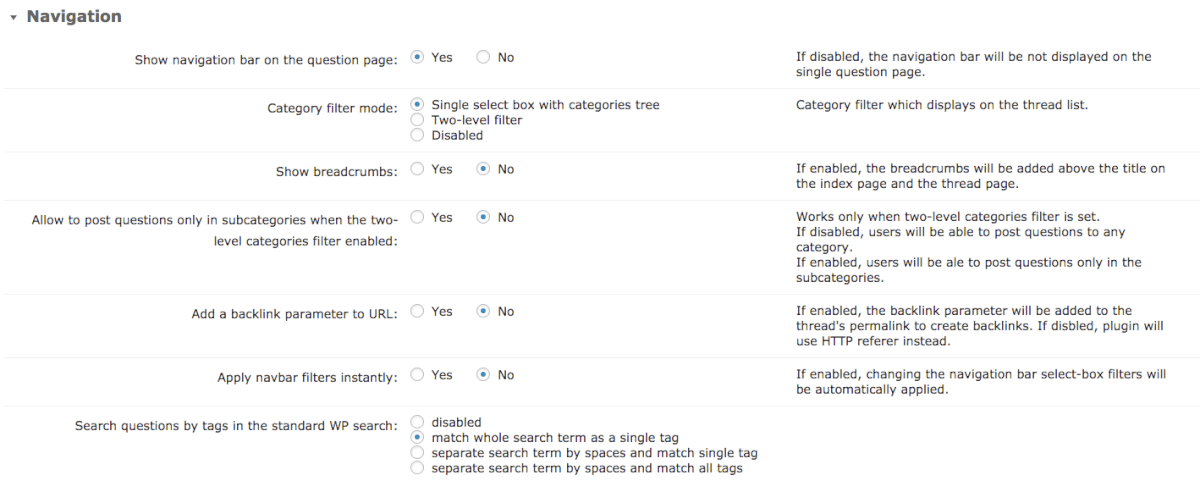
-

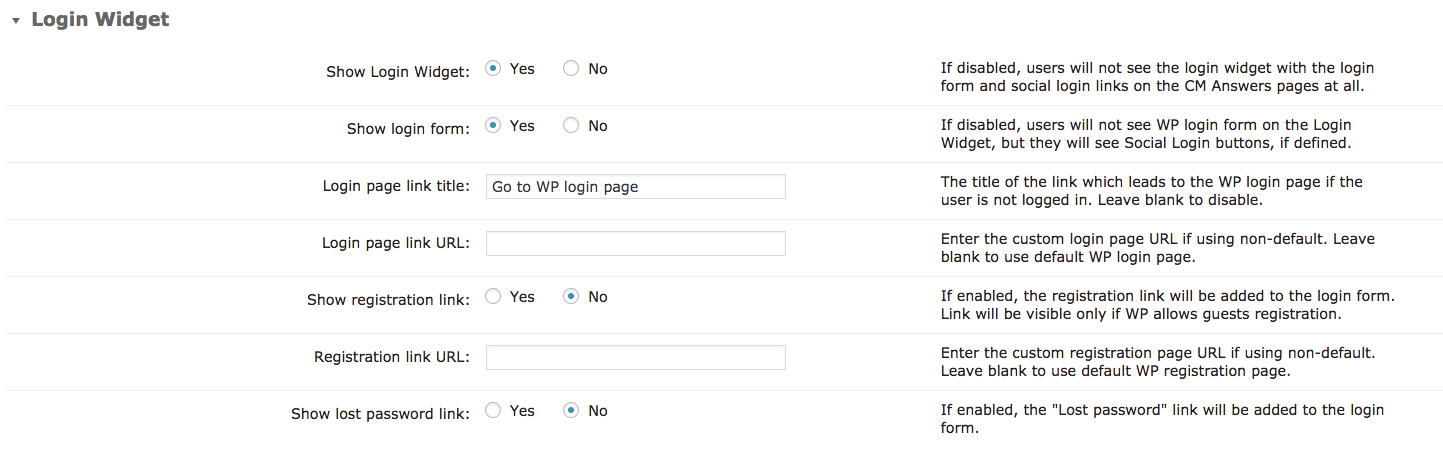
- Appearance – Login Widget
-

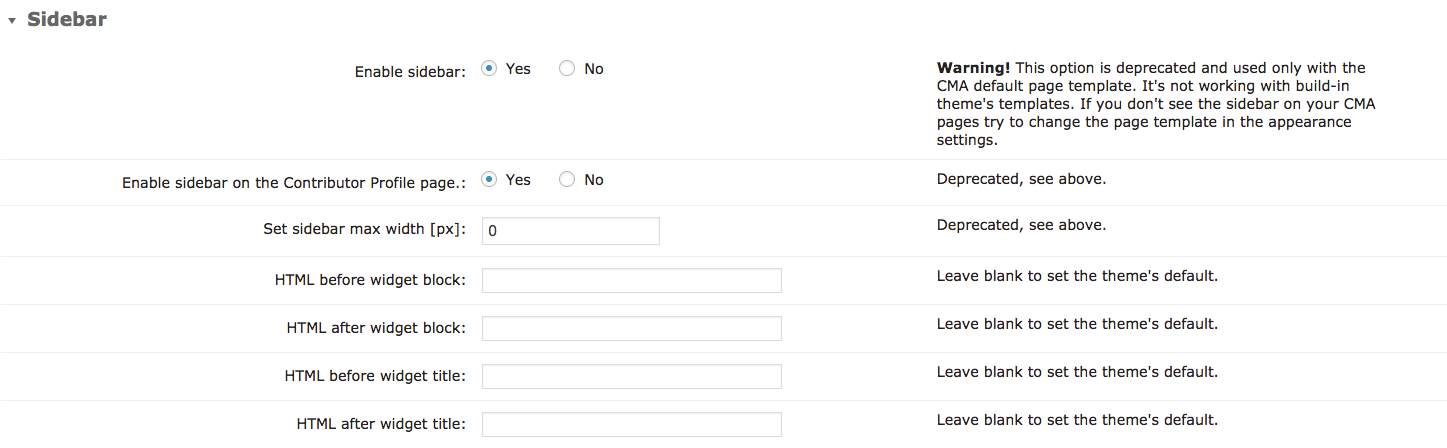
- Appearance – Sidebar
-

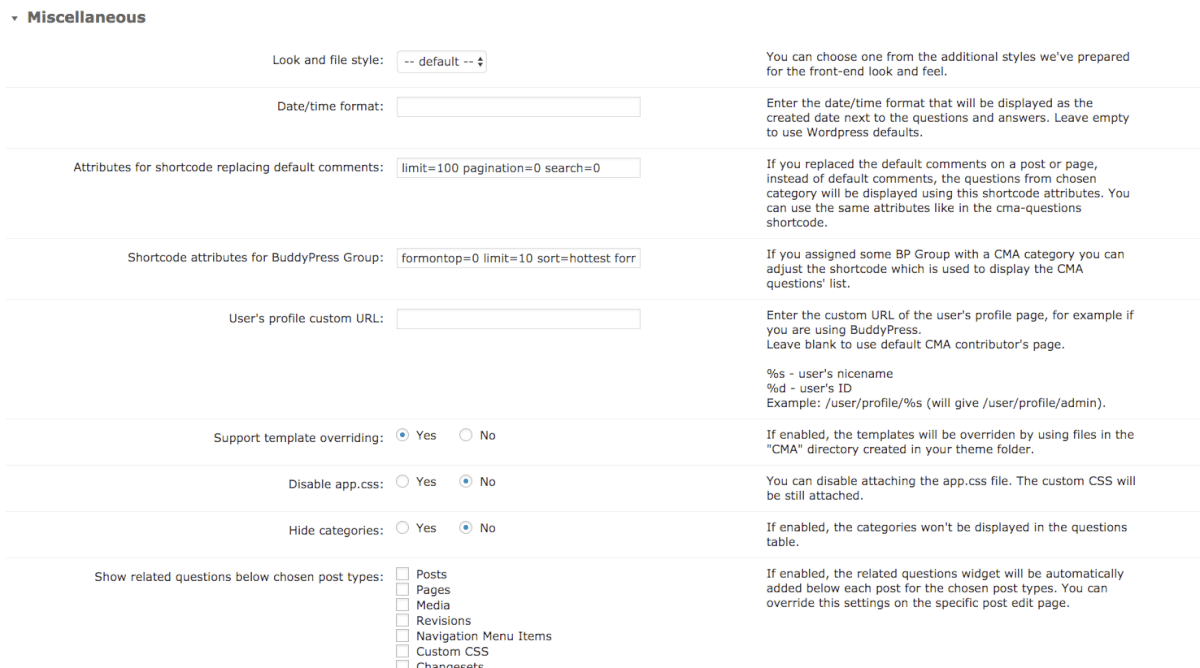
- Appearance – Miscellaneous
-

- Notification

-

- Notification – Notifications

-

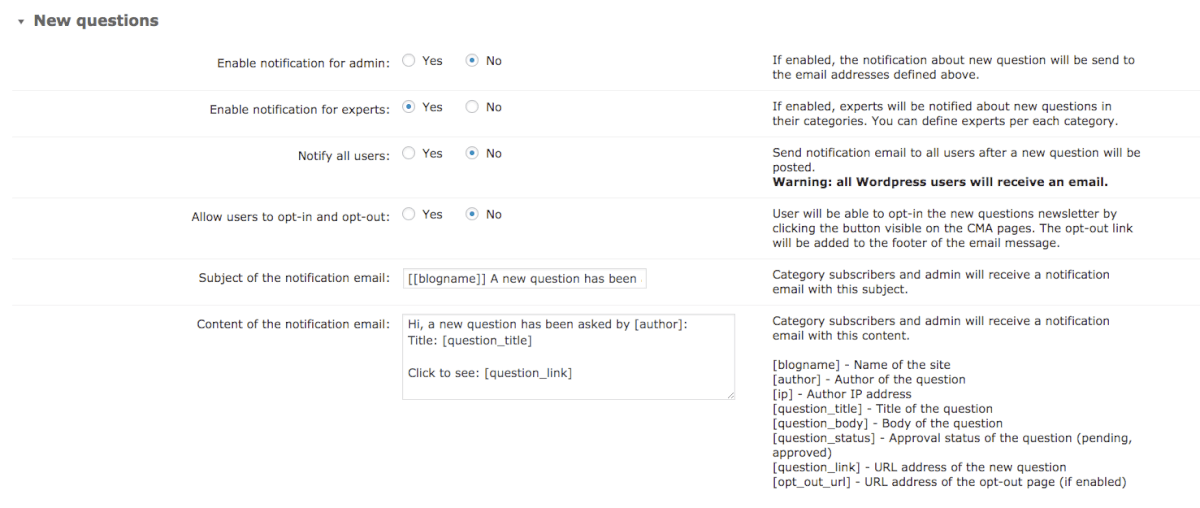
- Notification – New Question
-
- Notification – New Question
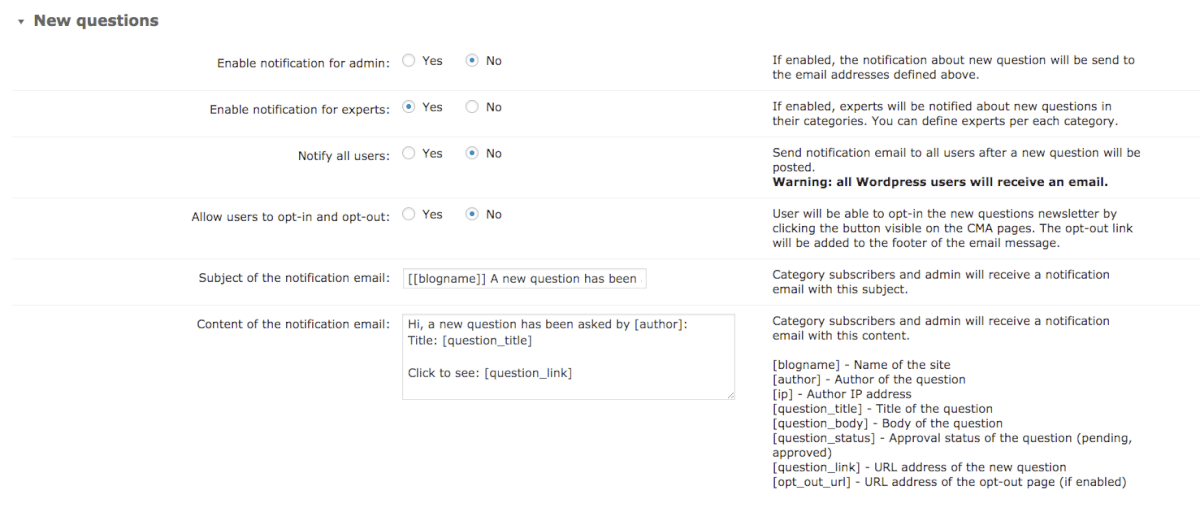
-

- Notification – New Answers
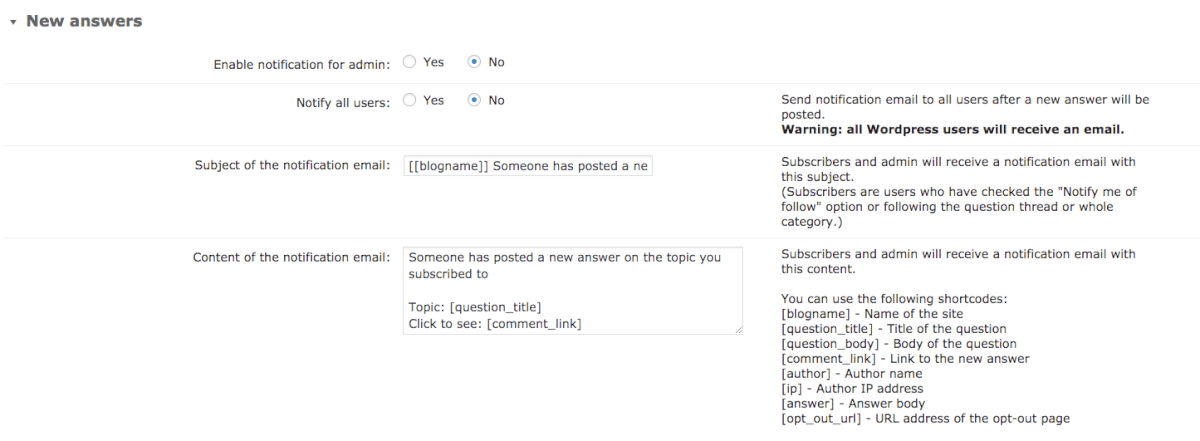
-
- Notification – New Comments
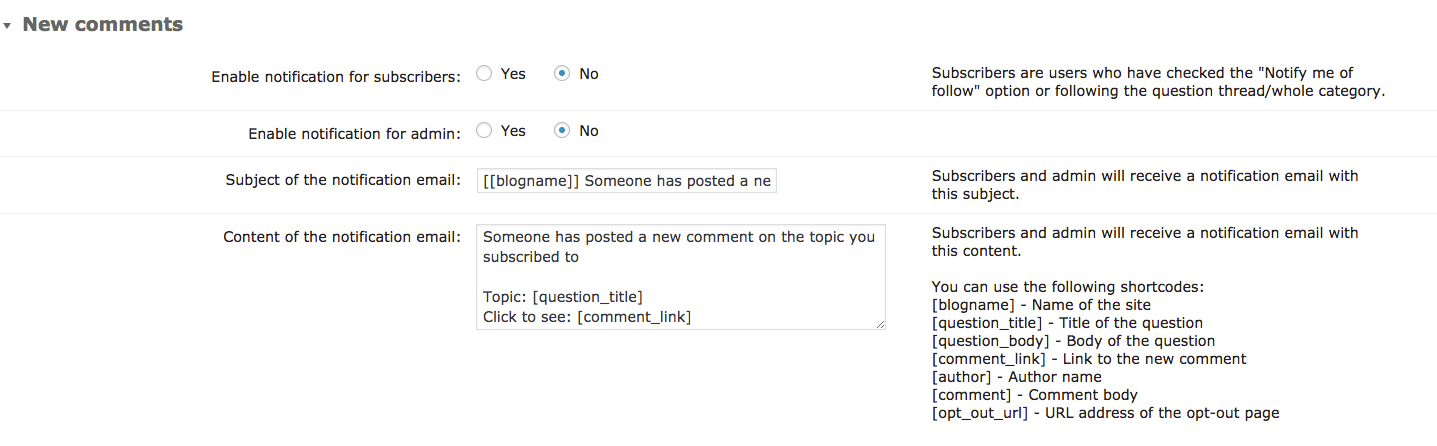
-

- Settings – Notification – Best Answer
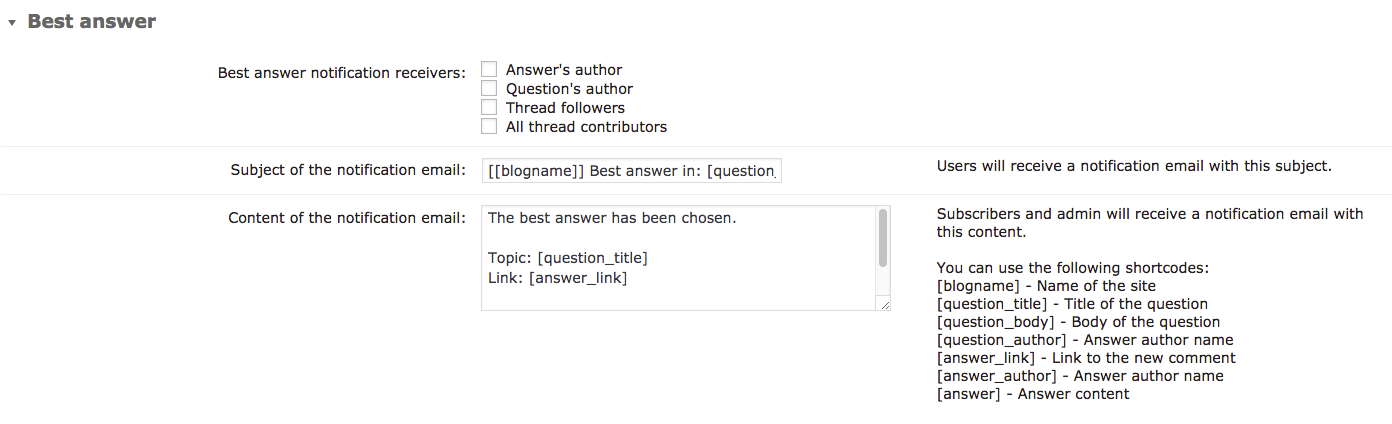
-

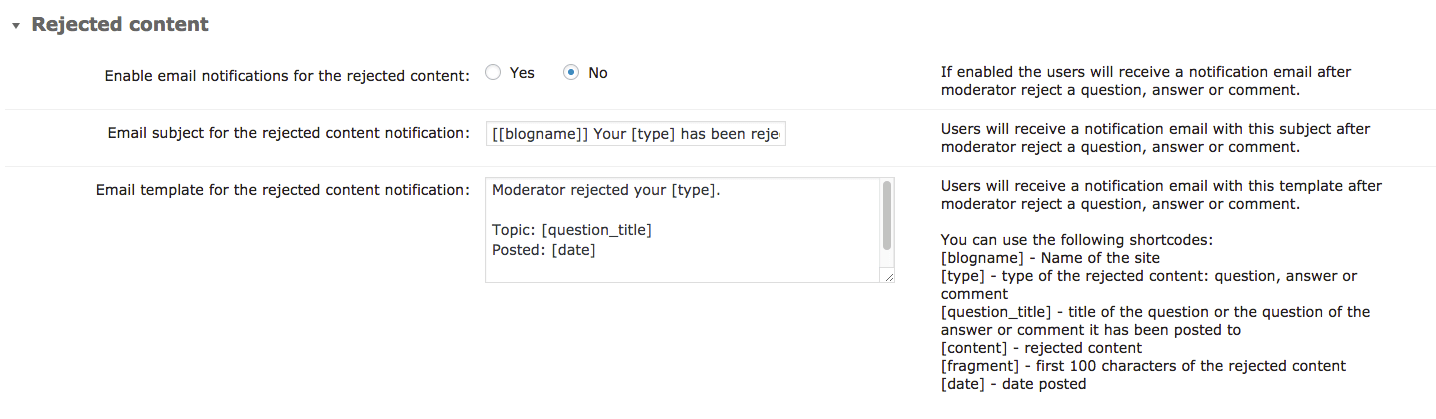
- Notification – Rejected Content
-

- Notification – Other

-

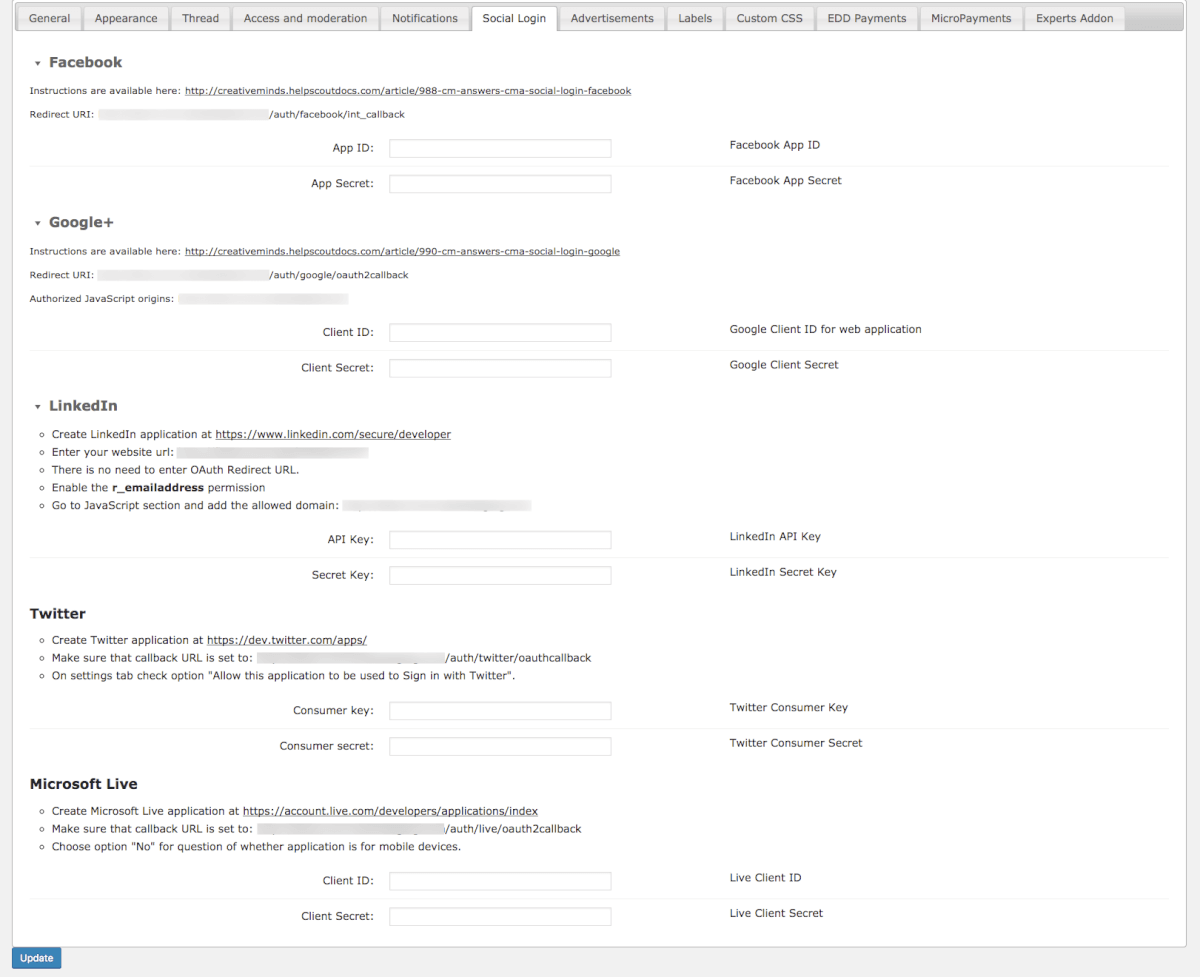
- Social Login
-

- Social Login – Facebook

-

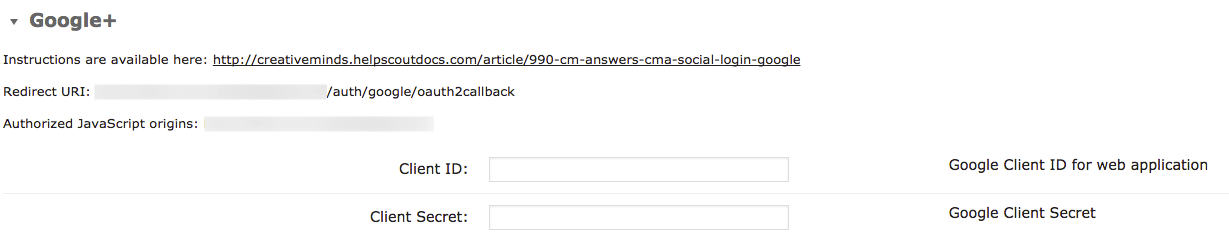
- Social Login – Google+
-

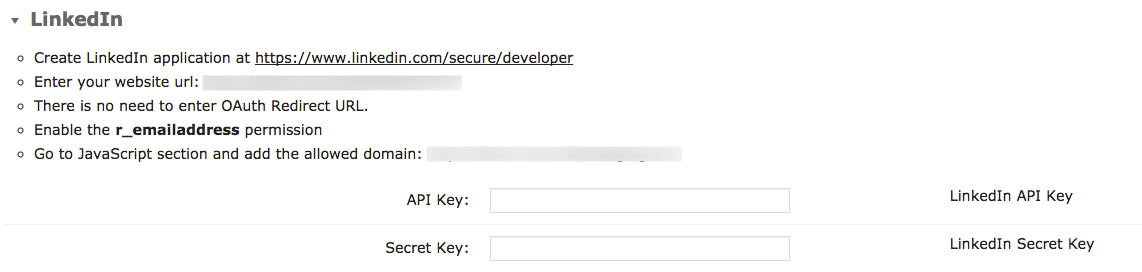
- Social Login – LinkedIn
-

- Social Login – Twitter

-

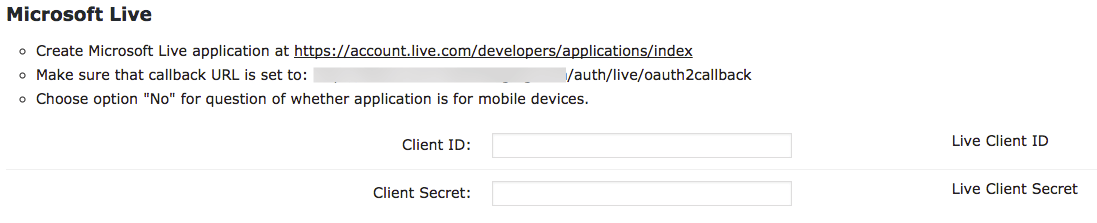
- Social Login – Microsoft Life
-

- Advertisements
-

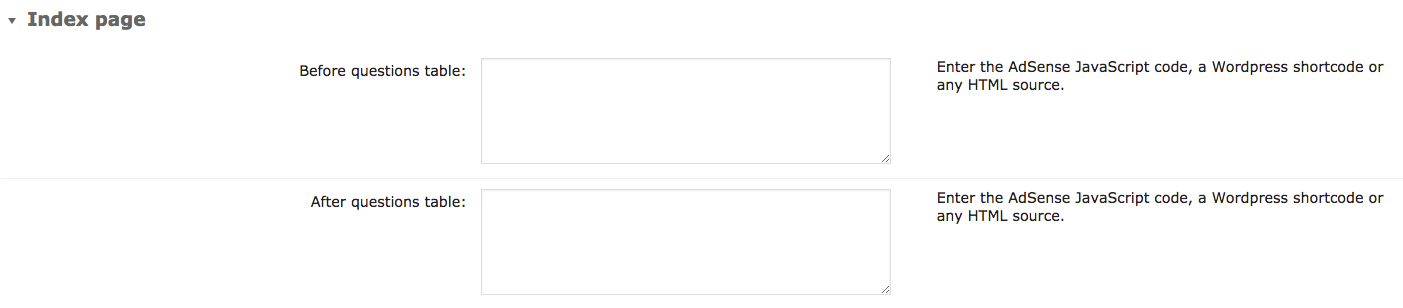
- Advertisements – Index Page
-
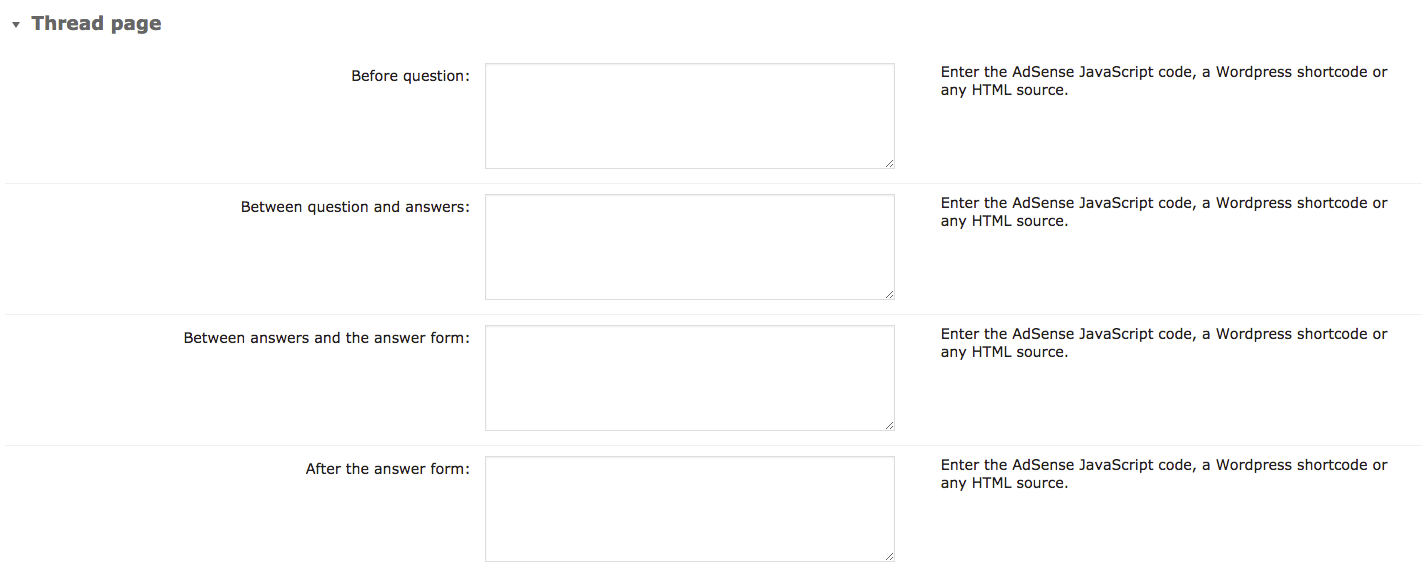
- Advertisements – Thread Page
-
- Labels
-

- Custom CSS

-

- Custom CSS – Custom CSS
-

- Custom CSS – Typical Style modifications
-

- EDD Payments
-

- MicroPayments

-

- Experts Addon
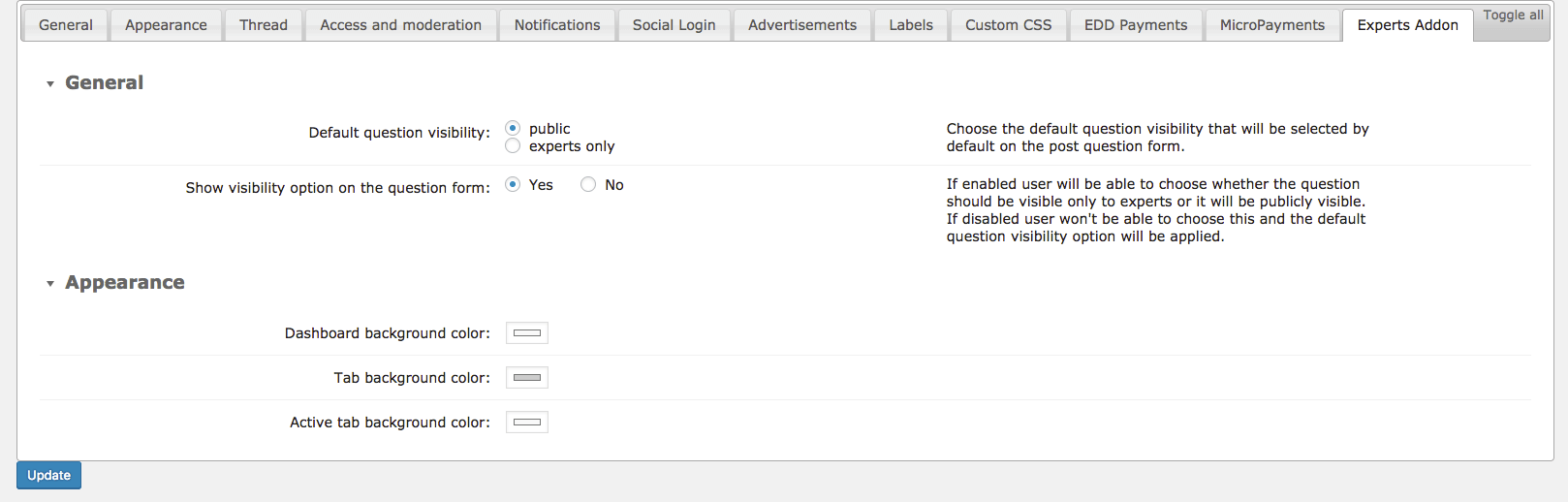
-

- CM Answers Pro – Answers & Comments

-

- CM Answers Pro – Categories
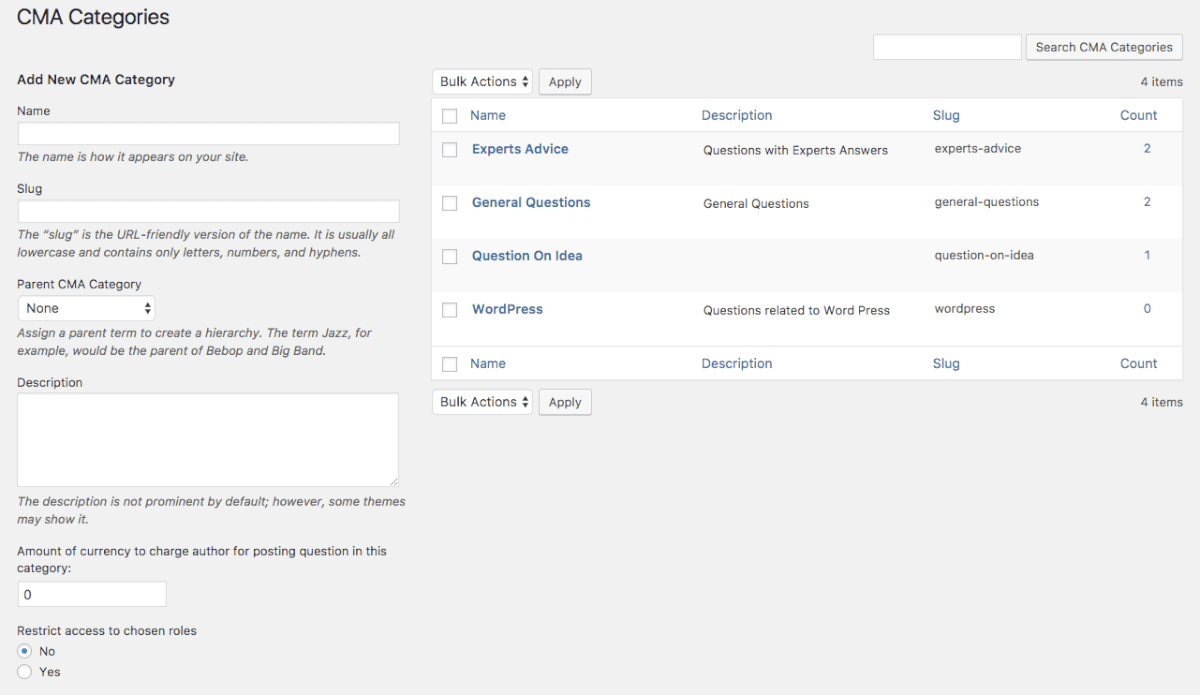
-
- CM Answers Pro – Export _ Import
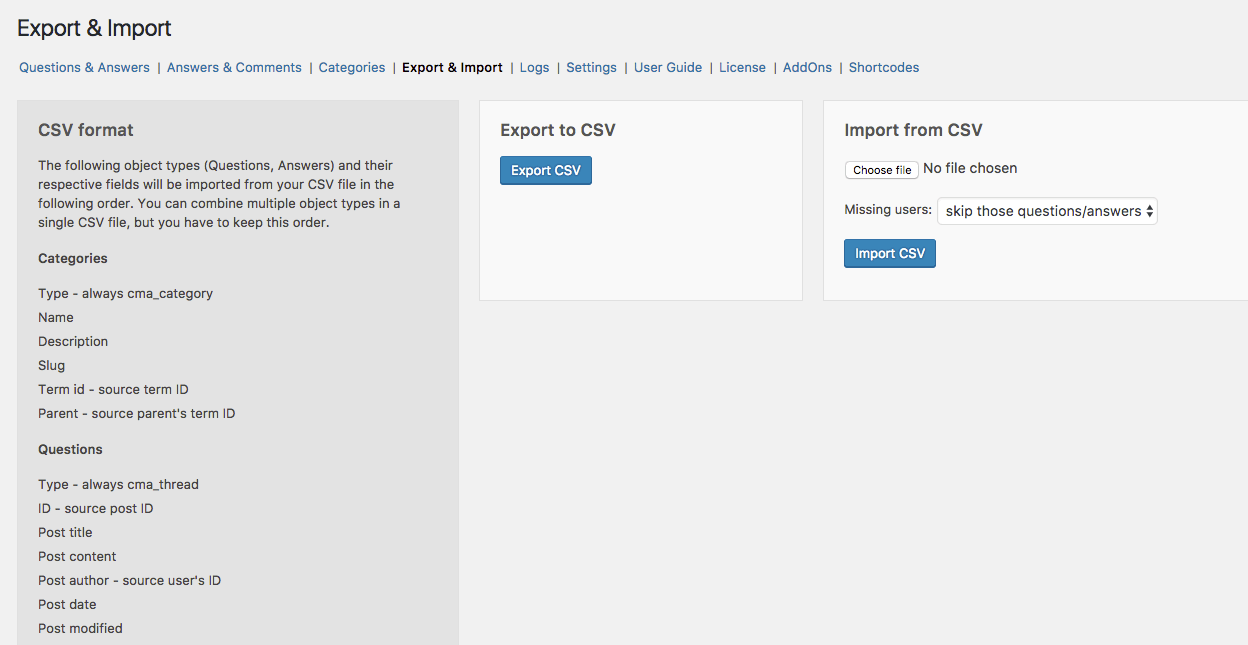
-

- CM Answers Pro – Questions _ Answers
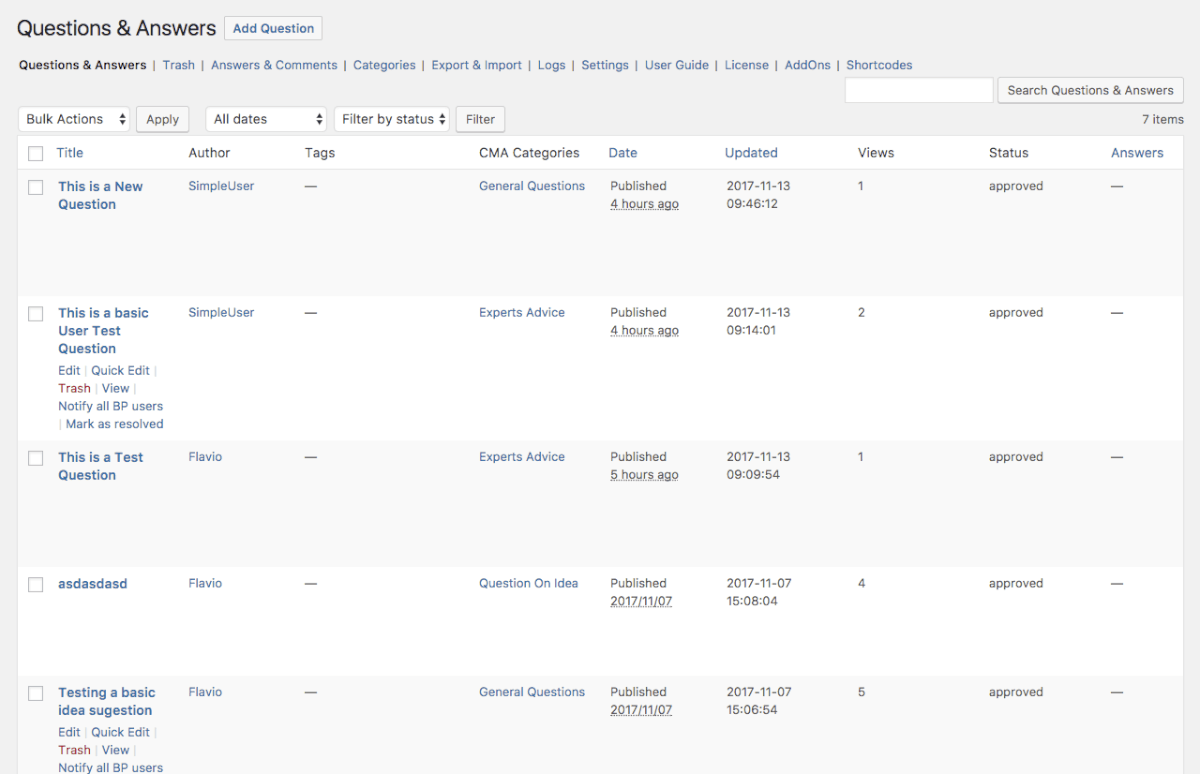
-

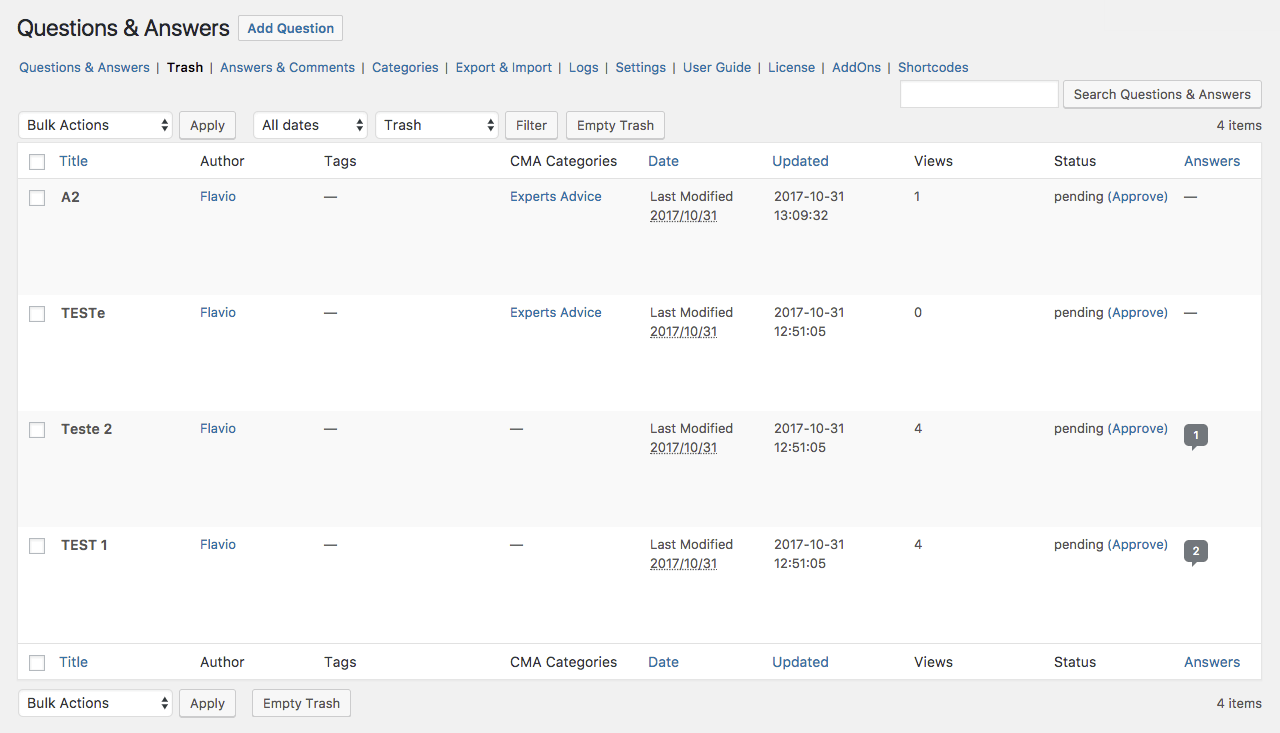
- CM Answers Pro – Trash
Answers Plugin Additional Addons and Modules
Below are listed additional modules and addons which, when installed together with the Answers plugin provides additional functionality







Answers Plugin Related Integrations


Answers WP Plugin Frequently Asked Questions
Please check the user guide to learn more about this plugin.
General Questions
Is this a WordPress Forum plugin?
Yes. With CM Answers you can create any number of WordPress forums about any topic. It’s a complete WordPress Question and Answer plugin
I am in the Tech/Education/Media industry. Will I benefit from this plugin?
Yes, and not only. We have happy CM Answers customers using it in Technology, Administration, Productivity, Media, Improvement, Community, Idea building, Social, SEO, Marketing, Advertising, Knowledge, Privacy, Support, Audio, Video, Localization, Languages, Organization, Advertising, Monetization, Payments, Mobile, Moderation, Experience and Competition.
What is a forum and why should I add it to my site?
A forum is an online space where users can debate ideas in an organized fashion. A user may open a thread about a topic and others will reply it. There other names for it: Q&A, message board and so on.
Use this WordPress Message Board plugin to attract more users! Invite them to engage with other participants and generate content related to your website.
Can I create a question answer website with this forum tool?
Yes! CM Answers is a versatile WordPress tool that can work as a WordPress ask a question plugin. That way, users can ask each other questions and discuss further.
Questions About Forum Features
Can I allow only registered users to view questions?
Is it possible to translate the forum for languages that don't appear on the list?
Yes. Language files are located under the /lang directory in the plugin. You can take any existing .po file and change the non English description to your custom language. You can then use a po to mo converter like in here http://po2mo.net/ to create the mo file.
After creating these two files, copy them to the language directory. You are also welcome to send them to us so we can include them in the plugin pack.
Is CM Answers a SEO-Friendly forum?
Both the Questions and the Answers pages are built with SEO in mind, taking search engine indexing methods into consideration. If you are using a sitemap generator, please make sure to include the custom post type questions before rebuilding the sitemap.
Does CM Answers support forum email notifications?
Yes. CM Answers sends email notifications in several levels:
1. Admin can set up email notifications in the plugin setting to receive alerts on new questions.
2. Question authors can receive notifications for answers posted for their questions
3. Users who post answers can follow other answers
Does CM Answers use Custom Post types?
Can users do live chat with the experts?
No. This plugin does not have a live chat feature. Users can only send private message query< or ask questions to the professionals.
Can images or files be uploaded with questions?
Does this plugin have a reCAPTCHA option?
No. It does not have reCAPTCHA option.
Can I change the look & feel of elements on the answers page?
There are two ways to customize the style and appearance of your Answers page.
One way is to create a template in a directory called CMA and place it under your theme folder. This directory will contain all the files copied from the plugin under views/front-end. You can edit single.phtml and index.phtml to make changes in the appearance of the question or answer pages.
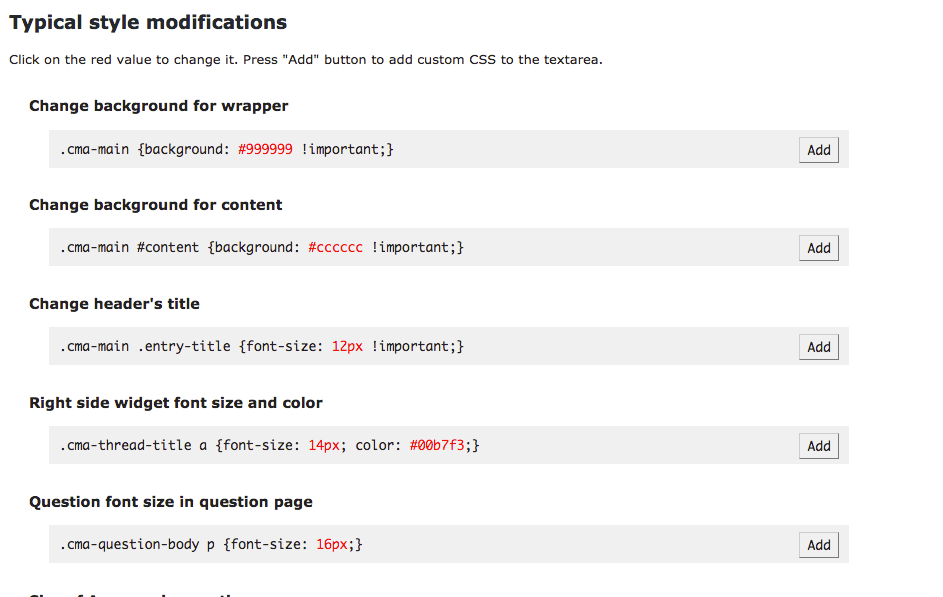
The second and quicker way to do this is to locate the object on the page which you need to change and add its new definition into the custom css tab, which is found in the plugin settings.
To locate elements, right click on the element and in the browser menu look for Inspect Element (Chrome).
Can I use social media login for my discussion forum?
Certainly! Enabling Social media login makes it quicker and easier for your site visitors to post questions, answers and comments onto your discussion forum. In addition, posts by users who performed a social media login are more likely to be shared across those platform, ultimately generating more exposure and traffic to your site. Two methods of social login are supported: Google and Facebook.
Difference Free Forum vs. Paid Forum Questions
Does this WordPress Message Board plugin have a free plugin version?
Yes. You can download the free plugin versionhere. Note that the free forums software does not include all the features.
What features are only present in the pro version?
Among others:
- Mobile Responsive
- Anonymous Posting
- Private Answers
- Private Question
- Advertisements
- Comments
- Multiple Attachments
- Spam Report
- Access Control
- Edit Question / Answers
- BuddyPress
- Two Levels Category Navigation
- Ajax Support
- Social Media Registration Integration
- Shortcodes
- User Dashboard
- Categories
- Widgets
- User Posting Meter
- Show/Hide Views
- Moderation
- Gravatar
- Order Answers
- Attachment
- Localization Support
- View Count Control
- Tags
- Sticky Questions
- Disclaimer
- Social Share
How do I upgrade CM Answers?
Customer Reviews for the Answers Plugin

| Sophisticated plugin with fantastic support
I, for one, am now sold on the idea that CM Answers is the most sophisticated option out there, with a support team that truly goes the extra mile. Thank you. |

| Great customer support, Great plugin!
I got fantastic customer service, and great turnaround on a small issue that I had. Sorted quickly and professionally. Exactly within 24hrs as stated on the support page. Keep up the good work! |

| Great Customer Service
Quickly replying to my emails with courteous and helpful replies led me to leave this review. The plugin also has a great amount of useful options to meet the needs of any Q&A forum. |

| CM Answers plugin reviews by WP Mayor
CM Answers is the best way for managing all your user’s questions and answers with this easy to use website discussion forum plugin. With CM Answers you can start moderating discussions right away, and have users login easily with their existing social media profiles. It’s so easy to use, you’ll wonder why you haven’t done this already!. |
 | CM Answers plugin reviews by WP Insite
Gone are the days of the simple bland style discussion board forums. CM Answers Pro is the new way to stylishly display your discussion boards. WP Insite |

| CM Answers plugin reviews by WP Explorer
CM Answers plugin integrates well with WordPress and gives both administrators and users a simple way to interact. Admins will find customizing the forum a simple process that can be modified on a whim. Users will find the end experience to be pleasant to look at and simple to contribute to. |
- Great Plugin and Great developer team
I couldn’t be happier with the CM QA plugin. Not only is it the best in it’s category the real bonus is the development team and support that are top notch. I highly recommend CM Answers.
I couldn’t be happier with the CM QA plugin. Not only is it the best in it’s category the real bonus is the development team and support that are top notch. I highly recommend CM Answers.
- Good Plug-in Great Support!
This is a great plugin, which I really like. I had a few minor issues with the layout due to the theme, and the Creative Minds Team were fantastic, very quick, and very helpful 😀
Thanks!!
This is a great plugin, which I really like. I had a few minor issues with the layout due to the theme, and the Creative Minds Team were fantastic, very quick, and very helpful 😀
Thanks!!
- Good Plug-in !
Good plug-in ! I use the pro version, which allows lots of functions. Support team is very reactive and cool !
Good plug-in ! I use the pro version, which allows lots of functions. Support team is very reactive and cool !
- Great Customer Service
Quickly replying to my emails with courteous and helpful replies led me to leave this review.
The plugin also has a great amount of useful options to meet the needs of any q&a forum.
Thank you Paul Douglas Developer Douglas Web Designs
Quickly replying to my emails with courteous and helpful replies led me to leave this review.
The plugin also has a great amount of useful options to meet the needs of any q&a forum.
Thank you Paul Douglas Developer Douglas Web Designs
- Nice Plugin
This is a great plugin
This is a great plugin
- Rich in functions
A very wide range of opportunities and operational support
A very wide range of opportunities and operational support
- Good Plugin, Good Support Response
This is a good “question and answer” plugin. It works as advertised. Also, I had a support issue with the registration that was addressed very fast, and they fixed the problem very quickly.
This is a good “question and answer” plugin. It works as advertised. Also, I had a support issue with the registration that was addressed very fast, and they fixed the problem very quickly.
- A lot of options, very good support
This plugin is full of options (some times too much) It’s very useful to permit your guest to download contents and add comments. Very good support.
This plugin is full of options (some times too much) It’s very useful to permit your guest to download contents and add comments. Very good support.
- Good Plugin, Good Support Response
This is a good “question and answer” plugin. It works as advertised. Also, I had a support issue with the registration that was addressed very fast, and they fixed the problem very quickly.
This is a good “question and answer” plugin. It works as advertised. Also, I had a support issue with the registration that was addressed very fast, and they fixed the problem very quickly.
- Solid out-of-the-box
CMAnswers provided me with a good question and answer forum out of the box. I am using the pro version for the most flexibility on the back end, and so that I can receive CM Answers support. Their support is prompt and usually very good, with thorough and considered responses.
The front end of it isn’t as pretty as I wished it were by default, so I’ll be putting in some work to improve the user interface in ways I can’t through the settings.
CMAnswers provided me with a good question and answer forum out of the box. I am using the pro version for the most flexibility on the back end, and so that I can receive CM Answers support. Their support is prompt and usually very good, with thorough and considered responses.
The front end of it isn’t as pretty as I wished it were by default, so I’ll be putting in some work to improve the user interface in ways I can’t through the settings.
- Very cool!
I’m using this plugin now, and got myself the CM Tooltip glossary pro+, too.
Very quick support, very cool plugins … hightly recommended.
I’m using this plugin now, and got myself the CM Tooltip glossary pro+, too.
Very quick support, very cool plugins … hightly recommended.
- Great – Excellent Support
Plugin is working fine. Excellent support team. Quick help is always available. I can highly recommend this plugin for professional use.
Plugin is working fine. Excellent support team. Quick help is always available. I can highly recommend this plugin for professional use.
- Good fast plugin
Great little plugin to that help make a stack overflow style website, i use the paid for version to enable tech support and found that they are extremely fast to response and are very helpful.
Great little plugin to that help make a stack overflow style website, i use the paid for version to enable tech support and found that they are extremely fast to response and are very helpful.
- Best Q & A plugin on the market
I’ve tried a few Q & A plugins over the past few years and this is by far the best. The paid version comes superb support with the developer always going the extra mile
I’ve tried a few Q & A plugins over the past few years and this is by far the best. The paid version comes superb support with the developer always going the extra mile
- Excellent plugin BUT 10/10 support – No Kidding
I really cannot say enough about the support. I have honestly never experienced such helpful people. WOW. 10/10 will definitely do business with these guys again.
I really cannot say enough about the support. I have honestly never experienced such helpful people. WOW. 10/10 will definitely do business with these guys again.
- Great plugin
I am using this plugin and I am very satisfied with it. I recommend it, you should try it. Enjoy!
I am using this plugin and I am very satisfied with it. I recommend it, you should try it. Enjoy!
- May be the best forum plugin with fast user support
I use the Pro version and I am very happy with this plugin and with its very fast support team. I have requestet a feature and they implemented it in the next release version!
Thanks
P.S. I really can not understand the one star ratings. Good plugins cost money. Nothing good is free on this earth. There is a lot work beside … every work should be paid!!!
I use the Pro version and I am very happy with this plugin and with its very fast support team. I have requestet a feature and they implemented it in the next release version!
Thanks
P.S. I really can not understand the one star ratings. Good plugins cost money. Nothing good is free on this earth. There is a lot work beside … every work should be paid!!!
- Excellent plugin
Plugin works well for me. I had an issue with upgrading from the free version but support was excellent and fixed it for me. Support was prompt and professional.
Plugin works well for me. I had an issue with upgrading from the free version but support was excellent and fixed it for me. Support was prompt and professional.
- Awesome!
Install the plugin is easy and have a lot of features!
We have some problems but the support is good and quick.
Thanks for this awesome software 😀
Install the plugin is easy and have a lot of features!
We have some problems but the support is good and quick.
Thanks for this awesome software 😀
- Best integrated forum software for wordpress
Works without problems, support answers very fast.
I have the pro version.
I searched a lot for a good forum software with wordpress integration but this is the best and I will use it in all my wordpress projects.
Thanks for this cool piece of software
Works without problems, support answers very fast.
I have the pro version.
I searched a lot for a good forum software with wordpress integration but this is the best and I will use it in all my wordpress projects.
Thanks for this cool piece of software
- Excellent plugin, even better support
Helped me do some custom coding without hassle or complaint – clear and understandable support! Would buy again 10/10
Helped me do some custom coding without hassle or complaint – clear and understandable support! Would buy again 10/10
- CM Answers is perfect for me!
I was so happy to discover CM Answers it really has made my life that much easier. I have a blog and everyone enjoys to post answers.
By having CM Answers, I am able to keep everything organized without all the hassle. Users are able to answer questions in a stackoverflow style. My blog is staying more organized and the users seem to like the layout better too.
The plugin was so easy to install. I installed it quickly and there were no problems. I also am in love with the social media incorporation. Users are able to sign in through social media, which makes things easier for them too. This plugin has saved me a lot of time and energy. I love being able to stay organized and on top of things. This plugin has allowed for me to do just that!
I was so happy to discover CM Answers it really has made my life that much easier. I have a blog and everyone enjoys to post answers.
By having CM Answers, I am able to keep everything organized without all the hassle. Users are able to answer questions in a stackoverflow style. My blog is staying more organized and the users seem to like the layout better too.
The plugin was so easy to install. I installed it quickly and there were no problems. I also am in love with the social media incorporation. Users are able to sign in through social media, which makes things easier for them too. This plugin has saved me a lot of time and energy. I love being able to stay organized and on top of things. This plugin has allowed for me to do just that!
- Great plugin for community involvement
I love having all of our community members being able to post questions and reply to other members on our website rather then on Facebook. It helped us promote involvement and discuss issues that are important for our community.
I love having all of our community members being able to post questions and reply to other members on our website rather then on Facebook. It helped us promote involvement and discuss issues that are important for our community.
- Wish I Found This Sooner
I absolutely love CM Answers! I discovered this plugin by accident, and just had to get it. I have a WordPress blog where users write in questions and other users are able to answer them. I have been doing everything manually for the past few months, and I’m so mad at myself that I didn’t discover CM Answers sooner.
Easy to download and install, plus it contains no bugs. Everything works flawlessly! What I like most about it is, it allows the users to post questions and answers in a well organized, Stackoverflow format. Love the incorporation of social media login as well; since everyone uses social media these days! Makes the registration process for my users super easy and convenient.
Also love the ability to customize it, so I can change up the styles every once in awhile to give my users a fresh feel. Overall, very happy with this plugin and just wish I knew about it sooner!
I absolutely love CM Answers! I discovered this plugin by accident, and just had to get it. I have a WordPress blog where users write in questions and other users are able to answer them. I have been doing everything manually for the past few months, and I’m so mad at myself that I didn’t discover CM Answers sooner.
Easy to download and install, plus it contains no bugs. Everything works flawlessly! What I like most about it is, it allows the users to post questions and answers in a well organized, Stackoverflow format. Love the incorporation of social media login as well; since everyone uses social media these days! Makes the registration process for my users super easy and convenient.
Also love the ability to customize it, so I can change up the styles every once in awhile to give my users a fresh feel. Overall, very happy with this plugin and just wish I knew about it sooner!
- Great Community Plugin
This is a great plugin with great features. I had a little trouble with the compatibility of my theme. The developer was very helpful and even fixed the issues. Great plugin great developer I highly recommend this plugin.
This is a great plugin with great features. I had a little trouble with the compatibility of my theme. The developer was very helpful and even fixed the issues. Great plugin great developer I highly recommend this plugin.
- Great Plugin I Love It :)
LOVE this plugin! It installs easily and started working without a hitch in almost no time. It seems to be working pretty solid as well. This plugin appears to be really well designed and certainly is EXACTLY what I need for a new site. http://www.songspkt.com
LOVE this plugin! It installs easily and started working without a hitch in almost no time. It seems to be working pretty solid as well. This plugin appears to be really well designed and certainly is EXACTLY what I need for a new site. http://www.songspkt.com
- Lovely!
Will use this.
Will use this.
- Awesome Plugins
hey… u r create a awesome plugins… and very useful for website builder… http://eduspy.net
hey… u r create a awesome plugins… and very useful for website builder… http://eduspy.net
- Installs well, works great!
LOVE this plugin! It installs easily and started working without a hitch in almost no time. It seems to be working pretty solid as well. This plugin appears to be really well designed and certainly is EXACTLY what I need for a new site.
My only disappointment is that the free version doesn’t really honor my theme’s CSS with regard to page layout. (Edit) Now that I have purchased the Pro, the pages generated by the plugin appear as if they are absolutely native to the rest of the site – all .css formatting, containers, etc. are identical to the rest of the site’s theme.(/edit)
LOVE this plugin! It installs easily and started working without a hitch in almost no time. It seems to be working pretty solid as well. This plugin appears to be really well designed and certainly is EXACTLY what I need for a new site.
My only disappointment is that the free version doesn’t really honor my theme’s CSS with regard to page layout. (Edit) Now that I have purchased the Pro, the pages generated by the plugin appear as if they are absolutely native to the rest of the site – all .css formatting, containers, etc. are identical to the rest of the site’s theme.(/edit)
- nice discussion board plug in
I believe that this plug in is what I needed in a long time. I just started to use it and it seems really user friendly by now. I totally recommend it.
I believe that this plug in is what I needed in a long time. I just started to use it and it seems really user friendly by now. I totally recommend it.
- Best choice
I’ve been using the plugin for 1 month already and I couldn’t be more satisfied with it. Really easy to install and to use it afterwards. I definitely recommend it to anybody looking for a discussion board for their blog.
I’ve been using the plugin for 1 month already and I couldn’t be more satisfied with it. Really easy to install and to use it afterwards. I definitely recommend it to anybody looking for a discussion board for their blog.
- 100%
This plugin is 100%, everything works just fine. I had an issue with adding categories but thanks to the timely response I got from their support team. Nice!
This plugin is 100%, everything works just fine. I had an issue with adding categories but thanks to the timely response I got from their support team. Nice!
- Nice
good component. Work as describe. Great ans fast support
good component. Work as describe. Great ans fast support
- Awesome
Awesome plug-in
Awesome plug-in
- Great plugin
It’s a great plugin… Awesome.
It’s a great plugin… Awesome.
- great Plugin !!
added it to all my sites
real professional code.
not like other Plugins that are out there.
will look for more Plugins from same developer.
added it to all my sites
real professional code.
not like other Plugins that are out there.
will look for more Plugins from same developer.
- Great plugin and support
Great plugin and very good support by the developer. Prompt response by email and all issues were investigated and resolved.
Great plugin and very good support by the developer. Prompt response by email and all issues were investigated and resolved.
- Great solution that is working for a few of my clients
I got a lot of compliments from my clients for installing this plugin on their sites. They all reported saving a lot of time managing questions and answers, and being able to serve the users much more efficiently and with high satisfaction level.
There were some comments for things that can be improved, and the support team was very responsive, so I hope to see improvements soon! in any case, the paid version is pretty cheap and gives the best value for product that I found out there.
Give it a try and you’ll see.
I got a lot of compliments from my clients for installing this plugin on their sites. They all reported saving a lot of time managing questions and answers, and being able to serve the users much more efficiently and with high satisfaction level.
There were some comments for things that can be improved, and the support team was very responsive, so I hope to see improvements soon! in any case, the paid version is pretty cheap and gives the best value for product that I found out there.
Give it a try and you’ll see.
- feature request
I enjoyed the usability of the plugin. Can you please add the ability for the author to edit his question? Thanks a lot!
I enjoyed the usability of the plugin. Can you please add the ability for the author to edit his question? Thanks a lot!
- Great plugin
I have downloaded and tested this plugin for the last two weeks and it is great !! great usability…love it
I have downloaded and tested this plugin for the last two weeks and it is great !! great usability…love it
- Excellent support from CM
I had a problem with the theme and I received excellent support from CM. They helped me solve the problem immediately and professionally! I hope CM will continue to add more features to this plugin.
I had a problem with the theme and I received excellent support from CM. They helped me solve the problem immediately and professionally! I hope CM will continue to add more features to this plugin.
- A very simple to use Q&A plugin
I liked how this plugin puts a forum on the bottom of your page with the submitted answers right below my questions. Users’ comments are easily managed and rated according to most votes or newest. Easy to use interface instantly created a discussion forum on my website. I can manage the questions that are asked and also moderate the answers. Fully functional with social media login and follow-up answer notifications. Worked like a charm with no problems, thanks CM!
I liked how this plugin puts a forum on the bottom of your page with the submitted answers right below my questions. Users’ comments are easily managed and rated according to most votes or newest. Easy to use interface instantly created a discussion forum on my website. I can manage the questions that are asked and also moderate the answers. Fully functional with social media login and follow-up answer notifications. Worked like a charm with no problems, thanks CM!
- CM Answers plugin
I was very happy to discover this plugin and moreover to get familiar with Cminds.The plugin is a very good platform for question and answers system, exactly what I was looking for.I got great support about all functionality I needed and couldn’t find in other plugins.Thank you very much!
I was very happy to discover this plugin and moreover to get familiar with Cminds.The plugin is a very good platform for question and answers system, exactly what I was looking for.I got great support about all functionality I needed and couldn’t find in other plugins.Thank you very much!
- Great plugin and excellent support
For someone who’s completely new to WordPress, there was a bit of learning curve. But support for the Pro product is excellent. I was able to customize it quickly. Thanks for such a great product!
For someone who’s completely new to WordPress, there was a bit of learning curve. But support for the Pro product is excellent. I was able to customize it quickly. Thanks for such a great product!
- Great plugin
Very qualitative, flexible plugin
Very qualitative, flexible plugin
- Exactly what I needed. Very useful
Easy to use and Fantastic support! Highly recommended. The extension itself is extremely useful. http://www.remarkety.com
Easy to use and Fantastic support! Highly recommended. The extension itself is extremely useful. http://www.remarkety.com
- good plugin
While using this for a project, we found it was useful and worked well. have no problems or bugs
While using this for a project, we found it was useful and worked well. have no problems or bugs
- Great Plugin !
Great Plugin works as expected
Great Plugin works as expected
- Superb plugin.
Superb plugin and a very good support by the dev. Thx.
Superb plugin and a very good support by the dev. Thx.
- Excellent plugin
simple to work with and works greart
simple to work with and works greart
- great Plugin
Great Plugin
Great Plugin
- Great plugin – brilliant support
I played around with this plugin for a bit – it is probably the best stack-overflow like plugin currently available and it delivers a very nice functionality (as promised). I think the price for the Pro version is really worth it (plus it is a bit of a bargain to be honest). While I did find a few issues with the product and I would have normally given it 4 starts or less for this reason, the support from the development team has really outstanding (quick response, live debugging on my platform, very responsive to feature requests, etc.), I am definitely rating this 5 stars.
Keep up the good work and dedication guys and I am sure you will turn this into an amazing plugin!
A few other feature requests and comments: – I think allowing users to re-edit their questions/answers for a limited time period (a few hours maybe), would be great – especially if they didn’t manage to get the formatting right the first time round – being able to mark a questions as “Resolved” only from the admin backend makes it a bit harder to make this into a community-driver platform (how about allowing anybody to mark the question as resolved?!? Not convinced that that would be a brilliant idea though…) – it would be nice to be able to have a release-independent way to update the CSS. I need to make a few changes in order to tweak everything for my WordPress theme, and it is a bit annoying and hard to have to make all these changes over and over again with every release
I played around with this plugin for a bit – it is probably the best stack-overflow like plugin currently available and it delivers a very nice functionality (as promised). I think the price for the Pro version is really worth it (plus it is a bit of a bargain to be honest). While I did find a few issues with the product and I would have normally given it 4 starts or less for this reason, the support from the development team has really outstanding (quick response, live debugging on my platform, very responsive to feature requests, etc.), I am definitely rating this 5 stars.
Keep up the good work and dedication guys and I am sure you will turn this into an amazing plugin!
A few other feature requests and comments: – I think allowing users to re-edit their questions/answers for a limited time period (a few hours maybe), would be great – especially if they didn’t manage to get the formatting right the first time round – being able to mark a questions as “Resolved” only from the admin backend makes it a bit harder to make this into a community-driver platform (how about allowing anybody to mark the question as resolved?!? Not convinced that that would be a brilliant idea though…) – it would be nice to be able to have a release-independent way to update the CSS. I need to make a few changes in order to tweak everything for my WordPress theme, and it is a bit annoying and hard to have to make all these changes over and over again with every release
- Good
Five star plugin, thank you 🙂
Five star plugin, thank you 🙂
- Excellent plugin
simple to work with and works greart
simple to work with and works greart
- Great plugin thanks for it!
Thank you very much for developing this plugin. It’s very helpful and very good idea. Keep up the good work!
Thank you very much for developing this plugin. It’s very helpful and very good idea. Keep up the good work!
- Awesome
Awesome plugin from awesome and helpful developer.
Awesome plugin from awesome and helpful developer.
- Very good plugin
I just got the Pro version and I must admitt it’s awesome. I’ve had some minor problems but the support is very helpful.
I just got the Pro version and I must admitt it’s awesome. I’ve had some minor problems but the support is very helpful.
- Excellent plugin!
Many thanks! Good support.
Many thanks! Good support.
- Great tool
The plugin works exactly as expected.
The plugin works exactly as expected.
- Cool plugin
Nice to find something without looking for it ! I bumped into this plugin by mistake, and it is really great.
Thanks
Nice to find something without looking for it ! I bumped into this plugin by mistake, and it is really great.
Thanks
- Great !
everything works. good job. thanks.
everything works. good job. thanks.
- Great plugin
Even I use the free version of the plugin, it’s working great with some minor problems which can be due to plugin conflicts or what so ever.
Even I use the free version of the plugin, it’s working great with some minor problems which can be due to plugin conflicts or what so ever.
- GREAT PLUGIN?!
This plugin is great. Make sure to get the PRO version because it has a lot of great stuff with it.
Thx! for an awesome plugin I was searching for.
This plugin is great. Make sure to get the PRO version because it has a lot of great stuff with it.
Thx! for an awesome plugin I was searching for.
- Great plugin from great developer!
Very good plugin, with a very good support by the creator. Answer by email the same or next day when we have problem, bugs corrected asap, tanks a lot for all of that!
Very good plugin, with a very good support by the creator. Answer by email the same or next day when we have problem, bugs corrected asap, tanks a lot for all of that!
- Very Well Done
Very good Plugin, good support and useful .. thanks
Very good Plugin, good support and useful .. thanks
- Great plugin and very good support
Congratulations for your very good plugin. The free version is better than other paid plug-ins. And the plugin owner is very reactive. He fixed quickly all the little bugs we pointed out. Keep going.
Congratulations for your very good plugin. The free version is better than other paid plug-ins. And the plugin owner is very reactive. He fixed quickly all the little bugs we pointed out. Keep going.