[WP 101] Categories, Tags, Taxonomies: Organizing Content
A tidy website is a tidy mind… or something like that. Here’s how to stay organized with WordPress categories and more.

![[WP 101] Categories, Tags, Taxonomies: Organizing Content](https://www.cminds.com/wp-content/uploads/WP_101_Categories_Tags_Organizing_Content_Illustrative_Banner-284x244.jpg)
A tidy website is a tidy mind… or something like that. Here’s how to stay organized with WordPress categories and more.

WordPress is a popular platform for building websites, but its popularity also makes it a target for hackers and malicious bots. One effective way to enhance the security of your WordPress site is by implementing reCAPTCHA.
This powerful tool, developed by Google, helps protect your website from spam, unauthorized access, and various other online threats.
![[WP 101] Page, Post, Custom Type: What Is The Difference?](https://www.cminds.com/wp-content/uploads/WP_page_post_custom_type_Illustrative_Banner-284x244.jpg)
If you’re feeling bamboozled by WordPress lingo, this is the blog for you.
When the planning for a new website starts, the first question is usually: How much will a WordPress site cost? We have the answer.

In the vast landscape of online content distribution, RSS (Rich Site Summary) feeds stand as a powerful tool, simplifying the consumption and distribution of information.
However, amidst their convenience, there exists a pertinent concern that often arises – copyright.

Documentation is the best way for customers to fully understand your products. If you’re looking for a documentation plugin, this list will help.
Connecting small businesses is crucial for fostering economic growth, innovation, and community resilience. They form the backbone of local economies, provide employment opportunities, goods, and services that meet the diverse needs of communities.
Discover how the Ontario Small Business Network leverages the WordPress User Submitted Posts plugin to establish connections among small businesses.
![[WP 101] Backup: How to Store All Important Data](https://www.cminds.com/wp-content/uploads/Magento_WP_Backup_How_To_Store_All_Important_Data_Featured_Image-284x244.jpg)
When you’ve invested time and money into building a successful WordPress website, the last thing you want is to lose it all. Here’s backup 101.

Interested in our Video LMS Plugin? Here’s how it integrates with Divi themes.
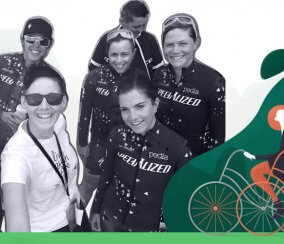
Despite its numerous benefits, women have often been underrepresented in the cycling community. Various factors contribute to this disparity, including safety concerns, lack of infrastructure, and social barriers.
Let’s explore the story of one individual who engages and empowers women to join the world of biking with the help of our WordPress User Submitted Post plugin.