Popups are everywhere – and for good reason. They grab attention, collect leads, promote offers, and often help drive conversions. But let’s be honest: when popups appear at the wrong moment, they can do more harm than good.
Fortunately, there’s a smarter way to use them – with sticky buttons that let users decide when to engage.

What Is a Sticky Button?
This article explores how sticky buttons, available in the WP Popup Plugin, can transform your website’s interaction model – offering a seamless, respectful way to present popups without interrupting the user experience.
A sticky button is a floating, always-visible element that stays “stuck” to the side or corner of the screen. When clicked, it triggers a popup – be it a newsletter signup, special offer, video, contact form, or any other content you want to show.
Unlike traditional popups that appear automatically after a timer or on scroll, sticky buttons let the user stay in control. This shift from interruption to invitation makes a big difference.
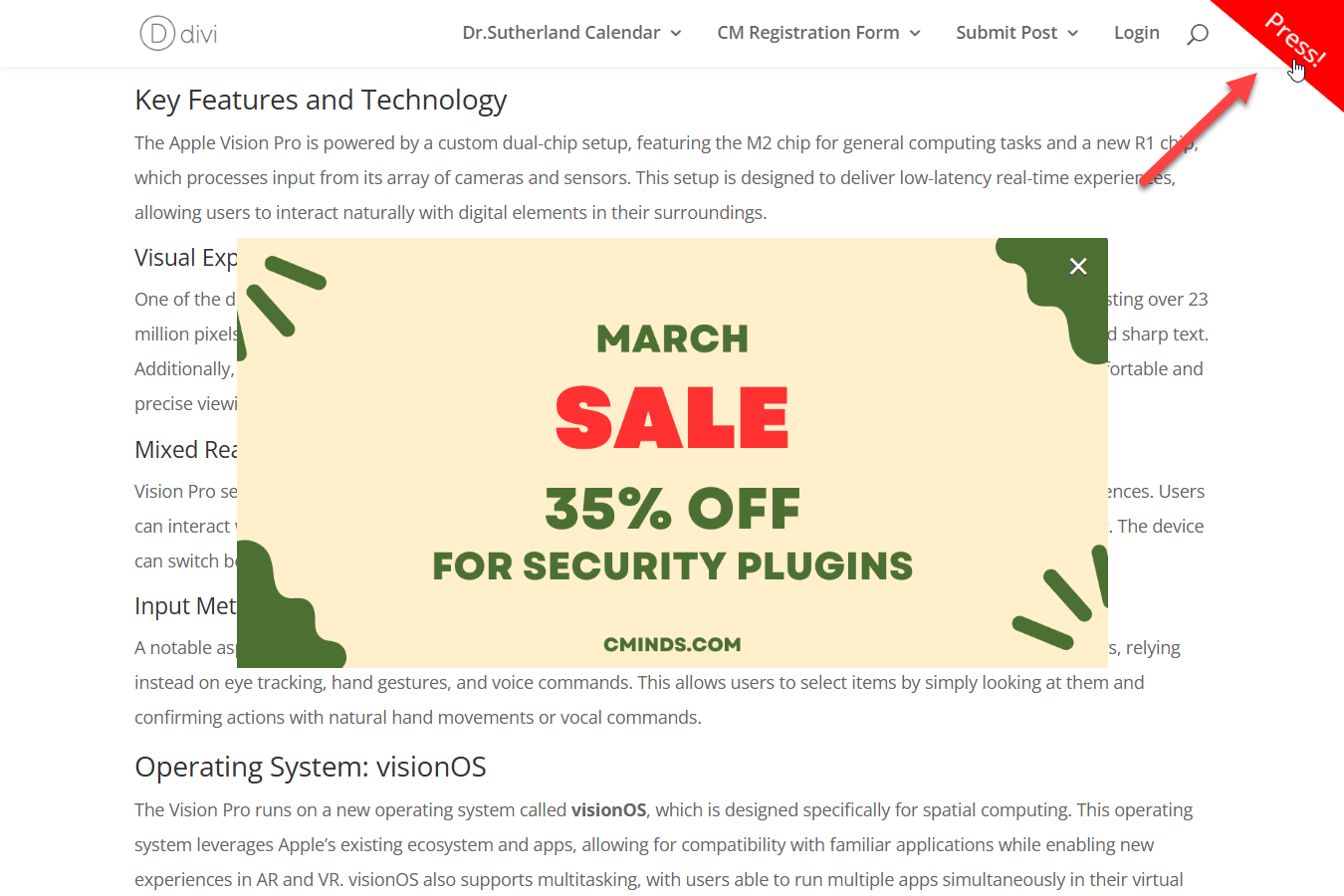
Example of the Sticky Button
March 2026 Offer – For a Limited Time Only:
Get WordPress Popup Plugin for 15% off! Don’t miss out!
Why Sticky Buttons Are Better Than Auto Popups
Let’s break down the advantages of sticky-triggered popups:
- Improved UX – Automatic popups are often dismissed or blocked. Sticky buttons let visitors explore your content first, and engage when they are ready.
- Higher Conversion Rates – Users are more likely to convert when they make the first move. Sticky buttons tap into this intent-driven behavior, resulting in better-qualified leads.
- Mobile Friendly – Sticky buttons are especially useful on mobile. With limited screen real estate, you don’t want to annoy users with huge overlays. A small button tucked into the bottom corner does the job with less friction.
- SEO Safe – Popups that block the entire screen – especially on mobile – can hurt your search rankings. Google has penalized intrusive interstitials since 2017. Sticky buttons avoid this issue entirely.
Practical Examples: How Real Sites Use Sticky Popups

Need inspiration? Here are 5 real-world scenarios where sticky buttons shine:
- Promoting Discounts on Product Pages – A sticky “Get 10% Off” button on product or checkout pages can drive more coupon redemptions without disturbing the shopping flow.
- Collecting Newsletter Signups on Blog Posts – Place a “Subscribe” button at the bottom-right corner that opens a clean email capture form. Since the user chooses to click, they’re more likely to submit.
- Offering Support on Help Pages – Add a sticky “Need Help?” button that opens a contact form or live chat widget. This reduces bounce rates on FAQ pages and keeps users engaged.
- Announcing Upcoming Webinars – Include a sticky button labeled “Join Our Next Webinar” that opens a popup with details and a registration form.
- Encouraging App Downloads – Use a mobile-optimized sticky button with a direct link to the App Store or Google Play. Include a short, punchy CTA like “Download Our Free App”.
Design Flexibility That Matches Your Brand
The plugin provides full customization of your sticky button’s appearance and placement:
- Choose Position: Corners, side edges, or center-aligned areas.
- Adjust Colors and Fonts: Match your site branding perfectly.
- Set Custom Text: From “Subscribe” to “Watch Demo” to “Spin the Wheel”.
- Use Dynamic Campaigns: Create multiple sticky buttons with different targets for A/B testing.
Need your button on the left side on desktop, but in a corner on mobile? No problem – the plugin allows responsive positioning for maximum control.
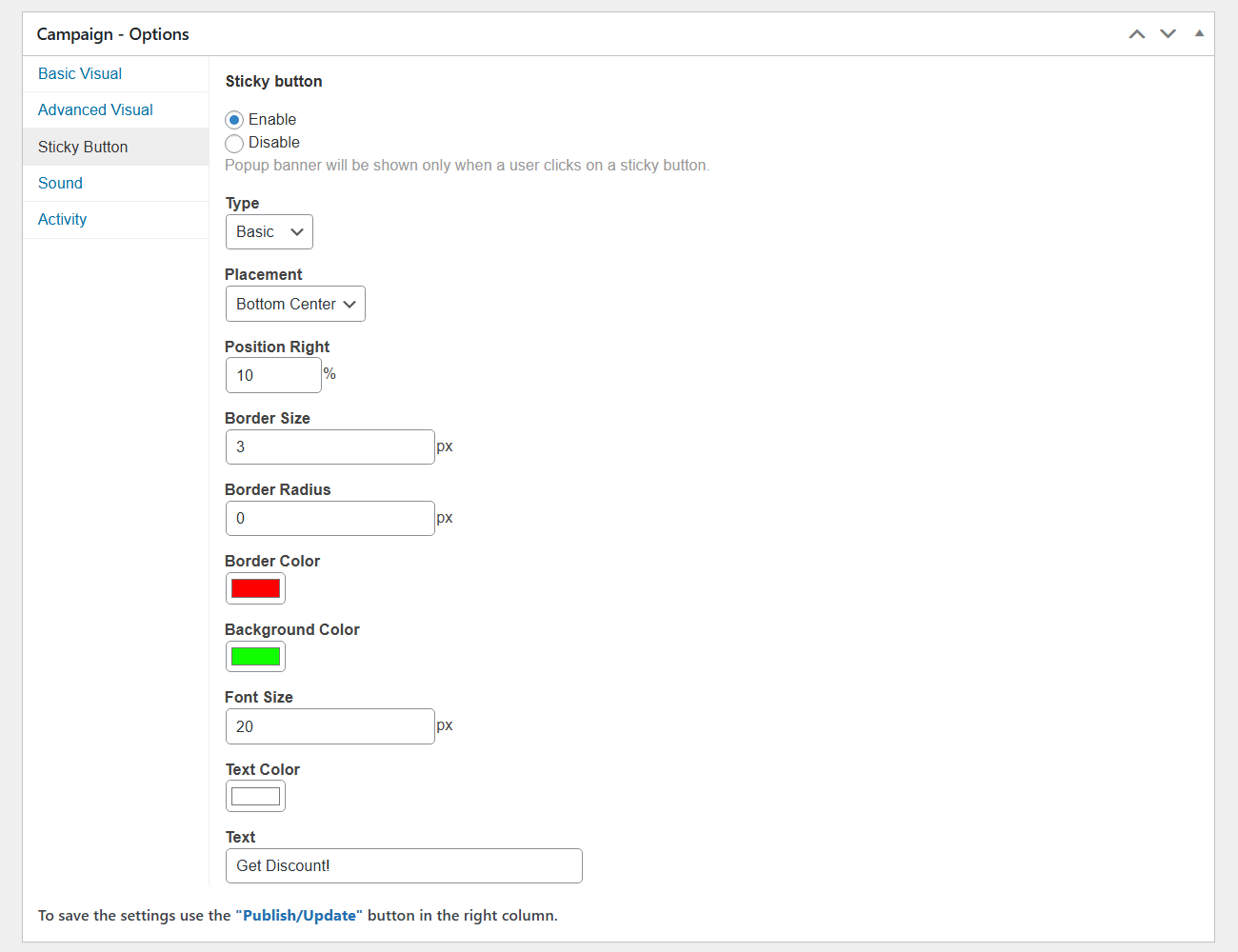
Sticky Button Settings
Marketing Strategy Tip: Use Sticky Buttons to Segment Your Audience

Here’s a powerful trick: use different sticky buttons for different types of visitors.
For example:
- First-time visitors → “Get 10% Off”
- Returning users → “Check What’s New”
- Logged-in members → “Unlock Exclusive Content”
This segmentation ensures the message feels relevant, improving engagement.
The WP Popup Plugin supports multiple campaigns, so you can show different sticky buttons on different pages, for different audiences, or at different times.
A/B Testing: Which Button Works Best?
Not sure what color, position, or CTA text works best? Try testing:
- “Subscribe Now” vs. “Join Our Newsletter”
- Green vs. Orange background
- Top-right vs. Bottom-left placement
Sticky buttons make it easy to test popup triggers in a non-intrusive way. You’ll get valuable data without frustrating users in the process.
Final Thoughts: Small Button, Big Results

In the age of short attention spans and ad fatigue, you need smarter ways to engage. Sticky buttons strike the perfect balance between visibility and respect for the user experience.
Whether you’re running an eCommerce store, blog, SaaS platform, or content portal, this feature helps you drive action without causing friction. And with the design flexibility built into the WP Popup Plugin, you’re in complete control.
So next time you’re planning a lead-gen campaign or promotion, consider using a sticky button. Sometimes, the most powerful changes come from the smallest elements on your page.