Video content can be a powerful foundation for an online learning platform, but valuable lessons also need a sustainable way to monetize them.
With WordPress, you can control access to your educational content and offer users different ways to purchase it.
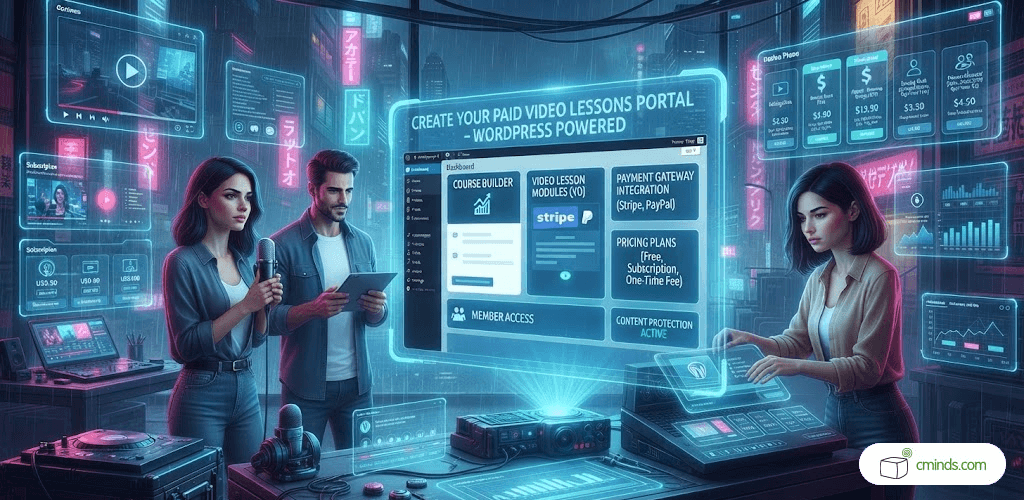
Turn Your Video Library Into a Paid Learning Platform
The WordPress Video Lessons Manager Plugin combined with the Video Lessons Payments add-on can turn a regular WordPress video library into a monetized learning platform.
Instead of simply publishing videos for everyone to watch, you can organize them into lessons and courses and decide which content requires payment. Videos can be hosted on services such as Vimeo or Wistia, while WordPress handles content organization, user access, and payments.
This makes it possible to build different types of paid video portals, from specialized tutorial libraries to complete online training platforms.
October 2026 Offer – For a Limited Time Only:
Get WordPress Video Lessons Manager Plugin for 20% off! Don’t miss out!
Choose the Right Monetization Model
A paid video portal does not have to use the same pricing model for every type of content. You can either give users access to an entire video library or let them purchase individual courses, lessons, or videos.
The right choice depends on how your content is organized and how you want users to interact with it.
Sell Access to Your Entire Video Library
An all-access model lets users make a payment and unlock your entire collection of video content.
This works particularly well for large educational libraries. Instead of deciding which individual lessons to purchase, users can choose an access plan that fits their needs.
For example, you could offer:
- One-week access for users who want to try your content.
- One-month or six-month access for active learners.
- Long-term access for users who want to keep using the library.
This model can also increase the value of your platform as you add new courses. Existing users automatically get access to more educational content without having to purchase each new course separately.
Sell Individual Courses, Lessons, or Videos

An all-access model is not always the best fit. If your website covers different subjects or offers specialized tutorials, users may prefer to pay only for the content they actually need.
With individual pricing, you can assign different access options to specific courses, lessons, or videos.
For example, a photography website could sell a beginner course for one price, an advanced lighting workshop for another, and individual tutorials separately.
You can also offer several access periods for the same piece of content.
A tutorial might provide one-week access at a lower price, while a longer access period costs more. This gives users more choice and lets you create pricing options for different types of learners without duplicating your content.
Use Teasers and Trial Access
Paid content does not have to be completely hidden behind a paywall.
A useful approach is to give potential customers a preview before asking them to pay. A free teaser can demonstrate the instructor’s expertise, introduce the subject, and show users what they can expect from the full lesson.
You can take this further by offering different levels of access, such as a short trial followed by a full-access option.
This can make it easier for visitors to decide whether a course or tutorial is worth purchasing.
Ready to Turn Your Video Library Into a Paid Platform?
Connect Your Video Portal to WordPress Payments
The video payment system can work with popular WordPress eCommerce solutions such as Easy Digital Downloads and WooCommerce.
This allows you to use an established checkout system and its supported payment gateways instead of building payment functionality from scratch.
WooCommerce can also be useful for websites that want recurring payments, as its subscription functionality supports payment renewals.
If your website already uses one of these platforms, adding paid video content can therefore fit naturally into your existing WordPress setup.
Let Users Pay With Digital Wallet Points

There is another option for websites that use a points-based economy.
With the MicroPayments Platform Plugin, users can spend points from a digital wallet to unlock video content. Instead of paying for every lesson directly, they can purchase or earn points and then use them throughout the learning platform.
This can work especially well for educational communities. For example, users could receive points for participating in the community and spend them on premium tutorials, or purchase a bundle of credits and decide which lessons to unlock.
It turns video access into part of a larger reward or membership system.
Give Users a Clear View of Their Access
As a video library grows, users need an easy way to keep track of their purchases.
A subscription history can show which lessons users currently have access to and which subscriptions have expired. This gives learners a convenient overview of their purchases and can also provide a path back to content that requires renewed access.
Build the Learning Experience Around WordPress
A paid video portal does not have to be a collection of external video pages and checkout screens. By combining video organization, user accounts, access control, and payments in WordPress, you can create a consistent learning experience around your existing website.
You can keep free previews alongside premium courses, sell individual tutorials while offering broader access plans, and adjust your monetization strategy as your content library grows.
Turn Your Video Content Into a Product

The WordPress Video Lessons Manager Plugin and its payment functionality give you the flexibility to build different business models around the same video library.
Whether you want to sell individual tutorials, provide temporary access to specific lessons, or unlock an entire collection, you can choose an approach that matches your content.
The result is more than a collection of videos: it becomes a structured learning platform where your educational content can be monetized while users get clear and flexible access options.
To see how you can set up paid access to video lessons, courses, or an entire video collection in WordPress, check out our detailed use case guide: