Artificial Intelligence (AI) is reshaping how websites operate, and WordPress is no exception. By embedding AI directly into plugins, site owners can automate tasks, enhance user experience, and keep content dynamic and relevant without constant manual effort.
From generating explanations for complex terms to moderating community content, AI makes sites smarter and more engaging.
Why AI Integrations Matter
Integrating AI into WordPress plugins enhances efficiency and intelligence in site management. Tasks like creating consistent term definitions, moderating discussions, or answering repeated questions can now be handled instantly and accurately, saving time, reducing errors, and ensuring content consistency.
For users, AI provides faster responses and clearer information. Educational platforms, forums, membership sites, and knowledge bases benefit: learners get immediate explanations, communities stay well-moderated, and visitors enjoy a smoother, more interactive experience.
Overall, AI maintains high-quality content, boosts engagement, and builds trust.
March 2026 Offer – For a Limited Time Only:
Get WordPress Tooltip Glossary Plugin for 15% off! Don’t miss out!
WordPress Glossary Plugin
WordPress Glossary Plugin lets site owners create and manage a comprehensive glossary, improving user understanding and engagement. With ChatGPT and Gemini integration, it can automatically generate term definitions and scan content for new terms, keeping the glossary dynamic and up-to-date.
Generating Term Definitions
The plugin dynamically generates definitions for existing terms. With ChatGPT or Gemini, the AI produces precise explanations for each term. Users can optionally access definitions instantly via double-click, creating an interactive experience.
By automating term creation, the plugin efficiently handles large glossaries. Administrators can adjust tone, depth, or style to suit beginners or experts.
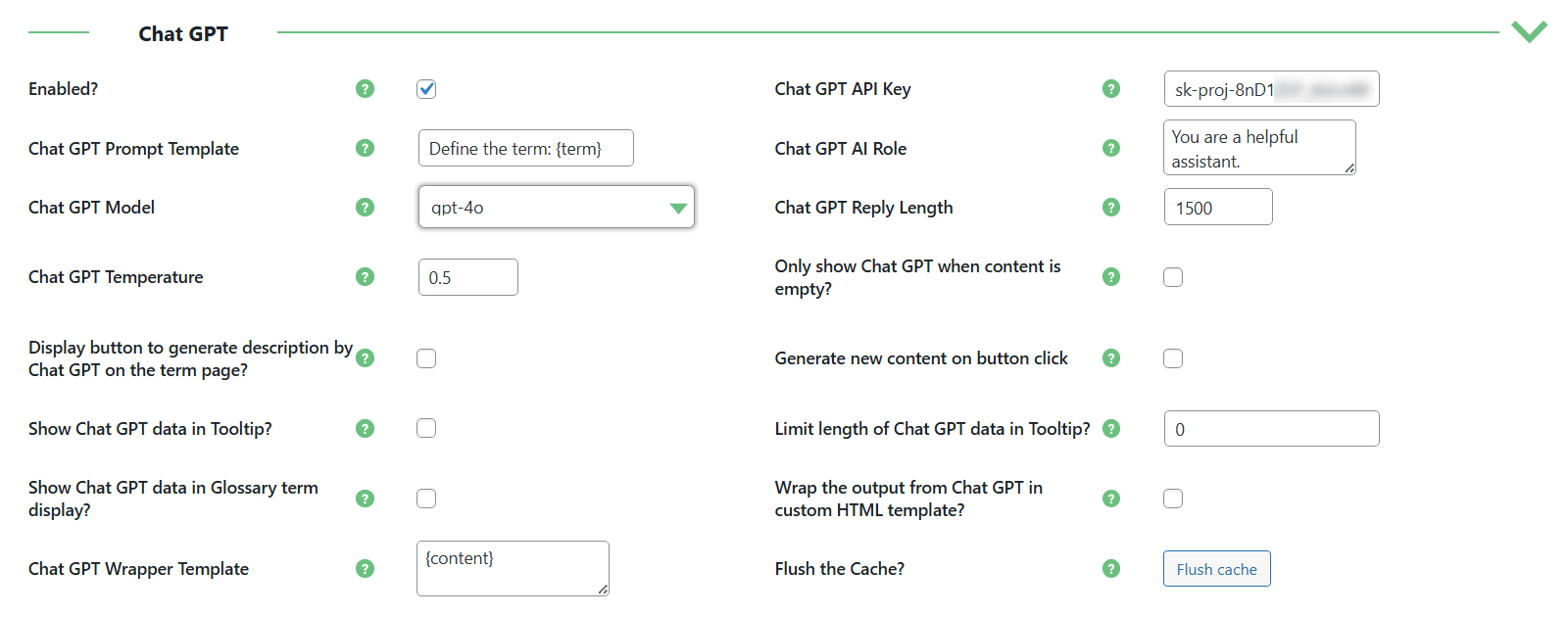
ChatGPT Integration Settings for WordPress Glossary Plugin
Automatically generated definitions are invaluable for educational sites, technical blogs, or corporate knowledge bases. Users understand new concepts instantly without leaving the page, boosting engagement and reducing frustration.
Consistent, clear definitions also support SEO by providing structured, informative content. This enhances user retention and reinforces your site as a reliable resource.
Automatic Term Scanning
Beyond existing terms, the plugin can scan your site content and suggest new terms. Suggested terms appear in the dashboard, where admins can review them and decide whether to create definitions manually or use AI.
Prompts for both term detection and definition creation can be customized to fit the site’s style.
The system highlights technical jargon, trending phrases, or industry-specific terms, alerting admins to relevant additions. This automation reduces manual effort while keeping admins in full control of how terms are defined and presented.
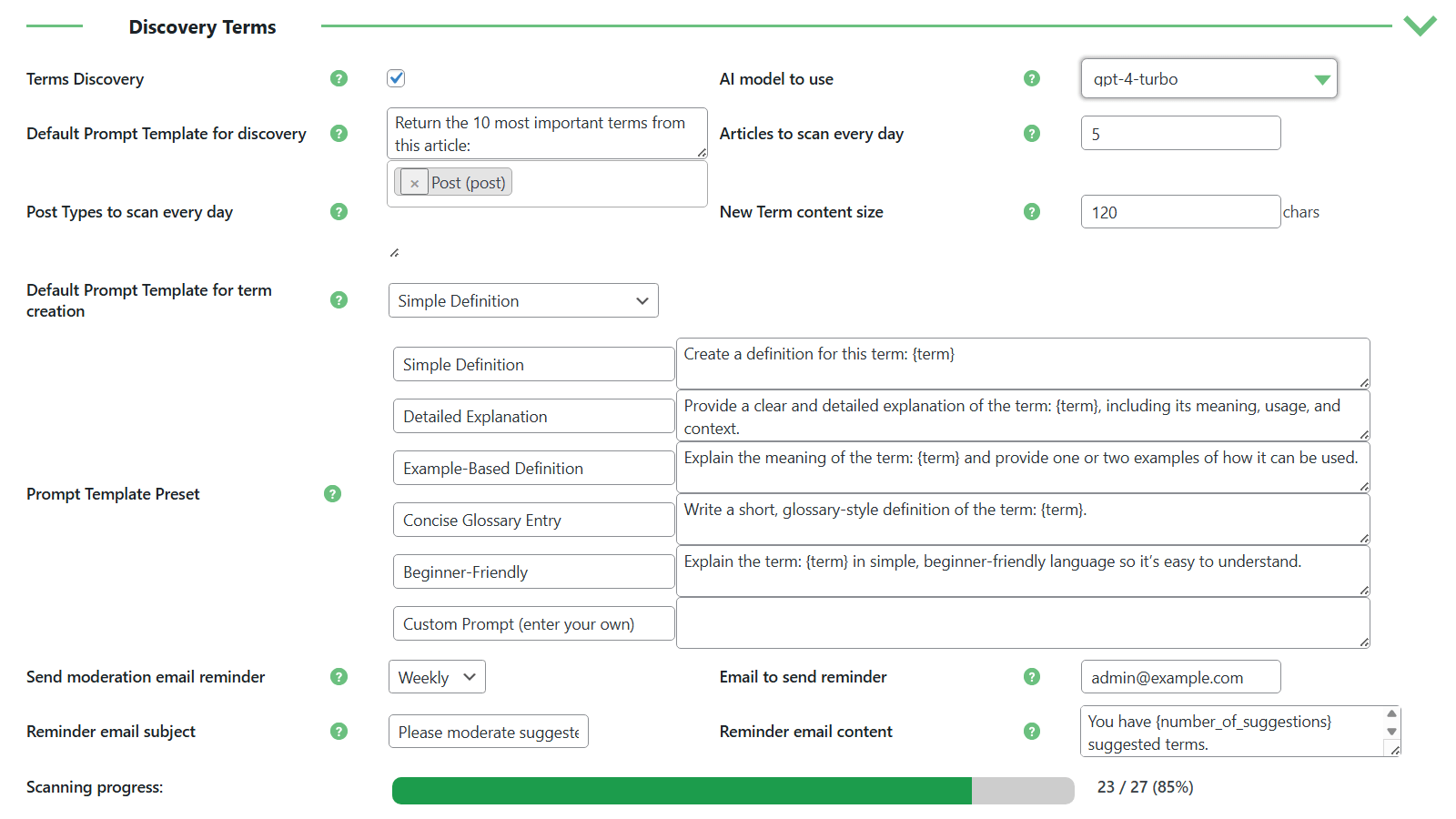
Discovery Terms Settings
Automatic scanning is useful for sites that update frequently, like blogs, news platforms, or industry sites. Admins can quickly manage suggested terms, keeping the glossary relevant and comprehensive.
By reviewing and updating definitions with AI help, sites maintain an authoritative knowledge base. Users get fast access to key concepts, improving comprehension and engagement while reinforcing the site’s credibility.
WordPress Questions and Answers

WordPress Questions and Answers enables users to submit questions and receive answers efficiently. With ChatGPT and Gemini integration, the plugin can automatically generate responses and maintain high community standards through AI-powered content moderation.
AI-Generated Answers
The plugin can automatically generate answers to user-submitted questions. By analyzing context, AI produces accurate, informative responses aligned with the site’s tone, addressing queries quickly without burdening administrators.
AI-generated answers handle a variety of question types, from simple informational queries to complex problems. Administrators can configure settings to ensure responses match the desired expertise and style.
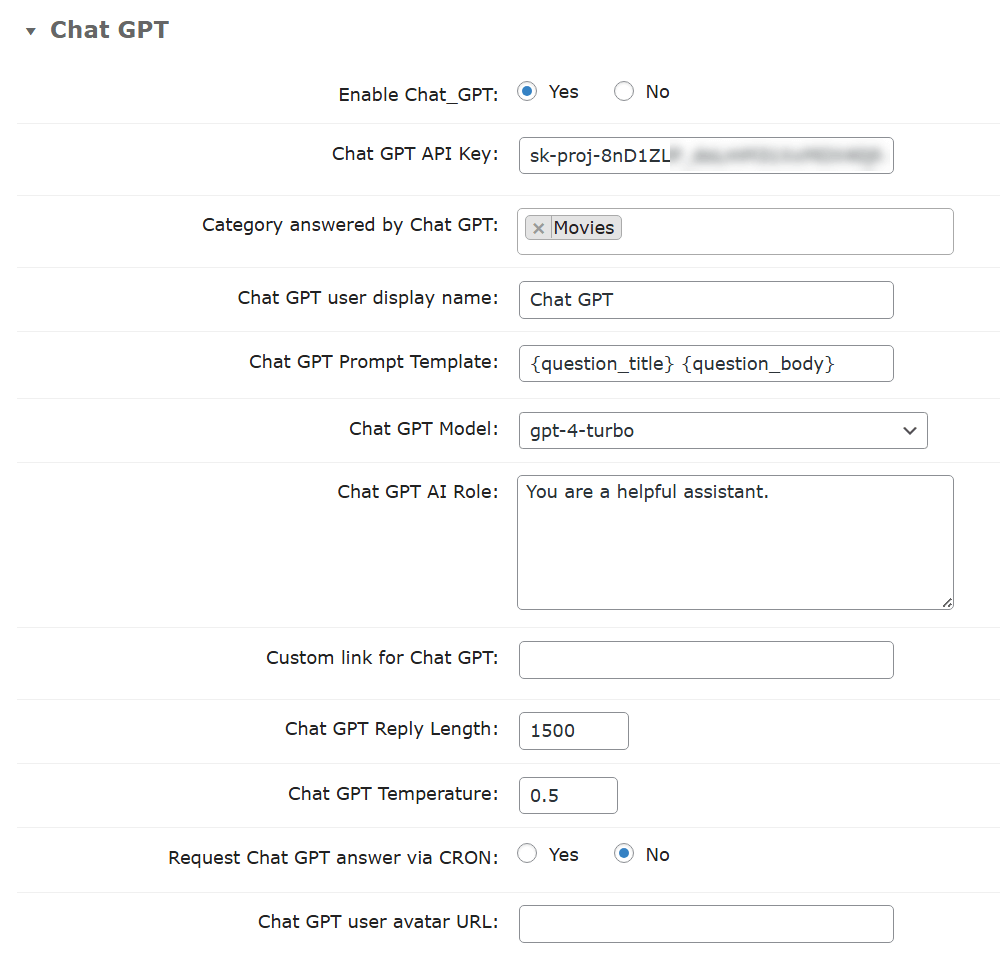
ChatGPT Integration Settings for WordPress Questions and Answers
This is especially beneficial for support forums, educational platforms, and customer service sites. Users get instant, reliable answers, boosting satisfaction and engagement, while administrators save time to focus on strategic tasks.
Providing prompt, professional responses also builds trust and credibility. Consistent quality in answers encourages repeat visits and fosters an active, well-supported community.
Content Moderation
AI also monitors and filters inappropriate content, focusing on spam and offensive language. Administrators can set rules to ensure discussions remain respectful and on-topic across questions and answers.
Real-time scanning reduces the need for manual review, minimizing delays and ensuring a safe environment for users to interact.
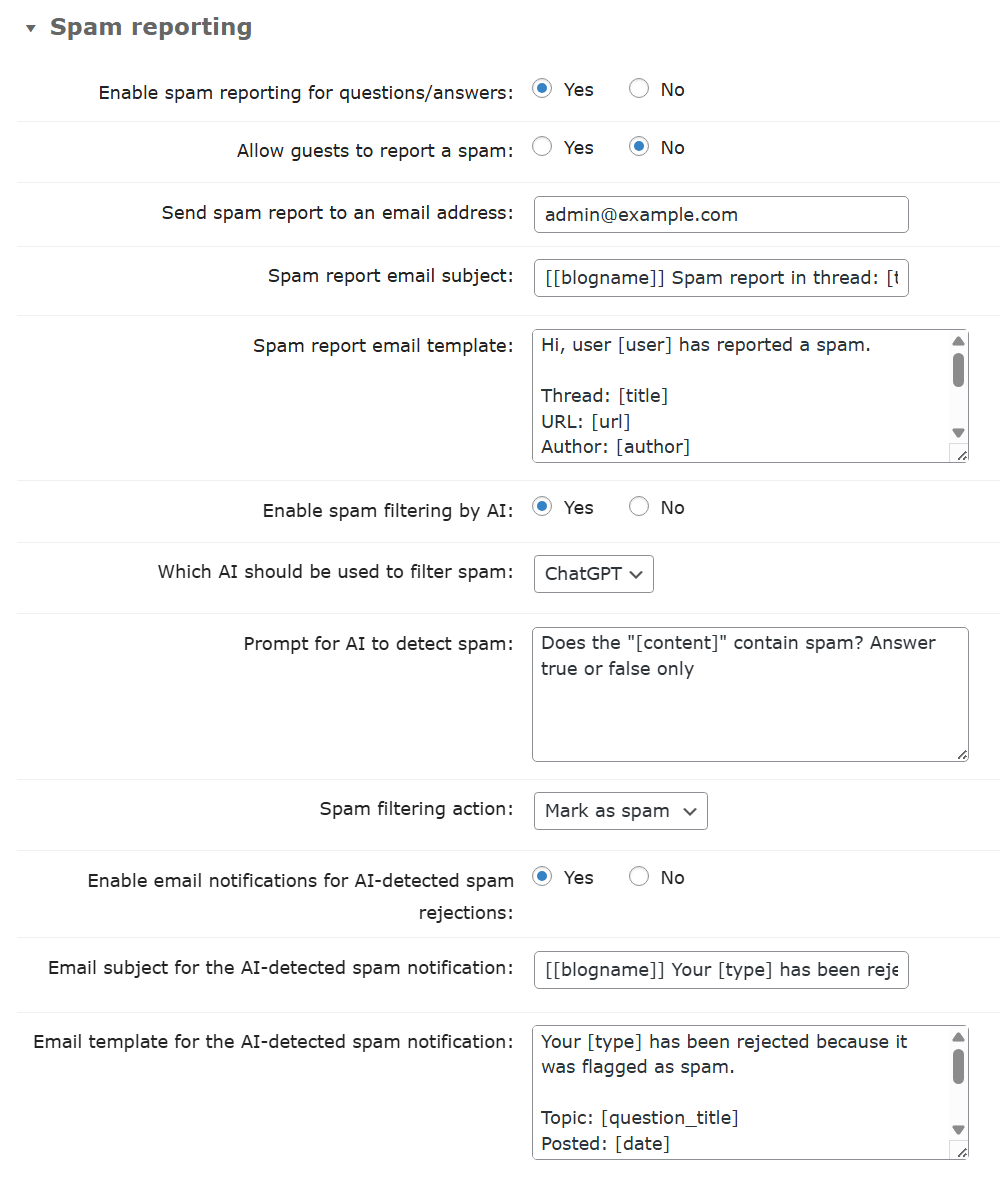
Spam Filter Settings
Content moderation is critical for forums, knowledge-sharing platforms, and membership websites. By automatically filtering harmful or irrelevant content, administrators create a safer, more professional space.
This encourages constructive participation and helps maintain a welcoming, trustworthy community for all users.
WordPress FAQ Plugin

WordPress FAQ Plugin allows administrators to create FAQ sections with AI-generated answers. ChatGPT integration enables the plugin to produce detailed responses for each question entered by the admin, reducing the need for manual drafting and ensuring consistent quality.
The AI processes the content of each question and generates a comprehensive answer that can be published immediately. This streamlines the creation of FAQs, making it faster to provide accurate and professional information to site visitors.
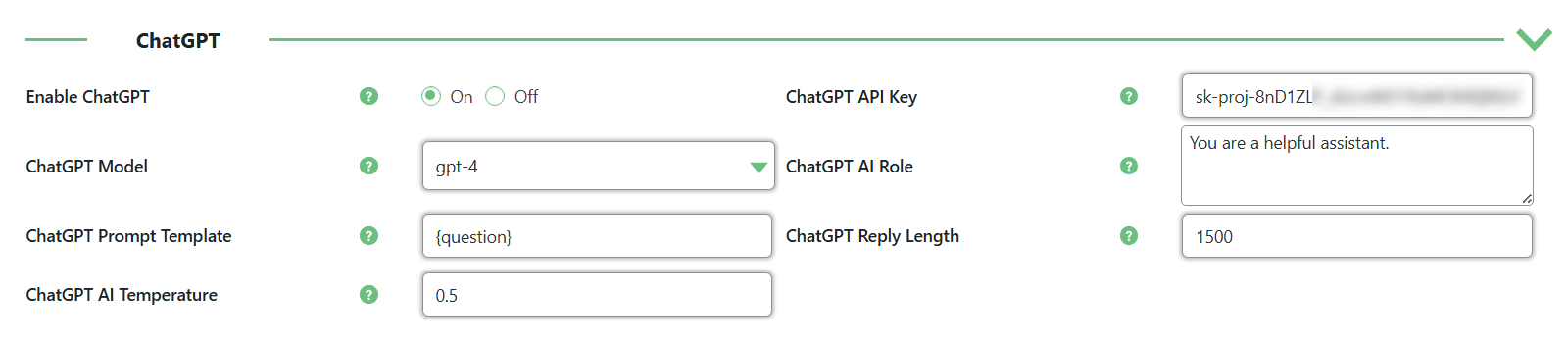
ChatGPT Integration Settings for WordPress FAQ Plugin
This functionality is particularly useful for customer support portals, product documentation pages, or informational websites. Automating FAQ responses saves administrators time while ensuring that users receive clear, relevant, and accurate answers without delay.
By maintaining a complete and up-to-date FAQ section, site owners enhance user experience, reduce repetitive inquiries, and improve overall site efficiency. Visitors benefit from having immediate access to reliable information, which fosters trust and encourages longer engagement with the site.
RSS Post Importer

RSS Post Importer automates importing content from external RSS feeds. With ChatGPT and Gemini integration, the plugin can generate unique articles based on the imported posts, allowing you to quickly create fresh content for your site without copying.
Administrators can configure how AI processes each feed, setting prompts and guidelines to ensure the generated content fits the site’s style and tone. This provides full control over the output while saving time and effort.
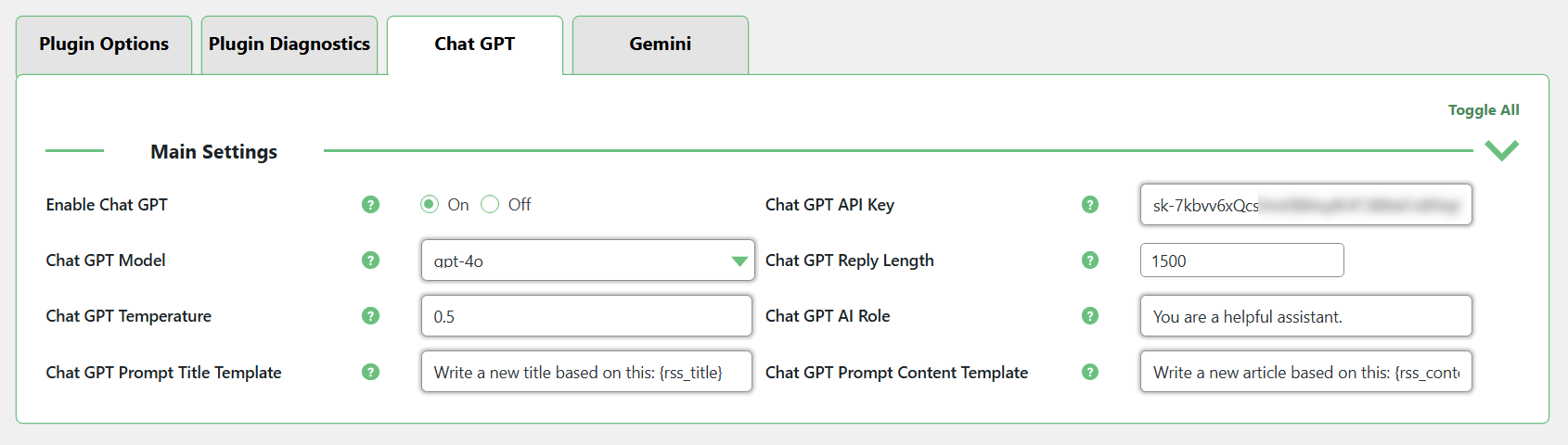
ChatGPT Integration Settings for RSS Post Importer
This functionality is especially useful for sites that rely on continuous content updates, such as news platforms, industry blogs, or curated content sites. By generating original articles from external feeds, the plugin keeps your site fresh, engages readers, and encourages return visits.
Content Moderation Tools

Content Moderation Tools helps editors and moderators improve content directly in WordPress. With ChatGPT integration, the plugin can assist in editing, refining, or shortening posts and pages. Administrators can set AI parameters like system role, prompt templates, response length, and generation style.
Users can select text and invoke ChatGPT to apply the desired action. The AI adapts to context and can follow specialized roles, such as an expert in a field or a creative persona like a poet. Admins can also let users have limited control over settings for more flexibility.
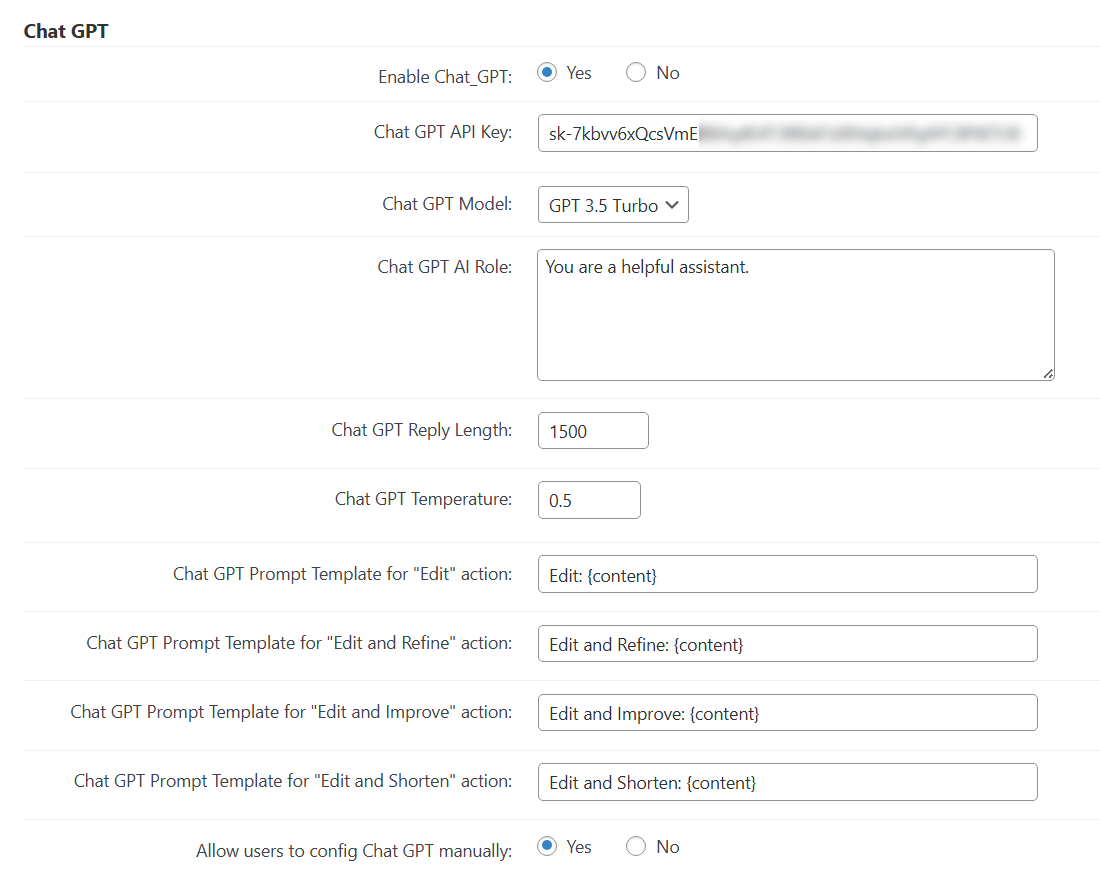
ChatGPT Integration Settings for Content Moderation Tools
This is ideal for multi-author blogs, news sites, or content-heavy platforms where maintaining consistent quality is important. Editors save time by letting AI suggest improvements, shorten text, or refine language.
By automating repetitive editing tasks, the plugin improves collaboration between authors and editors. It ensures a professional tone, keeps content polished, and even allows generating answers, writing articles, or translating text, making content management faster and more versatile.
WordPress Email Registration Blacklist

WordPress Email Registration Blacklist helps prevent spam and fake sign-ups, ensuring only real users join. With ChatGPT integration, the plugin verifies email domains and checks names, adding extra security.
The AI assesses plausibility, spotting suspicious email strings or unusual names. Administrators can block domains, allow exceptions, or flag entries, maintaining control while reducing manual work.
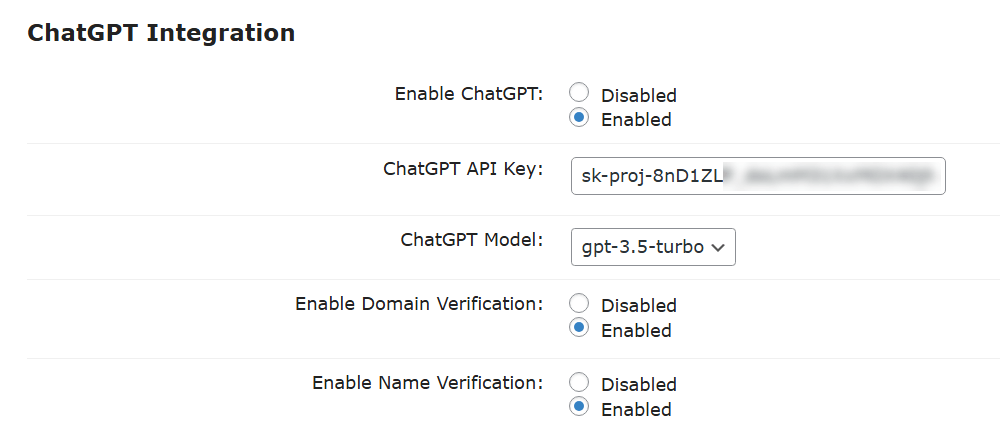
ChatGPT Integration Settings for WordPress Email Registration Blacklist
This functionality is especially useful for membership sites, online courses, and community platforms where accurate user data is crucial. By blocking fake registrations automatically, the plugin protects resources, reduces spam, and ensures genuine interactions.
Automatic verification also improves security and the onboarding experience. Reliable data collection builds trust, strengthens the community, and supports a professional, well-managed environment.
Conclusion

AI integrations in WordPress plugins provide powerful benefits for site owners and users. Using tools like ChatGPT and Gemini, plugins can automate repetitive tasks, enhance content quality, and maintain community standards while saving administrators time.
From generating glossary definitions to providing instant answers, moderating content, and verifying registrations, AI adds intelligence and efficiency to daily site operations. These features streamline workflows, boost engagement, and build trust.
Integrating AI ensures websites stay interactive, informative, and professional. By adopting these technologies, site owners keep content relevant, communities safe, and users satisfied with clear, reliable information.