Managing access to premium content is a challenge for any membership site, digital magazine, or e-learning platform.
With the WordPress Pay Per Post Plugin, site owners can sell time-limited access to content and enhance the user experience by displaying a floating countdown timer that shows exactly how much access time remains.

Why Timers Matter for Content Monetization
Timers go far beyond being a cosmetic feature. They add value for both site owners and users:
- Clarity for subscribers – Visitors know exactly when their access ends, which reduces support requests and frustration.
- Boosted engagement – A visible countdown encourages users to make the most of their time, whether it’s finishing an article, watching a course, or downloading resources.
- Sense of urgency – Psychologically, countdowns create a gentle push that increases interaction and perceived value.
- Professionalism and trust – A polished timer shows that the site takes content management seriously.
In essence, a countdown timer combines transparency, urgency, and engagement – three pillars of successful content monetization.
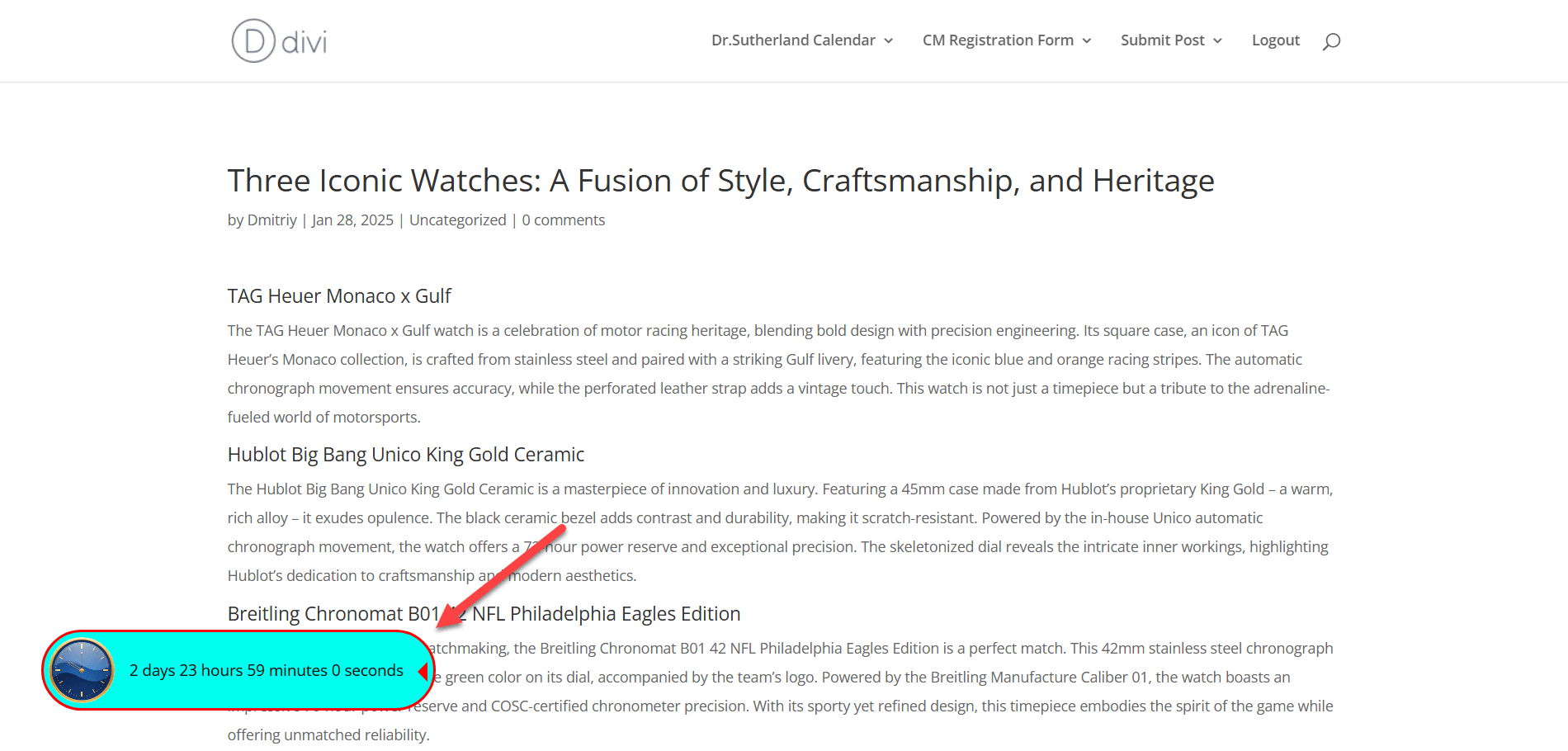
Displaying Timer Widget
March 2026 Offer – For a Limited Time Only:
Get WordPress Pay Per Post Plugin for 20% off! Don’t miss out!
Effective Ways to Apply the Timer
So, where does a timer really shine?
- Online Magazines & News Portals: Charge readers for 24-hour access to premium articles, with the timer reminding them to read before the deadline.
- Video Streaming or Tutorials: Offer pay-per-view rentals with limited access, encouraging viewers to complete the course before time runs out.
- E-Learning Platforms: Let students purchase access to study materials for a set period, while the timer keeps them aware of remaining availability.
- Membership Perks: Provide temporary premium features or resources, such as downloads or tools, without committing to permanent access.
- Event-Driven Content: Give users timed access to exclusive reports, webinars, or seasonal offers.
Each of these scenarios benefits from the timer’s ability to set expectations and motivate action.
Tailoring the Timer to Your Site

The WordPress Pay Per Post Plugin ensures the timer isn’t a one-size-fits-all element – it’s highly customizable:
- Visual consistency: Adjust background, border, and text colors so the widget blends with your brand.
- Personalized icons: Swap the default clock for a branded symbol or unique image.
- Smart placement: Position it in any screen corner, with pixel-level control to avoid covering menus or important content.
- Interactive details: Add hover text with custom reminders or promotional messages.
These options let you integrate the countdown seamlessly, making it feel like a natural part of your site design.
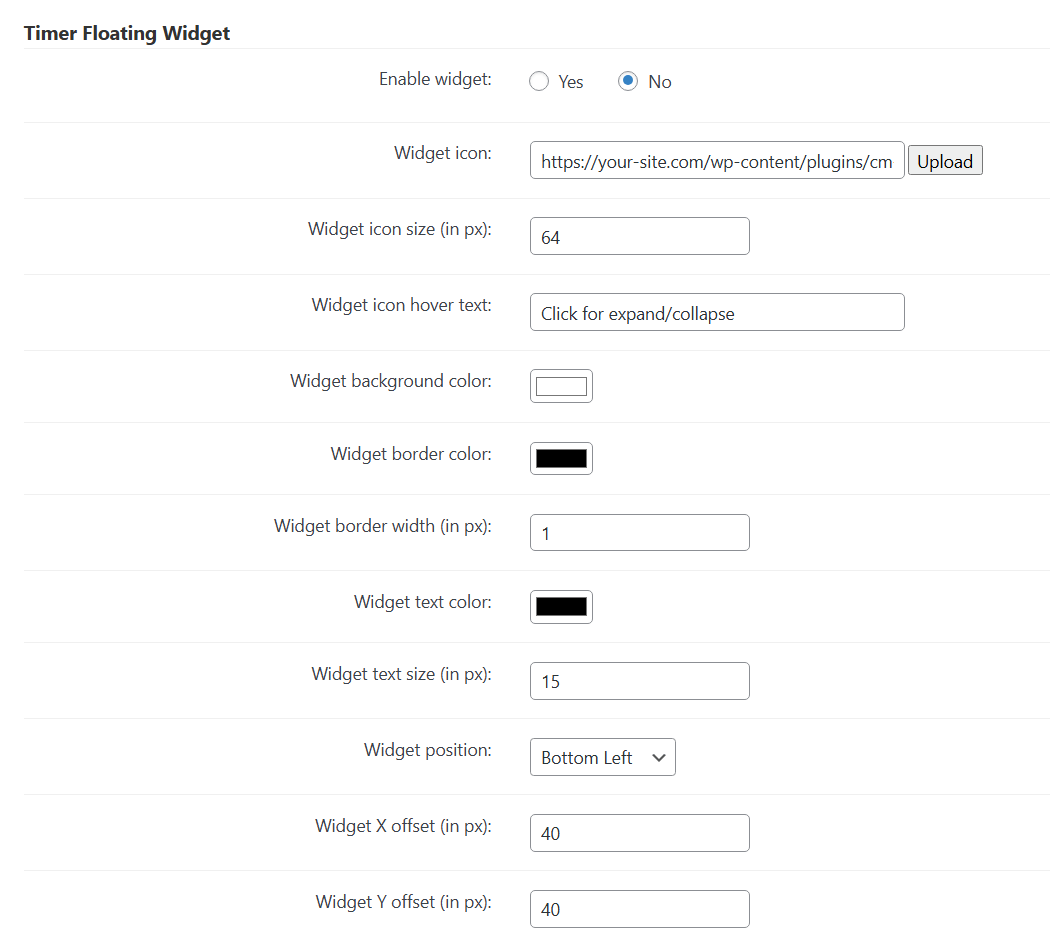
Timer Widget Settings
Beyond Restricting Access: Strategic Benefits

Using a timer widget does more than just show time – it can support business strategy:
- Encourage repeat purchases – As access nears expiration, users are reminded of the value they’re getting and may be more likely to renew.
- Upsell opportunities – Combine timers with upgrade messages to offer extended access or subscription plans.
- Data-driven insights – Track how users behave when access is time-limited, helping refine pricing and access models.
This makes the WordPress Pay Per Post Plugin timer not just a tool for transparency, but also a lever for increasing conversions and customer retention.
Final Thoughts

For site owners who rely on paid content, striking the right balance between accessibility and exclusivity is essential.
The countdown timer offered by the WordPress Pay Per Post Plugin helps maintain this balance by giving users a clear view of how much time remains, while reinforcing the value of the content they’ve purchased.
Instead of leaving visitors uncertain or frustrated, the timer provides an intuitive way to manage expectations and improve overall satisfaction. At the same time, this feature empowers businesses with opportunities to drive engagement and revenue.
From motivating readers to complete an article before access expires, to encouraging students to revisit lessons promptly, to reminding subscribers to renew – the countdown timer supports multiple strategies.
In practice, it transforms access control from a limitation into an engagement tool, helping site owners build trust, improve retention, and maximize the impact of their premium content.